Something is wrong!
ActiveX controls are not available in your browser. The TSR Wizard is only supported in Internet Explorer.
Click here to disable the TSR Wizard and make this message go away »
Something is wrong!
The wizard is enabled but it was not found. It may not be installed.
Downloads / Sims 2 / Sets / Objects
Back to Previous PageSubmit your creations!
Share your work freely
with all our users.
Files not working?
Try the download guides
in our helpcenter.
Who made the tools?
Meet those who made
custom content a reality.
Read our rules!
Before recoloring or using
content in lot creations.
ItemID: 793302 | Revision: 1
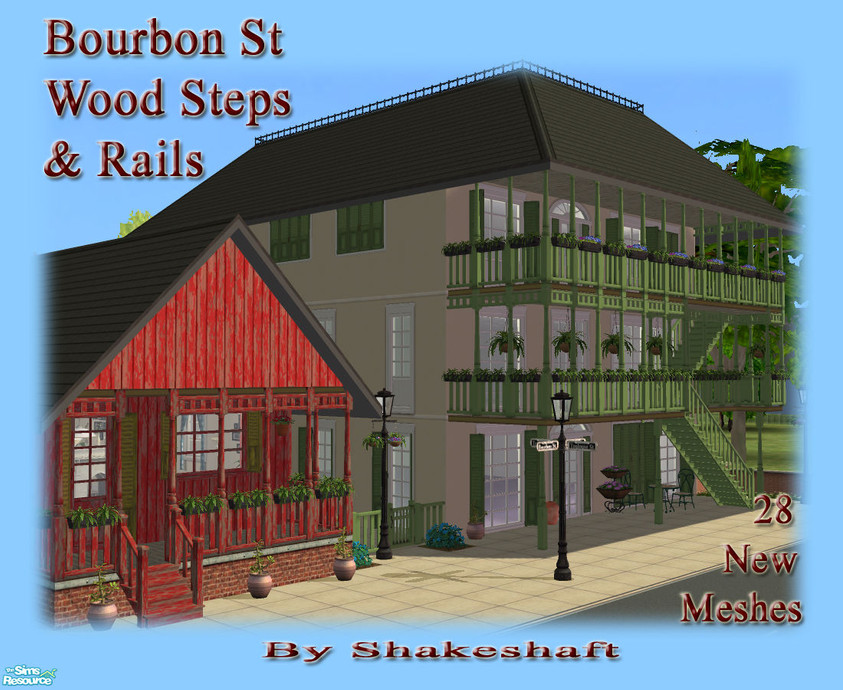
• Bourbon St: Wood Steps & Rails
This set has 28 items, view them » | 11 comments »By shakeshaft | Oct 16, 2008
TSRAA: Yes
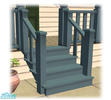
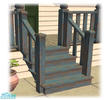
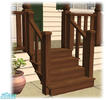
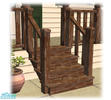
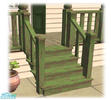
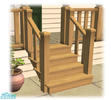
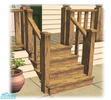
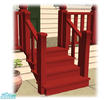
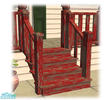
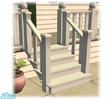
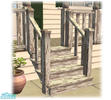
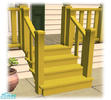
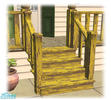
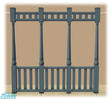
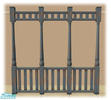
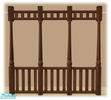
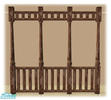
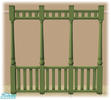
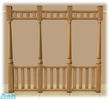
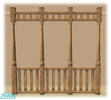
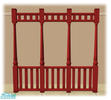
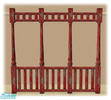
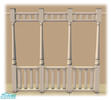
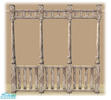
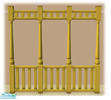
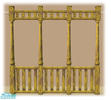
A set of Wooden Steps and Porch Railings to match my Bourbon St Windows and Doors, set includes steps and railings in Blue, Dark, Green, Pine, Red, Yellow and White also in Peeling Paint Textures.
Additional Notes:
**Special instructions required for Modular Stairs see Individual Item**At least one Expansion pack required for the Railings**.
Recommended Items
This creation has some recommended items. Please note those items are not required for the download to work! You can download them below.
• Bourbon St
Subscriber only download! | Subscribe Now »
• Bourbon St
Subscriber only download! | Subscribe Now »
• Bourbon St
Subscriber only download! | Subscribe Now »
• Bourbon St
Subscriber only download! | Subscribe Now »
Show ItemsItems in this Set (28)
The items in this set are currently hidden. Click on Show Items to display all items in this set.
• Bourbon St: Wood Rail Yellow Worn - Mesh
Oct 16, 20081001078
Base Game Compatible
Click to Download »• Bourbon St: Wood Rail White Worn - Mesh
Oct 16, 20081080083
Base Game Compatible
Click to Download »• Bourbon St: Wood Rail Pine Worn - Mesh
Oct 16, 20081042077
Base Game Compatible
Click to Download »• Bourbon St: Wood Rail Green Worn - Mesh
Oct 16, 20081028078
Base Game Compatible
Click to Download »• Bourbon St: Wood Rail Dark Worn - Mesh
Oct 16, 20081036077
Base Game Compatible
Click to Download »• Bourbon St: Wood Rail Blue Worn - Mesh
Oct 16, 20081035078
Base Game Compatible
Click to Download »• Bourbon St: Wood Steps Yellow Worn -...
Oct 16, 20081031077
Base Game Compatible
Installation Instructions
-
Installation Instructions:
TO INSTALL THE MODULAR STAIRS...
(1) Place the stairs file in your ‘Downloads’ folder as usual.
(2) Find where you originally installed The Sims 2 game (not the expansion packs) and look for the folder TSDataResCatalogScripts. It is usually in THIS location:
C: Program Files/EA GAMES/The Sims 2/TSData/Res/Catalog/Scripts
(3) Take a BACKUP COPY of the ‘modularstairs.txt’ file and keep it somewhere safe in case you make any mistakes.
(4) Now open the file ‘modularStairs.txt’ and find an empty space at the bottom of the page.
(5) Copy and paste the block of text below into an EMPTY SPACE at the bottom of the file:
#ASC_BourbonStYellowWorn_Steps
modularStairs 2035
objectID landing 0x005161B9
objectID placeholder 0x005161B8
objectID step 0x005161BA
objectID topStep 0x005161B7
objectID bottomStep 0x005161B5
catalogTextIndex 1
(6) Save and close the text file.
If you find you have a Stairs text with the same number (2035) you may change this to a unique one.
If you have Numenor's Scriptorium installed extract the Text from the .zip file and drop into the Scriptorium Modular Stairs shortcut in your downloads folder.
• Bourbon St: Wood Steps Yellow - Mesh
Oct 16, 20081066081
Base Game Compatible
Installation Instructions
-
Installation Instructions:
TO INSTALL THE MODULAR STAIRS...
(1) Place the stairs file in your ‘Downloads’ folder as usual.
(2) Find where you originally installed The Sims 2 game (not the expansion packs) and look for the folder TSDataResCatalogScripts. It is usually in THIS location:
C: Program Files/EA GAMES/The Sims 2/TSData/Res/Catalog/Scripts
(3) Take a BACKUP COPY of the ‘modularstairs.txt’ file and keep it somewhere safe in case you make any mistakes.
(4) Now open the file ‘modularStairs.txt’ and find an empty space at the bottom of the page.
(5) Copy and paste the block of text below into an EMPTY SPACE at the bottom of the file:
#ASC_BourbonStYellow_Steps
modularStairs 2034
objectID landing 0x005161B3
objectID placeholder 0x005161B2
objectID step 0x005161B4
objectID topStep 0x005161B1
objectID bottomStep 0x005161AF
catalogTextIndex 1
(6) Save and close the text file.
If you find you have a Stairs text with the same number (2034) you may change this to a unique one.
If you have Numenor's Scriptorium installed extract the Text from the .zip file and drop into the Scriptorium Modular Stairs shortcut in your downloads folder.
• Bourbon St: Wood Steps White Worn - Mesh
Oct 16, 20081188088
Base Game Compatible
Installation Instructions
-
Installation Instructions:
TO INSTALL THE MODULAR STAIRS...
(1) Place the stairs file in your ‘Downloads’ folder as usual.
(2) Find where you originally installed The Sims 2 game (not the expansion packs) and look for the folder TSDataResCatalogScripts. It is usually in THIS location:
C: Program Files/EA GAMES/The Sims 2/TSData/Res/Catalog/Scripts
(3) Take a BACKUP COPY of the ‘modularstairs.txt’ file and keep it somewhere safe in case you make any mistakes.
(4) Now open the file ‘modularStairs.txt’ and find an empty space at the bottom of the page.
(5) Copy and paste the block of text below into an EMPTY SPACE at the bottom of the file:
#ASC_BourbonStWhiteWorn_Steps
modularStairs 2027
objectID landing 0x00516189
objectID placeholder 0x00516188
objectID step 0x0051618A
objectID topStep 0x00516187
objectID bottomStep 0x00516185
catalogTextIndex 1
(6) Save and close the text file.
If you find you have a Stairs text with the same number (2027) you may change this to a unique one.
If you have Numenor's Scriptorium installed extract the Text from the .zip file and drop into the Scriptorium Modular Stairs shortcut in your downloads folder.
• Bourbon St: Wood Steps White - Mesh
Oct 16, 20081580299
Base Game Compatible
Installation Instructions
-
Installation Instructions:
TO INSTALL THE MODULAR STAIRS...
(1) Place the stairs file in your ‘Downloads’ folder as usual.
(2) Find where you originally installed The Sims 2 game (not the expansion packs) and look for the folder TSDataResCatalogScripts. It is usually in THIS location:
C: Program Files/EA GAMES/The Sims 2/TSData/Res/Catalog/Scripts
(3) Take a BACKUP COPY of the ‘modularstairs.txt’ file and keep it somewhere safe in case you make any mistakes.
(4) Now open the file ‘modularStairs.txt’ and find an empty space at the bottom of the page.
(5) Copy and paste the block of text below into an EMPTY SPACE at the bottom of the file:
#ASC_BourbonStWhite_Steps
modularStairs 2026
objectID landing 0x00516183
objectID placeholder 0x00516182
objectID step 0x00516184
objectID topStep 0x00516181
objectID bottomStep 0x0051617F
catalogTextIndex 1
(6) Save and close the text file.
If you find you have a Stairs text with the same number (2026) you may change this to a unique one.
If you have Numenor's Scriptorium installed extract the Text from the .zip file and drop into the Scriptorium Modular Stairs shortcut in your downloads folder.
• Bourbon St: Wood Steps Red Worn - Mesh
Oct 16, 20081066179
Base Game Compatible
Installation Instructions
-
Installation Instructions:
TO INSTALL THE MODULAR STAIRS...
(1) Place the stairs file in your ‘Downloads’ folder as usual.
(2) Find where you originally installed The Sims 2 game (not the expansion packs) and look for the folder TSDataResCatalogScripts. It is usually in THIS location:
C: Program Files/EA GAMES/The Sims 2/TSData/Res/Catalog/Scripts
(3) Take a BACKUP COPY of the ‘modularstairs.txt’ file and keep it somewhere safe in case you make any mistakes.
(4) Now open the file ‘modularStairs.txt’ and find an empty space at the bottom of the page.
(5) Copy and paste the block of text below into an EMPTY SPACE at the bottom of the file:
#ASC_BourbonStRedWorn_Steps
modularStairs 2039
objectID landing 0x005161D1
objectID placeholder 0x005161D0
objectID step 0x005161D2
objectID topStep 0x005161CF
objectID bottomStep 0x005161CD
catalogTextIndex 1
(6) Save and close the text file.
If you find you have a Stairs text with the same number (2039) you may change this to a unique one.
If you have Numenor's Scriptorium installed extract the Text from the .zip file and drop into the Scriptorium Modular Stairs shortcut in your downloads folder.
• Bourbon St: Wood Steps Red - Mesh
Oct 16, 20081151084
Base Game Compatible
Installation Instructions
-
Installation Instructions:
TO INSTALL THE MODULAR STAIRS...
(1) Place the stairs file in your ‘Downloads’ folder as usual.
(2) Find where you originally installed The Sims 2 game (not the expansion packs) and look for the folder TSDataResCatalogScripts. It is usually in THIS location:
C: Program Files/EA GAMES/The Sims 2/TSData/Res/Catalog/Scripts
(3) Take a BACKUP COPY of the ‘modularstairs.txt’ file and keep it somewhere safe in case you make any mistakes.
(4) Now open the file ‘modularStairs.txt’ and find an empty space at the bottom of the page.
(5) Copy and paste the block of text below into an EMPTY SPACE at the bottom of the file:
#ASC_BourbonStRed_Steps
modularStairs 2038
objectID landing 0x005161CB
objectID placeholder 0x005161CA
objectID step 0x005161CC
objectID topStep 0x005161C9
objectID bottomStep 0x005161C7
catalogTextIndex 1
(6) Save and close the text file.
If you find you have a Stairs text with the same number (2038) you may change this to a unique one.
If you have Numenor's Scriptorium installed extract the Text from the .zip file and drop into the Scriptorium Modular Stairs shortcut in your downloads folder.
• Bourbon St: Wood Steps Pine Worn - Mesh
Oct 16, 20081099079
Base Game Compatible
Installation Instructions
-
Installation Instructions:
TO INSTALL THE MODULAR STAIRS...
(1) Place the stairs file in your ‘Downloads’ folder as usual.
(2) Find where you originally installed The Sims 2 game (not the expansion packs) and look for the folder TSDataResCatalogScripts. It is usually in THIS location:
C: Program Files/EA GAMES/The Sims 2/TSData/Res/Catalog/Scripts
(3) Take a BACKUP COPY of the ‘modularstairs.txt’ file and keep it somewhere safe in case you make any mistakes.
(4) Now open the file ‘modularStairs.txt’ and find an empty space at the bottom of the page.
(5) Copy and paste the block of text below into an EMPTY SPACE at the bottom of the file:
#ASC_BourbonStPineWorn_Steps
modularStairs 2031
objectID landing 0x005161A1
objectID placeholder 0x005161A0
objectID step 0x005161A2
objectID topStep 0x0051619F
objectID bottomStep 0x0051619D
catalogTextIndex 1
(6) Save and close the text file.
If you find you have a Stairs text with the same number (2031) you may change this to a unique one.
If you have Numenor's Scriptorium installed extract the Text from the .zip file and drop into the Scriptorium Modular Stairs shortcut in your downloads folder.
• Bourbon St: Wood Steps Pine - Mesh
Oct 16, 20081310189
Base Game Compatible
Installation Instructions
-
Installation Instructions:
TO INSTALL THE MODULAR STAIRS...
(1) Place the stairs file in your ‘Downloads’ folder as usual.
(2) Find where you originally installed The Sims 2 game (not the expansion packs) and look for the folder TSDataResCatalogScripts. It is usually in THIS location:
C: Program Files/EA GAMES/The Sims 2/TSData/Res/Catalog/Scripts
(3) Take a BACKUP COPY of the ‘modularstairs.txt’ file and keep it somewhere safe in case you make any mistakes.
(4) Now open the file ‘modularStairs.txt’ and find an empty space at the bottom of the page.
(5) Copy and paste the block of text below into an EMPTY SPACE at the bottom of the file:
#ASC_BourbonStPine_Steps
modularStairs 2030
objectID landing 0x0051619B
objectID placeholder 0x0051619A
objectID step 0x0051619C
objectID topStep 0x00516199
objectID bottomStep 0x00516197
catalogTextIndex 1
(6) Save and close the text file.
If you find you have a Stairs text with the same number (2030) you may change this to a unique one.
If you have Numenor's Scriptorium installed extract the Text from the .zip file and drop into the Scriptorium Modular Stairs shortcut in your downloads folder.
• Bourbon St: Wood Steps Green Worn - Mesh
Oct 16, 20081075077
Base Game Compatible
Installation Instructions
-
Installation Instructions:
TO INSTALL THE MODULAR STAIRS...
(1) Place the stairs file in your ‘Downloads’ folder as usual.
(2) Find where you originally installed The Sims 2 game (not the expansion packs) and look for the folder TSDataResCatalogScripts. It is usually in THIS location:
C: Program Files/EA GAMES/The Sims 2/TSData/Res/Catalog/Scripts
(3) Take a BACKUP COPY of the ‘modularstairs.txt’ file and keep it somewhere safe in case you make any mistakes.
(4) Now open the file ‘modularStairs.txt’ and find an empty space at the bottom of the page.
(5) Copy and paste the block of text below into an EMPTY SPACE at the bottom of the file:
#ASC_BourbonStGreenWorn_Steps
modularStairs 2033
objectID landing 0x005161AD
objectID placeholder 0x005161AC
objectID step 0x005161AE
objectID topStep 0x005161AB
objectID bottomStep 0x005161A9
catalogTextIndex 1
(6) Save and close the text file.
If you find you have a Stairs text with the same number (2033) you may change this to a unique one.
If you have Numenor's Scriptorium installed extract the Text from the .zip file and drop into the Scriptorium Modular Stairs shortcut in your downloads folder.
• Bourbon St: Wood Steps Green - Mesh
Oct 16, 20081138082
Base Game Compatible
Installation Instructions
-
Installation Instructions:
TO INSTALL THE MODULAR STAIRS...
(1) Place the stairs file in your ‘Downloads’ folder as usual.
(2) Find where you originally installed The Sims 2 game (not the expansion packs) and look for the folder TSDataResCatalogScripts. It is usually in THIS location:
C: Program Files/EA GAMES/The Sims 2/TSData/Res/Catalog/Scripts
(3) Take a BACKUP COPY of the ‘modularstairs.txt’ file and keep it somewhere safe in case you make any mistakes.
(4) Now open the file ‘modularStairs.txt’ and find an empty space at the bottom of the page.
(5) Copy and paste the block of text below into an EMPTY SPACE at the bottom of the file:
#ASC_BourbonStGreen_Steps
modularStairs 2032
objectID landing 0x005161A7
objectID placeholder 0x005161A6
objectID step 0x005161A8
objectID topStep 0x005161A5
objectID bottomStep 0x005161A3
catalogTextIndex 1
(6) Save and close the text file.
If you find you have a Stairs text with the same number (2032) you may change this to a unique one.
If you have Numenor's Scriptorium installed extract the Text from the .zip file and drop into the Scriptorium Modular Stairs shortcut in your downloads folder.
• Bourbon St: Wood Steps Dark Worn - Mesh
Oct 16, 20081099079
Base Game Compatible
Installation Instructions
-
Installation Instructions:
TO INSTALL THE MODULAR STAIRS...
(1) Place the stairs file in your ‘Downloads’ folder as usual.
(2) Find where you originally installed The Sims 2 game (not the expansion packs) and look for the folder TSDataResCatalogScripts. It is usually in THIS location:
C: Program Files/EA GAMES/The Sims 2/TSData/Res/Catalog/Scripts
(3) Take a BACKUP COPY of the ‘modularstairs.txt’ file and keep it somewhere safe in case you make any mistakes.
(4) Now open the file ‘modularStairs.txt’ and find an empty space at the bottom of the page.
(5) Copy and paste the block of text below into an EMPTY SPACE at the bottom of the file:
#ASC_BourbonStDarkWorn_Steps
modularStairs 2029
objectID landing 0x00516195
objectID placeholder 0x00516194
objectID step 0x00516196
objectID topStep 0x00516193
objectID bottomStep 0x00516191
catalogTextIndex 1
(6) Save and close the text file.
If you find you have a Stairs text with the same number (2029) you may change this to a unique one.
If you have Numenor's Scriptorium installed extract the Text from the .zip file and drop into the Scriptorium Modular Stairs shortcut in your downloads folder.
• Bourbon St: Wood Steps Dark - Mesh
Oct 16, 20081279290
Base Game Compatible
Installation Instructions
-
Installation Instructions:
TO INSTALL THE MODULAR STAIRS...
(1) Place the stairs file in your ‘Downloads’ folder as usual.
(2) Find where you originally installed The Sims 2 game (not the expansion packs) and look for the folder TSDataResCatalogScripts. It is usually in THIS location:
C: Program Files/EA GAMES/The Sims 2/TSData/Res/Catalog/Scripts
(3) Take a BACKUP COPY of the ‘modularstairs.txt’ file and keep it somewhere safe in case you make any mistakes.
(4) Now open the file ‘modularStairs.txt’ and find an empty space at the bottom of the page.
(5) Copy and paste the block of text below into an EMPTY SPACE at the bottom of the file:
#ASC_BourbonStDark_Steps
modularStairs 2028
objectID landing 0x0051618F
objectID placeholder 0x0051618E
objectID step 0x00516190
objectID topStep 0x0051618D
objectID bottomStep 0x0051618B
catalogTextIndex 1
(6) Save and close the text file.
If you find you have a Stairs text with the same number (2028) you may change this to a unique one.
If you have Numenor's Scriptorium installed extract the Text from the .zip file and drop into the Scriptorium Modular Stairs shortcut in your downloads folder.
• Bourbon St: Wood Steps Blue Worn - Mesh
Oct 16, 20081121179
Base Game Compatible
Installation Instructions
-
Installation Instructions:
TO INSTALL THE MODULAR STAIRS...
(1) Place the stairs file in your ‘Downloads’ folder as usual.
(2) Find where you originally installed The Sims 2 game (not the expansion packs) and look for the folder TSDataResCatalogScripts. It is usually in THIS location:
C: Program Files/EA GAMES/The Sims 2/TSData/Res/Catalog/Scripts
(3) Take a BACKUP COPY of the ‘modularstairs.txt’ file and keep it somewhere safe in case you make any mistakes.
(4) Now open the file ‘modularStairs.txt’ and find an empty space at the bottom of the page.
(5) Copy and paste the block of text below into an EMPTY SPACE at the bottom of the file:
#ASC_BourbonStBlueWorn_Steps
modularStairs 2037
objectID landing 0x005161C5
objectID placeholder 0x005161C4
objectID step 0x005161C6
objectID topStep 0x005161C3
objectID bottomStep 0x005161C1
catalogTextIndex 1
(6) Save and close the text file.
If you find you have a Stairs text with the same number (2037) you may change this to a unique one.
If you have Numenor's Scriptorium installed extract the Text from the .zip file and drop into the Scriptorium Modular Stairs shortcut in your downloads folder.
• Bourbon St: Wood Steps Blue - Mesh
Oct 16, 20081185085
Base Game Compatible
Installation Instructions
-
Installation Instructions:
TO INSTALL THE MODULAR STAIRS...
(1) Place the stairs file in your ‘Downloads’ folder as usual.
(2) Find where you originally installed The Sims 2 game (not the expansion packs) and look for the folder TSDataResCatalogScripts. It is usually in THIS location:
C: Program Files/EA GAMES/The Sims 2/TSData/Res/Catalog/Scripts
(3) Take a BACKUP COPY of the ‘modularstairs.txt’ file and keep it somewhere safe in case you make any mistakes.
(4) Now open the file ‘modularStairs.txt’ and find an empty space at the bottom of the page.
(5) Copy and paste the block of text below into an EMPTY SPACE at the bottom of the file:
#ASC_BourbonStBlue_Steps
modularStairs 2036
objectID landing 0x005161BF
objectID placeholder 0x005161BE
objectID step 0x005161C0
objectID topStep 0x005161BD
objectID bottomStep 0x005161BB
catalogTextIndex 1
(6) Save and close the text file.
If you find you have a Stairs text with the same number (2036) you may change this to a unique one.
If you have Numenor's Scriptorium installed extract the Text from the .zip file and drop into the Scriptorium Modular Stairs shortcut in your downloads folder.


11 Comment(s)
Note: We do our best to make sure the comments posted are of non-offensive material and on-topic. If you see something that is irrelevant or abusive, please report it and we will remove it as soon as possible.
Thank you for the great stairs. I especially loved the weathered look. Fits right in with what I'm doing.
PS. The text files were such a convenience. 
Add a Comment
Warning: Use of bad language, unsuitable links or flaming will result in deletion of your account - regardless of your membership status. Please note that comments must be suitable for our PG13 audience. Your IP address is logged and abuse of this service will result in a ban and evidence sent to your ISP.