Something is wrong!
ActiveX controls are not available in your browser. The TSR Wizard is only supported in Internet Explorer.
Click here to disable the TSR Wizard and make this message go away »
Something is wrong!
The wizard is enabled but it was not found. It may not be installed.
chrissy6930 / Downloads / Sims 2 / Sets / Objects
Back to Previous Page
Submit your creations!
Share your work freely
with all our users.
Files not working?
Try the download guides
in our helpcenter.
Who made the tools?
Meet those who made
custom content a reality.
Read our rules!
Before recoloring or using
content in lot creations.
ItemID: 266765 | Revision: 1
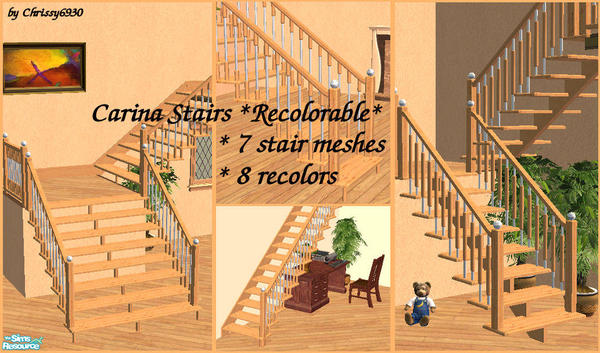
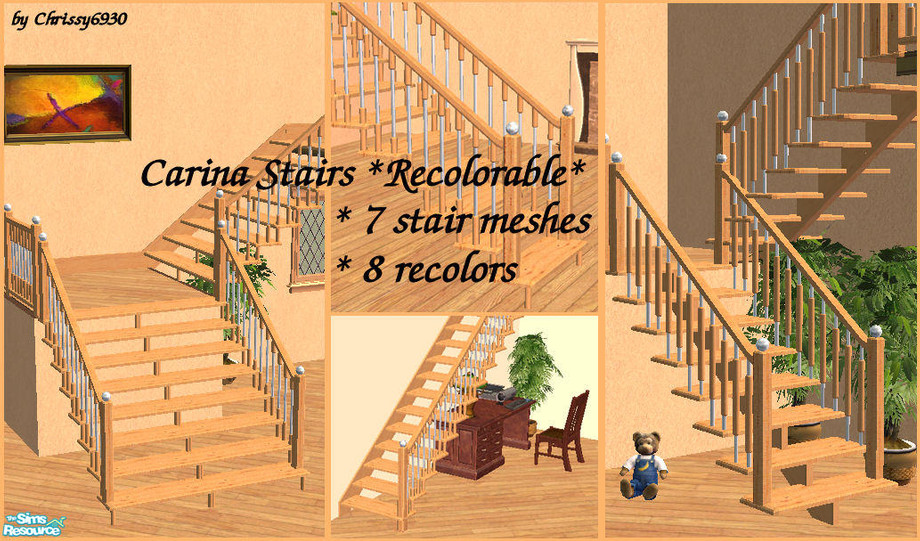
• Carina Stairs *Recolorable*
This set has 15 items, view them » | 53 comments »By chrissy6930 | Feb 22, 2006
TSRAA: Yes
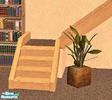
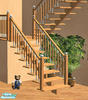
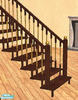
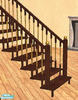
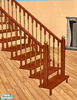
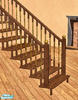
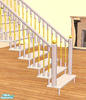
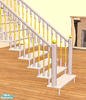
Recolorable modular stiars. 7 matching stairs of different types. IMPORTANT: please read the INSTALLATION and APPLICATION INSTRUCTIONS with each item. Backgrounds are various lots by Cyclonesue and Pinecat redecorated, with permission.
Installation Instructions:
Installation instructions for my Carina Stairs *Recolorable*:
you will need to amend the script file of the modular stairs in order for the meshes to show up in your game:
path: C:/Program Files/EA GAMES/The Sims2/TSData/Res/Catalog/Scripts/modularstairs.txt
copy and paste all of the following blocks at the very bottom of the text:
# chrissy6930_carinastairs
modularStairs 713
objectID landing 0x69696998
objectID placeholder 0x69696997
objectID step 0x69696995
objectID topStep 0x69696999
objectID bottomStep 0x69696996
catalogTextIndex 105
# chrissy6930_carinastairs2
modularStairs 714
objectID landing 0x6969699E
objectID placeholder 0x6969699D
objectID step 0x6969699B
objectID topStep 0x6969699F
objectID bottomStep 0x6969699C
catalogTextIndex 106
# chrissy6930_carinastairs3
modularStairs 715
objectID landing 0x696969A4
objectID placeholder 0x696969A3
objectID step 0x696969A1
objectID topStep 0x696969A5
objectID bottomStep 0x696969A2
catalogTextIndex 107
# chrissy6930_carinastairs4
modularStairs 716
objectID landing 0x696969AA
objectID placeholder 0x696969A9
objectID step 0x696969A7
objectID topStep 0x696969AB
objectID bottomStep 0x696969A8
catalogTextIndex 108
# chrissy6930_carinastairs5
modularStairs 717
objectID landing 0x696969B0
objectID placeholder 0x696969AF
objectID step 0x696969AD
objectID topStep 0x696969B1
objectID bottomStep 0x696969AE
catalogTextIndex 109
# chrissy6930_carinastairs6
modularStairs 711
objectID landing 0x6969698C
objectID placeholder 0x6969698B
objectID step 0x69696989
objectID topStep 0x6969698D
objectID bottomStep 0x6969698A
catalogTextIndex 103
# chrissy6930_carinastairs7
modularStairs 712
objectID landing 0x69696992
objectID placeholder 0x69696991
objectID step 0x6969698F
objectID topStep 0x69696993
objectID bottomStep 0x69696990
catalogTextIndex 104
DO NOT OVERWRITE ANYTHING!
DO NOT DUPLICATE ANYTHING!
Now drop my meshes and any of the recolors you may like into your downloads folder (my docs/EA GAMES/The Sims2/Downloads)
In your game you will now find a new thumb in the modular stairs catalog. The description will be blank and the price set to zero. This is because the catalogTextIndex - which holds the catalog description and the price of modular stairs - when set to a non-Maxis figure is not customizable as of yet.
Application instructions for recolors:
Place the stairs from the catalog – in the default color – on your lot. Add the railings if you want them now as the stairs once recolored will revert back to their default color if you place the railings later on. But this is only temporarily as saving your lot, exiting and reentering will show the stairs in your chosen color again.
Now choose the ‘design tool’. Moving your mouse over the stairs now will highlight single steps. Click on one step and a new window will pop up with all installed color options showing up. You will need to recolor each step separately though…
Hint for recolor artists:
You can create recolors of my stairs using the same method as with any other meshes: open object workshop in SimPE and browse for the respective mesh. Now proceed as usual…
Recommended Items
This creation has some recommended items. Please note those items are not required for the download to work! You can download them below.
• Carina Rails
Subscriber only download! | Subscribe Now »
• Carina base board & crown molding
Subscriber only download! | Subscribe Now »
• Carina Stairs in black
Subscriber only download! | Subscribe Now »
• Carina Stairs in grey
Subscriber only download! | Subscribe Now »


53 Comment(s)
Note: We do our best to make sure the comments posted are of non-offensive material and on-topic. If you see something that is irrelevant or abusive, please report it and we will remove it as soon as possible.
You really do terrific work and made it so easy to place the stairs into the game. Thank you so much!!!
Add a Comment
Warning: Use of bad language, unsuitable links or flaming will result in deletion of your account - regardless of your membership status. Please note that comments must be suitable for our PG13 audience. Your IP address is logged and abuse of this service will result in a ban and evidence sent to your ISP.