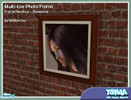
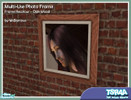
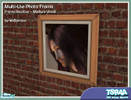
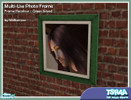
• Multi-Use Photo Frames - Basic Set
This set has 22 items, view them » | 60 comments »
By MsBarrows | Oct 25, 2007
TSRAA: Yes
May be recolored: Yes
Mesh tool used: SimPE
Required Expansion/Stuff Packs:
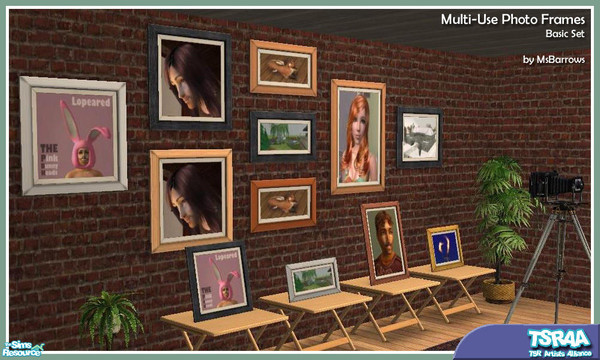
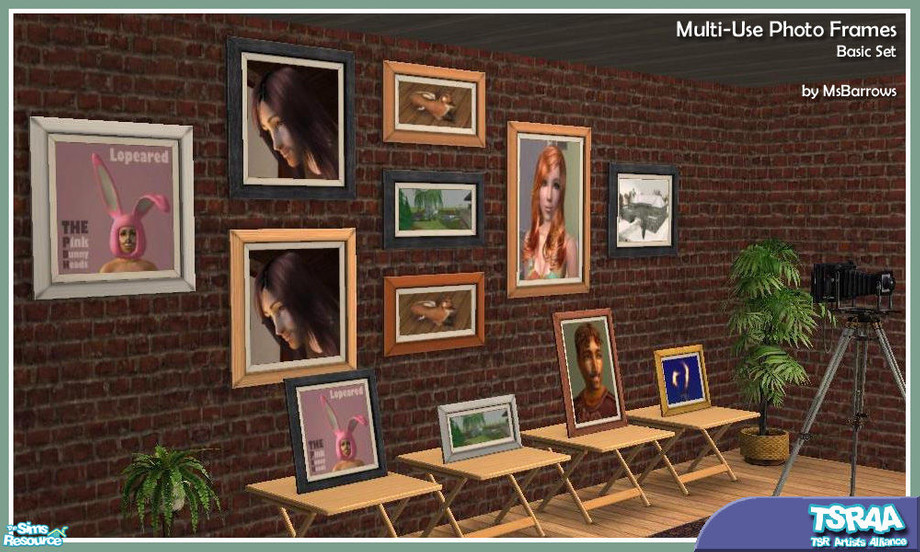
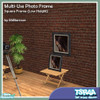
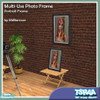
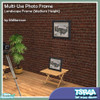
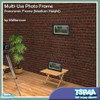
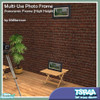
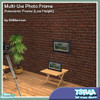
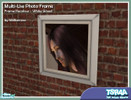
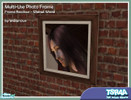
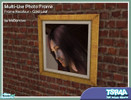
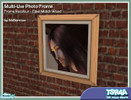
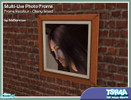
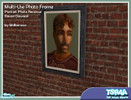
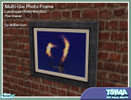
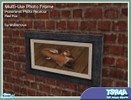
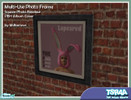
Want a picture frame that can be placed on a counter, table or end table as easily as on the wall? Here's a whole set of them, in a variety of sizes and wall height placements. Combine different sizes, shapes, and frame textures to make your own photo wall. Includes collection files.
Additional Notes:
All frames require the square medium height frame for their frame textures. See special recolouring instructions under .
Installation Instructions:
RECOLOURING INSTRUCTIONS
for Multi-Use Photo Frames
1. All photo frames get their frame textures from MsB_Photo_Square_MASTER_MESH.package - recolouring the frame of this package will change the available frame colours of every mesh in the set.
2. All square-shaped photos get their photo textures from MsB_Photo_Square_MASTER_MESH.package - recolouring the photo of this package will change the available photo colours of every square-shaped mesh in the set. Best image sizes to use: either 256x256 or 512x512.
3. All portrait-sized photos get their photo textures from MsB_Photo_Portrait_MESH.package - recolouring the photo of this package will change the available photo colours of every portrait-sized mesh in the set. Best image size to use: 256x512. Note that the image will get squashed in height to fit the portrait aspect ratio, so in making the textures for this size frame, you should start with a portrait-sized image and distort it to the 1:2 ratio, so it will end up with the correct proportions once in the frame.
4. All landscape-sized photos get their photo textures from MsB_Photo_Landscape_MESH.package - recolouring the photo of this package will change the available photo colours of every landscape-sized mesh in the set. Best image size to use: 512x256. Note that the image will get squashed in width to fit the landscape aspect ratio, so in making the textures for this size frame, you should start with a landscape-sized image and distort it to the 2:1 ratio, so it will end up with the correct proportions once in the frame.
5. All panoramic-width photos get their photo textures from MsB_Photo_Panorama_Med_MESH.package - recolouring the photo of this package will change the available photo colours of every panoramic-width mesh in the set. Best image sizes to use is 512x256.
Recommended Items
This creation has some recommended items. Please note those items are not required for the download to work! You can download them below.
• Multi-Use Photo Frames - Recolour Set 13
Subscriber only download! | Subscribe Now »
• Multi-Use Photo Frames - Recolour Set 12
Subscriber only download! | Subscribe Now »
• Multi-Use Photo Frames - Recolour Set 11
Subscriber only download! | Subscribe Now »
• Multi-Use Photo Frames - Expansion Set 6
Subscriber only download! | Subscribe Now »
• Multi-Use Photo Frames - Recolours Set 8
Subscriber only download! | Subscribe Now »
• Multi-Use Photo Frames - Recolour Set 10
Subscriber only download! | Subscribe Now »
• Multi-Use Photo Frames - Recolour Set 7
Subscriber only download! | Subscribe Now »
• Multi-Use Photo Frames - Expansion Set 5
Subscriber only download! | Subscribe Now »
• Multi-Use Photo Frames - Recolour Set 6
Subscriber only download! | Subscribe Now »
• Multi-Use Photo Frames - Expansion Set 4
Subscriber only download! | Subscribe Now »
• Multi-Use Photo Frames - Recolours Set 5
Subscriber only download! | Subscribe Now »
• Multi-Use Photo Frames - Expansion Set 3
Subscriber only download! | Subscribe Now »
• Multi-Use Photo Frames - Recolours Set 4
Subscriber only download! | Subscribe Now »
• Multi-Use Photo Frames - Expansion Set 2
Subscriber only download! | Subscribe Now »
• Multi-Use Photo Frames - Recolours Set 3
Subscriber only download! | Subscribe Now »
• Multi-Use Photo Frames - Expansion Set 1
Subscriber only download! | Subscribe Now »
• Multi-Use Photo Frames - Recolours Set 2
Subscriber only download! | Subscribe Now »
• Multi-Use Photo Frames - Image Recolours Set 1
Subscriber only download! | Subscribe Now »
Show ItemsItems in this Set (22)
The items in this set are currently hidden. Click on Show Items to display all items in this set.
-
Required Expansions:
-
Mesh on TSR Required:
-
Required Expansions:
-
Mesh on TSR Required:
Required Items:
-
Required Expansions:
-
Mesh on TSR Required:
Required Items:
-
Required Expansions:
-
Mesh on TSR Required:
Required Items:
-
Required Expansions:
-
Mesh on TSR Required:
-
Required Expansions:
-
Mesh on TSR Required:
-
Required Expansions:
-
Mesh on TSR Required:
-
Required Expansions:
-
Mesh on TSR Required:
-
Required Expansions:
-
Mesh on TSR Required:
-
Required Expansions:
-
Mesh on TSR Required:
-
Required Expansions:
-
Mesh on TSR Required:
-
Required Expansions:
-
Mesh on TSR Required:
-
Required Expansions:
-
Mesh on TSR Required:
-
Required Expansions:
-
Mesh on TSR Required:
-
Installation Instructions:
RECOLOURING INSTRUCTIONS
for Multi-Use Photo Frames
1. All photo frames get their frame textures from MsB_Photo_Square_MASTER_MESH.package - recolouring the frame of this package will change the available frame colours of every mesh in the set.
2. All square-shaped photos get their photo textures from MsB_Photo_Square_MASTER_MESH.package - recolouring the photo of this package will change the available photo colours of every square-shaped mesh in the set. Best image sizes to use: either 256x256 or 512x512.
3. All portrait-sized photos get their photo textures from MsB_Photo_Portrait_MESH.package - recolouring the photo of this package will change the available photo colours of every portrait-sized mesh in the set. Best image size to use: 256x512. Note that the image will get squashed in height to fit the portrait aspect ratio, so in making the textures for this size frame, you should start with a portrait-sized image and distort it to the 1:2 ratio, so it will end up with the correct proportions once in the frame.
4. All landscape-sized photos get their photo textures from MsB_Photo_Landscape_MESH.package - recolouring the photo of this package will change the available photo colours of every landscape-sized mesh in the set. Best image size to use: 512x256. Note that the image will get squashed in width to fit the landscape aspect ratio, so in making the textures for this size frame, you should start with a landscape-sized image and distort it to the 2:1 ratio, so it will end up with the correct proportions once in the frame.
5. All panoramic-width photos get their photo textures from MsB_Photo_Panorama_Med_MESH.package - recolouring the photo of this package will change the available photo colours of every panoramic-width mesh in the set. Best image sizes to use is 512x256.
-
Required Expansions:
-
Mesh on TSR Required:
Required Items:
-
Installation Instructions:
RECOLOURING INSTRUCTIONS
for Multi-Use Photo Frames
1. All photo frames get their frame textures from MsB_Photo_Square_MASTER_MESH.package - recolouring the frame of this package will change the available frame colours of every mesh in the set.
2. All square-shaped photos get their photo textures from MsB_Photo_Square_MASTER_MESH.package - recolouring the photo of this package will change the available photo colours of every square-shaped mesh in the set. Best image sizes to use: either 256x256 or 512x512.
3. All portrait-sized photos get their photo textures from MsB_Photo_Portrait_MESH.package - recolouring the photo of this package will change the available photo colours of every portrait-sized mesh in the set. Best image size to use: 256x512. Note that the image will get squashed in height to fit the portrait aspect ratio, so in making the textures for this size frame, you should start with a portrait-sized image and distort it to the 1:2 ratio, so it will end up with the correct proportions once in the frame.
4. All landscape-sized photos get their photo textures from MsB_Photo_Landscape_MESH.package - recolouring the photo of this package will change the available photo colours of every landscape-sized mesh in the set. Best image size to use: 512x256. Note that the image will get squashed in width to fit the landscape aspect ratio, so in making the textures for this size frame, you should start with a landscape-sized image and distort it to the 2:1 ratio, so it will end up with the correct proportions once in the frame.
5. All panoramic-width photos get their photo textures from MsB_Photo_Panorama_Med_MESH.package - recolouring the photo of this package will change the available photo colours of every panoramic-width mesh in the set. Best image sizes to use is 512x256.
-
Required Expansions:
-
Mesh on TSR Required:
Required Items:
-
Installation Instructions:
RECOLOURING INSTRUCTIONS
for Multi-Use Photo Frames
1. All photo frames get their frame textures from MsB_Photo_Square_MASTER_MESH.package - recolouring the frame of this package will change the available frame colours of every mesh in the set.
2. All square-shaped photos get their photo textures from MsB_Photo_Square_MASTER_MESH.package - recolouring the photo of this package will change the available photo colours of every square-shaped mesh in the set. Best image sizes to use: either 256x256 or 512x512.
3. All portrait-sized photos get their photo textures from MsB_Photo_Portrait_MESH.package - recolouring the photo of this package will change the available photo colours of every portrait-sized mesh in the set. Best image size to use: 256x512. Note that the image will get squashed in height to fit the portrait aspect ratio, so in making the textures for this size frame, you should start with a portrait-sized image and distort it to the 1:2 ratio, so it will end up with the correct proportions once in the frame.
4. All landscape-sized photos get their photo textures from MsB_Photo_Landscape_MESH.package - recolouring the photo of this package will change the available photo colours of every landscape-sized mesh in the set. Best image size to use: 512x256. Note that the image will get squashed in width to fit the landscape aspect ratio, so in making the textures for this size frame, you should start with a landscape-sized image and distort it to the 2:1 ratio, so it will end up with the correct proportions once in the frame.
5. All panoramic-width photos get their photo textures from MsB_Photo_Panorama_Med_MESH.package - recolouring the photo of this package will change the available photo colours of every panoramic-width mesh in the set. Best image sizes to use is 512x256.
-
Required Expansions:
-
Mesh on TSR Required:
Required Items:
-
Installation Instructions:
RECOLOURING INSTRUCTIONS
for Multi-Use Photo Frames
1. All photo frames get their frame textures from MsB_Photo_Square_MASTER_MESH.package - recolouring the frame of this package will change the available frame colours of every mesh in the set.
2. All square-shaped photos get their photo textures from MsB_Photo_Square_MASTER_MESH.package - recolouring the photo of this package will change the available photo colours of every square-shaped mesh in the set. Best image sizes to use: either 256x256 or 512x512.
3. All portrait-sized photos get their photo textures from MsB_Photo_Portrait_MESH.package - recolouring the photo of this package will change the available photo colours of every portrait-sized mesh in the set. Best image size to use: 256x512. Note that the image will get squashed in height to fit the portrait aspect ratio, so in making the textures for this size frame, you should start with a portrait-sized image and distort it to the 1:2 ratio, so it will end up with the correct proportions once in the frame.
4. All landscape-sized photos get their photo textures from MsB_Photo_Landscape_MESH.package - recolouring the photo of this package will change the available photo colours of every landscape-sized mesh in the set. Best image size to use: 512x256. Note that the image will get squashed in width to fit the landscape aspect ratio, so in making the textures for this size frame, you should start with a landscape-sized image and distort it to the 2:1 ratio, so it will end up with the correct proportions once in the frame.
5. All panoramic-width photos get their photo textures from MsB_Photo_Panorama_Med_MESH.package - recolouring the photo of this package will change the available photo colours of every panoramic-width mesh in the set. Best image sizes to use is 512x256.
-
Required Expansions:
-
Mesh on TSR Required:
Required Items:
-
Installation Instructions:
RECOLOURING INSTRUCTIONS
for Multi-Use Photo Frames
1. All photo frames get their frame textures from MsB_Photo_Square_MASTER_MESH.package - recolouring the frame of this package will change the available frame colours of every mesh in the set.
2. All square-shaped photos get their photo textures from MsB_Photo_Square_MASTER_MESH.package - recolouring the photo of this package will change the available photo colours of every square-shaped mesh in the set. Best image sizes to use: either 256x256 or 512x512.
3. All portrait-sized photos get their photo textures from MsB_Photo_Portrait_MESH.package - recolouring the photo of this package will change the available photo colours of every portrait-sized mesh in the set. Best image size to use: 256x512. Note that the image will get squashed in height to fit the portrait aspect ratio, so in making the textures for this size frame, you should start with a portrait-sized image and distort it to the 1:2 ratio, so it will end up with the correct proportions once in the frame.
4. All landscape-sized photos get their photo textures from MsB_Photo_Landscape_MESH.package - recolouring the photo of this package will change the available photo colours of every landscape-sized mesh in the set. Best image size to use: 512x256. Note that the image will get squashed in width to fit the landscape aspect ratio, so in making the textures for this size frame, you should start with a landscape-sized image and distort it to the 2:1 ratio, so it will end up with the correct proportions once in the frame.
5. All panoramic-width photos get their photo textures from MsB_Photo_Panorama_Med_MESH.package - recolouring the photo of this package will change the available photo colours of every panoramic-width mesh in the set. Best image sizes to use is 512x256.
-
Required Expansions:
-
Mesh on TSR Required:
Required Items:
-
Installation Instructions:
RECOLOURING INSTRUCTIONS
for Multi-Use Photo Frames
1. All photo frames get their frame textures from MsB_Photo_Square_MASTER_MESH.package - recolouring the frame of this package will change the available frame colours of every mesh in the set.
2. All square-shaped photos get their photo textures from MsB_Photo_Square_MASTER_MESH.package - recolouring the photo of this package will change the available photo colours of every square-shaped mesh in the set. Best image sizes to use: either 256x256 or 512x512.
3. All portrait-sized photos get their photo textures from MsB_Photo_Portrait_MESH.package - recolouring the photo of this package will change the available photo colours of every portrait-sized mesh in the set. Best image size to use: 256x512. Note that the image will get squashed in height to fit the portrait aspect ratio, so in making the textures for this size frame, you should start with a portrait-sized image and distort it to the 1:2 ratio, so it will end up with the correct proportions once in the frame.
4. All landscape-sized photos get their photo textures from MsB_Photo_Landscape_MESH.package - recolouring the photo of this package will change the available photo colours of every landscape-sized mesh in the set. Best image size to use: 512x256. Note that the image will get squashed in width to fit the landscape aspect ratio, so in making the textures for this size frame, you should start with a landscape-sized image and distort it to the 2:1 ratio, so it will end up with the correct proportions once in the frame.
5. All panoramic-width photos get their photo textures from MsB_Photo_Panorama_Med_MESH.package - recolouring the photo of this package will change the available photo colours of every panoramic-width mesh in the set. Best image sizes to use is 512x256.
-
Required Expansions:
-
Required Items:
-
Installation Instructions:
RECOLOURING INSTRUCTIONS
for Multi-Use Photo Frames
1. All photo frames get their frame textures from MsB_Photo_Square_MASTER_MESH.package - recolouring the frame of this package will change the available frame colours of every mesh in the set.
2. All square-shaped photos get their photo textures from MsB_Photo_Square_MASTER_MESH.package - recolouring the photo of this package will change the available photo colours of every square-shaped mesh in the set. Best image sizes to use: either 256x256 or 512x512.
3. All portrait-sized photos get their photo textures from MsB_Photo_Portrait_MESH.package - recolouring the photo of this package will change the available photo colours of every portrait-sized mesh in the set. Best image size to use: 256x512. Note that the image will get squashed in height to fit the portrait aspect ratio, so in making the textures for this size frame, you should start with a portrait-sized image and distort it to the 1:2 ratio, so it will end up with the correct proportions once in the frame.
4. All landscape-sized photos get their photo textures from MsB_Photo_Landscape_MESH.package - recolouring the photo of this package will change the available photo colours of every landscape-sized mesh in the set. Best image size to use: 512x256. Note that the image will get squashed in width to fit the landscape aspect ratio, so in making the textures for this size frame, you should start with a landscape-sized image and distort it to the 2:1 ratio, so it will end up with the correct proportions once in the frame.
5. All panoramic-width photos get their photo textures from MsB_Photo_Panorama_Med_MESH.package - recolouring the photo of this package will change the available photo colours of every panoramic-width mesh in the set. Best image sizes to use is 512x256.
-
Required Expansions:
-
Mesh on TSR Required:
Required Items:
-
Installation Instructions:
RECOLOURING INSTRUCTIONS
for Multi-Use Photo Frames
1. All photo frames get their frame textures from MsB_Photo_Square_MASTER_MESH.package - recolouring the frame of this package will change the available frame colours of every mesh in the set.
2. All square-shaped photos get their photo textures from MsB_Photo_Square_MASTER_MESH.package - recolouring the photo of this package will change the available photo colours of every square-shaped mesh in the set. Best image sizes to use: either 256x256 or 512x512.
3. All portrait-sized photos get their photo textures from MsB_Photo_Portrait_MESH.package - recolouring the photo of this package will change the available photo colours of every portrait-sized mesh in the set. Best image size to use: 256x512. Note that the image will get squashed in height to fit the portrait aspect ratio, so in making the textures for this size frame, you should start with a portrait-sized image and distort it to the 1:2 ratio, so it will end up with the correct proportions once in the frame.
4. All landscape-sized photos get their photo textures from MsB_Photo_Landscape_MESH.package - recolouring the photo of this package will change the available photo colours of every landscape-sized mesh in the set. Best image size to use: 512x256. Note that the image will get squashed in width to fit the landscape aspect ratio, so in making the textures for this size frame, you should start with a landscape-sized image and distort it to the 2:1 ratio, so it will end up with the correct proportions once in the frame.
5. All panoramic-width photos get their photo textures from MsB_Photo_Panorama_Med_MESH.package - recolouring the photo of this package will change the available photo colours of every panoramic-width mesh in the set. Best image sizes to use is 512x256.
60 Comment(s)
Note: We do our best to make sure the comments posted are of non-offensive material and on-topic. If you see something that is irrelevant or abusive, please report it and we will remove it as soon as possible.
Add a Comment
Warning: Use of bad language, unsuitable links or flaming will result in deletion of your account - regardless of your membership status. Please note that comments must be suitable for our PG13 audience. Your IP address is logged and abuse of this service will result in a ban and evidence sent to your ISP.