

 Sign In


Member Blogs
HELP:Sim stuck in floor, no cheat working
I just built a house with a foundation, and once my sims enter the house they can go anywhere they want until they stop moving. Once they stop walking they get stuck and an icon appears over there heads with footprints and an [X] (insinuating that they are stuck and cannot walk). I try the [move objects on] cheat and I can move them, but once the enter the house again as soon as they stop walking the get stuck again. I tried the [resetSim] cheat and tha does not work either, it resets them, but they are still stuck. I am assuming it has to be the way I built the house, but I cannot find anything wrong with the way I built it. The Sims moodlets say it is dark and an unfinished room, but it is not. They didnt sink into the floor, they are still standing on the floor, they just cannot move, however, when i press the go down a floor button they are still there floating above the foundation. I do not understand what happened and I've been working on this house for 3 days. Please help!!
Would you do me a tiny favor?
You see, a hobby of mine (aside from the sims ;) ) is photography, and I just entered this competition with a photo of mine where if I get enough votes I can win a little prize. It would be awesome if you would do me the tiniest favor and vote for my photo :D
Click the link below and then the blue button that says "Stem" (it's a norwegian page ;) )
http://pearlfriends.no/?imageid=365
Thank you!! :D
By the way, I'm working on a new dining room set and a little surprise object as well ;) I'll hopefully get it done and released next week :)


Summer Corner Poolside Set
I've just completed a new set. To relax at the poolside, "Summer Corner Poolside Set".
This set contains: Lounge Chair, End Table, Towels, Beach Bag, Hat, Glasses of Lemonade.
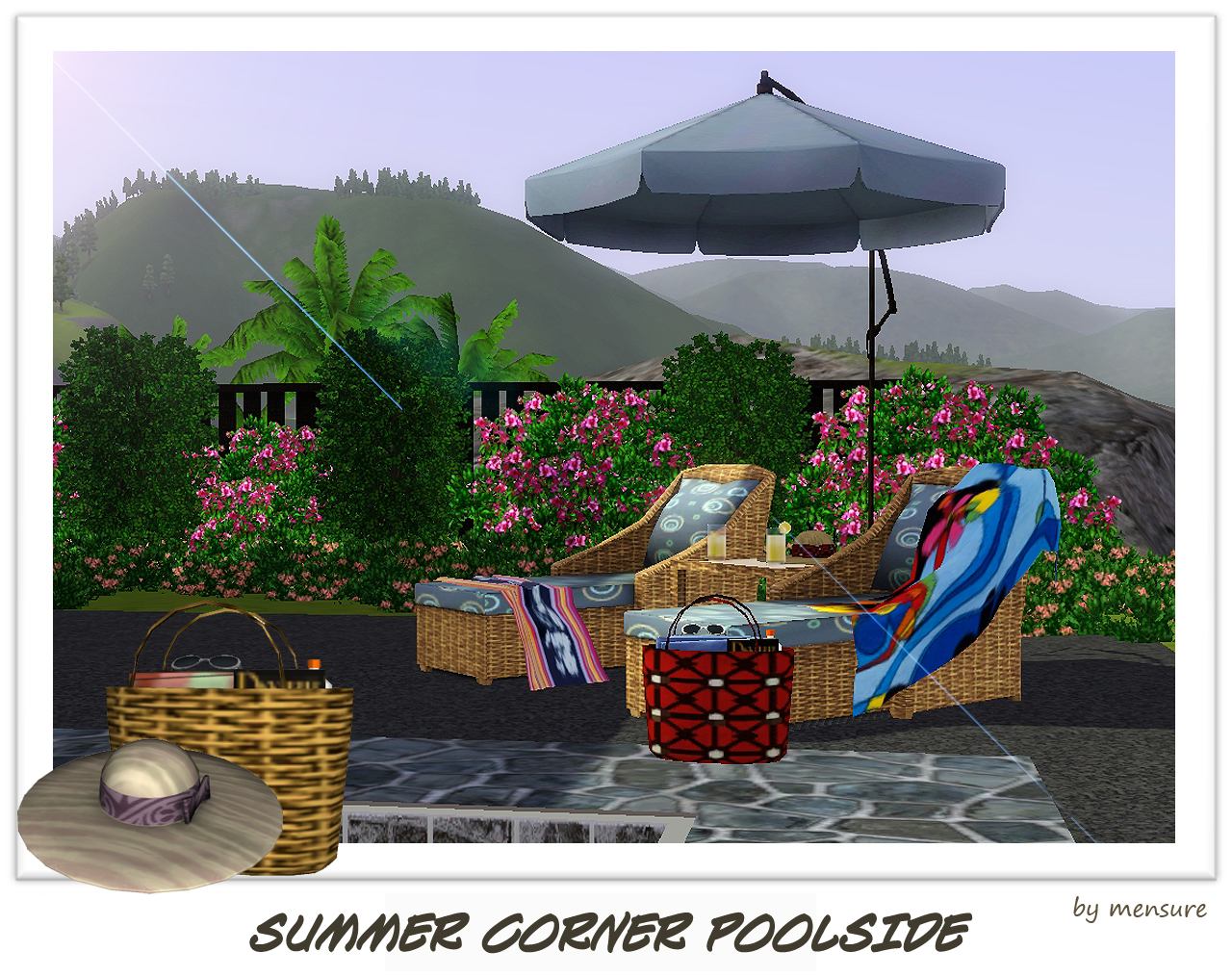
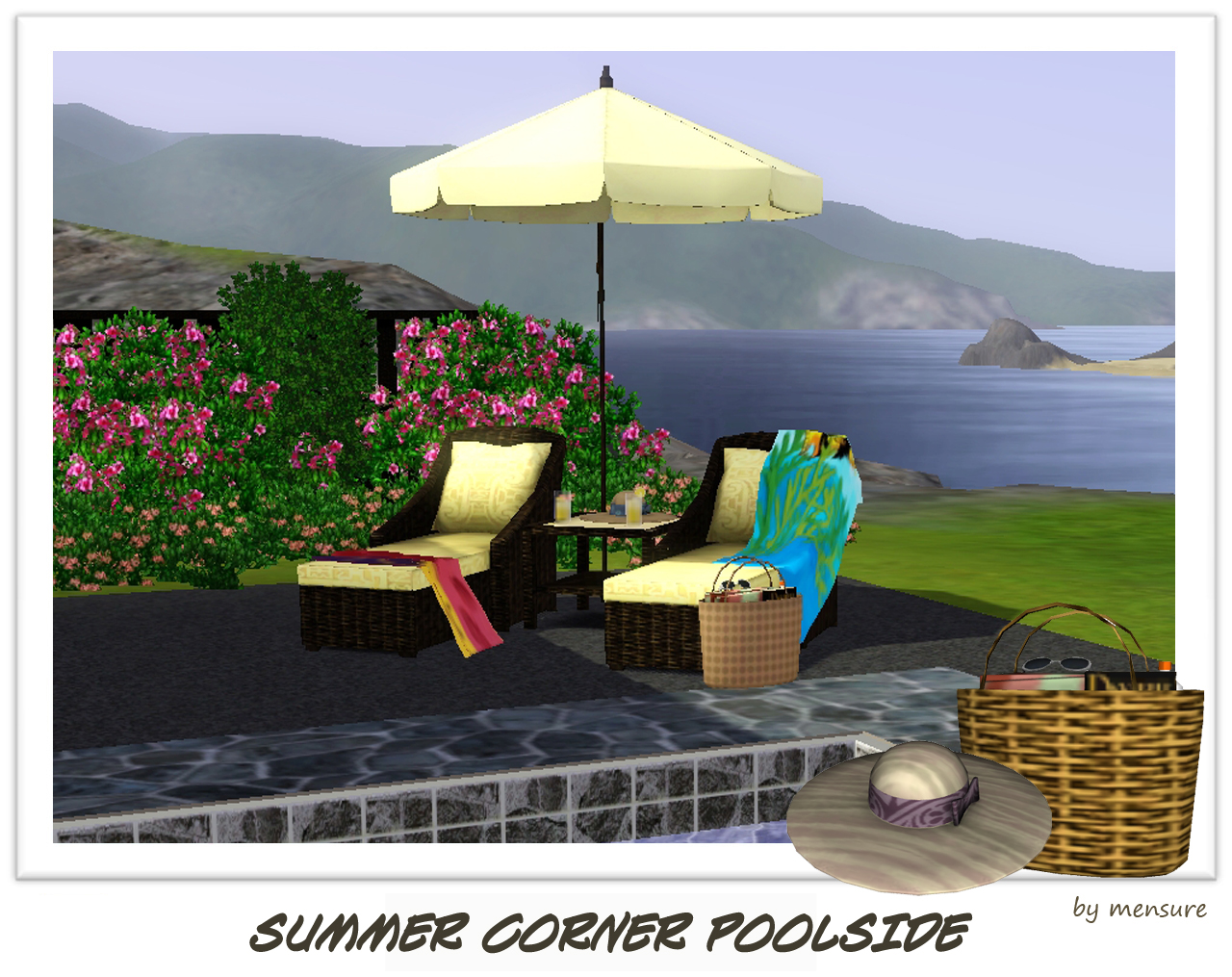
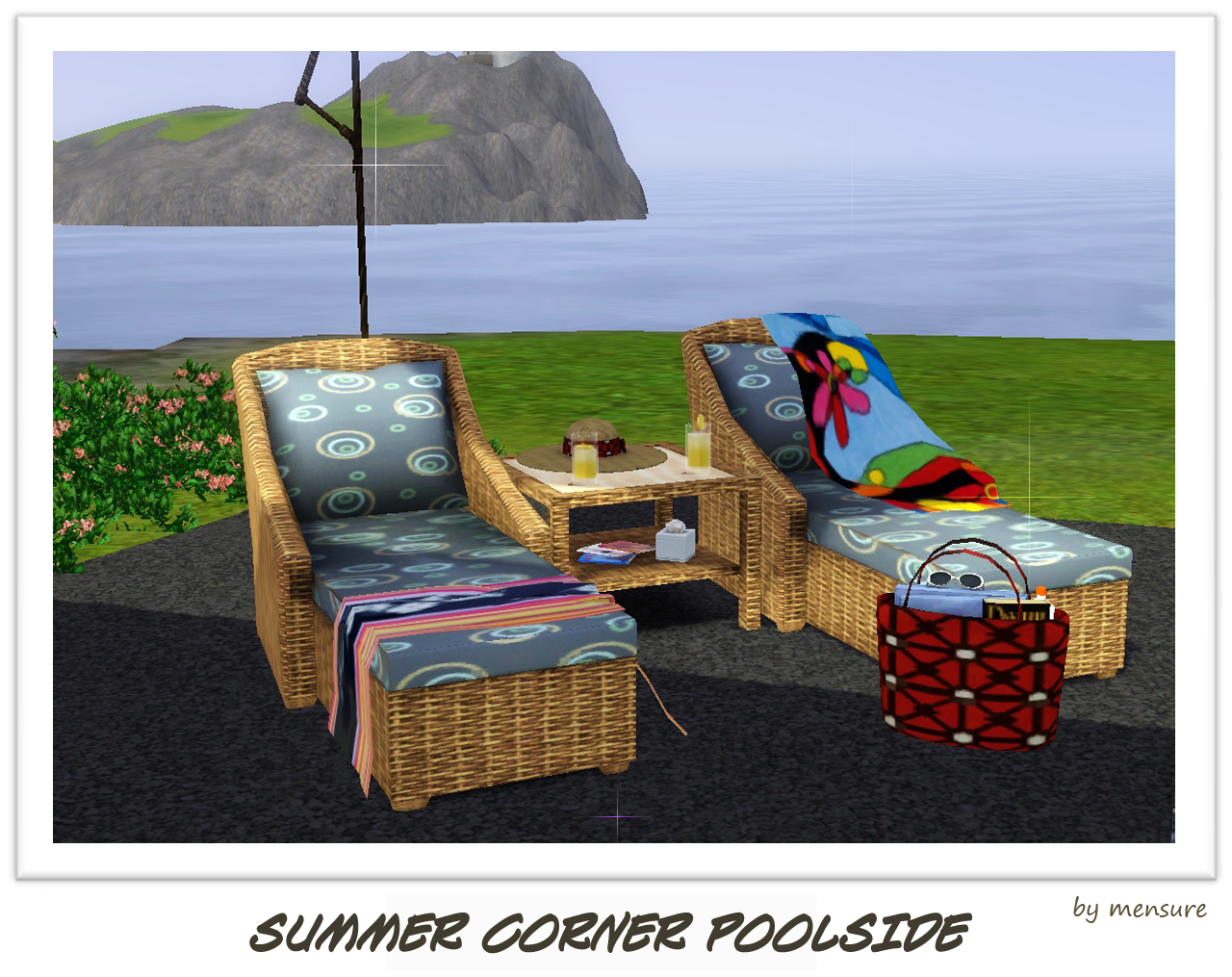
I add new slots to the table. So, you can also put on extra objects bottom of the table.
Been Busy...
You should be use to that title... Lots of people have those months where not much is really happening, My real life takes over and to be honest work, wedding planning and everyday stuff is filling my free time...
I LOVE my fiance and we are only now really getting into this wedding planning. Got our Intension to Wed from the celebrant. Can't fill that out till October as In Australia you can only submit it not sooner then 18months till the big day... of course its like 20months till our big day being "21st April 2012"
I'm excited and cant wait to start looking/trying on dresses, I want to loooooooosssse those horrid few kilos I put on last year (what bride doesnt) I'm Not THAT fat... ok, I'm extremely cruvy Aus size 12/14. Which I think in US is 10/12?? correct me if I'm wrong. So Ricki-Lee (singer) Cruvey. Diet so far is Nothing dramatic, just aiming healthy, I dont exercise... makes me eat more and I put myself on a reward system which means "Oh I did 30mins exercise, I deserve that cake" LOL
So... Hmmmm, thinking what else I should try, Well I actually have recoloured MORE wedding stuff, dont know if people were too interested in them, So maybe I should CAN those???
What would you be interested in?
Female Swimwear
Male Swimwear
More childrens clothes
More toddlers variation of clothes?
Or Other - make a suggestion?
The Nocturne Family
Long time residents of Old Town knew there was something...different...about Selena Nocturne almost immediately when she moved into town with her adult son, Ereban. Maybe it was the strange knowledge she somehow knew about people she'd only just met. Perhaps it was her intention to open a boarding house in town instead of letting overcrowded neighbors live with her, as the Millers and the Generics did. Or maybe it was the rumors coming out of Magic Town of how she visited every day, and won an obscenely high number of duels with even such potent spellcasters as Vicki the Vampiress. Whatever the reason, people regarded the Nocturnes with wary friendship, cautiously, the way one would approach a dog or cat that appeared friendly enough but might actually turn out to be vicious.
Selena didn't really notice, but her son Ereban did. His mother had obviously been a beauty when she was younger, and he had inherited her good looks, metabolism, and overall physique. Having learned from his mother at an early age how to mend and make his own clothing, he got a job in the Fashion industry, first as a clerk, then doing very well as a tailor. Eventually his good looks got him noticed, and in no time at all he was a model very much in demand. With his skills he could have risen to become a very wealthy designer, but he had no desire to suffer the need for constant innovation and creation, and he grew tired of traveling almost constantly for fashion shows around the world. When it presented itself, he jumped at the opportunity to settle down. Now, as an internationall syndicated Fashion Columnist, Ereban can do much of his work from town instead of having to travel around the world. Ah, the wonders of modern technology!
Selena, deciding that she needed to do something about the reputation she'd acquired (and needing an income to help make ends meet while she worked on her boarding house idea), went back to work. The hours were a little unpleasant at first, but she finally managed to become a Personal Tour Guide. Now out and about in town and wherever else, people became a bit less wary around her and much more friendly. Socializing with others also helped to ease the antagonism that had arisen in Magic Town following her uncanny winning streak in dueling.
Finally able to open her boarding house--financed though it was primarily by Ereban's income--Selena welcomed her first customer, Asteria. What she didn't expect, however, was that Ereban would fall in love with the young lady. After the two married, Selena had no choice but to stop charging Asteria rent.
Asteria is something of a daredevil. Although not circus folk herself, she loved the circus, loved the bustle of the crowd, loved the gasps and screams at the death-defying stunts of the performers. So when she got the chance, she joined the circus. She aimed for the top, but since the Ringmaster position was filled (and wasn't likely to become vacant any time soon), she settled for working with the big cats as a Lion Tamer.
Selena, after her husband died, had never considered marriage again, but when Ereban married Asteria and Asteria's father Morphien arrived for the wedding, she fell in love again. After a very brief courtship, the two were married. With space beginning to run low in the house, Selena gave up the idea of a boarding house and just settled for being a housewife...albeit one with a secret she hadn't shared with anyone yet, not even her son.
Morphien shared his daughter's courage (some would say recklessness). It took a little while--people weren't sure about an older man trying to do things even young men feared--but his skill on the track makes him one of the best Grand Prix Drivers around. As an older man, though, he's less inclined to travel and has no desire to become an International Spy.
Shortly after their wedding, Asteria visited Studio Town and met a young man looking for a place to stay. Although she knew things were tight at home, she also knew that Selena was looking for an excuse to find a larger house to live in. She therefore invited Benjamin Anybody to move in with them.
Benjamin was a Wedding Singer hoping to make it to the big time. He had been hanging around Studio Town hoping to get noticed by an agent. However, becoming a little desperate to get his chance, he made the conscious decision to do anything--even to becoming somebody's love toy--to get ahead. And he did just that. What he hadn't planned on, however, was actually falling in love. With his career now taking a backseat to his lovelife, he devoted himself to making and keeping his Somebody happy.
Ron Somebody had his share of women, and had enjoyed many a night in the arms of one woman or another. However, he quickly became disgusted with their mercenary attitudes--his fault, he supposed, for choosing from the would-be models and actresses and singers who frequented Studio Town. For his next conquest and love toy, then, he would choose a man...and he chose Benjamin Anybody (now Nocturne). At first, he was a little suspicious of Benjamin's motives for letting himself be used so, and Ron had been ready to throw him out at the first sign of being used himself. However, it quickly became apparent to him that he was falling in love with Benjamin, and that Benjamin was genuinely in love with him. Not fighting it any longer, Ron moved in with Benjamin into the Nocturne house, which was now quite crowded.
The Stranges of Magic Town would swear that Alfred's B&B had stood on a hill overlooking Magic Town. However, between the day that Selena purchased the lease to the old, dilapidated house on the hill and the next morning when her family moved in, the hill had mysteriously vanished, and the tall, narrow B&B had been replaced with a fairly large, sprawling manor house. No one could explain how it had happened, but--as was the way of the Stranges--everyone simply accepted it and moved on with their lives.
It wasn't long before Ereban and Asteria welcomed their first child, a boy whom they named Deimon. In short order they also welcomed his younger sister, Hecathia, into the world. The two children, though not twins, very closely resemble each other in mannerism and in fashion choices. The chief difference between them (besides their genders) was simply that Deimon resembled his father and grandmother with his dusky tan skin, while Hecathia resembled her mother and grandfather with her light complexion.
Now, finally living with the love of his life, Benjamin has given up on making it to the big screen like his Superstar main man Ron, and has settled for seeing his name in lights as a Broadway Star. Ron, on the other hand, is being recognized wherever he goes. To date he has earned two SIMMY awards, as well as a gold and bronze award for bringing fashion to life on the runway.
Family Base Income: $4200 (Fashion Columnist--$1050; Personal Tour Guide--$450; Grand Prix Driver--$825; Lion Tamer--$775; Broadway Star--$1100)
***Update 27 August 2010***
Not too long after moving in with his boyfriend Benjamin, Ron Nocturne finally attained his long-sought Superstardom. With his new status comes new hardship as women--and men--now try to hook-up with him. However, though he may flirt with them, especially if he's working with them on the set for movies and such, he remains devoted and true to Benjamin. Not that it hasn't been easy--despite himself, Ron can't help noticing that some of the women are very beautiful and that some of the men are hot. Still, knowing what they actually want from him helps to ground him...after all, what's a short, unsatisfying affair compared to a loving, long-term relationship? For Ron...nothing at all.
Pieces of Me Chapter 9
Sorry to keep everyone waiting to read chapter 9 of my story but have been extremely busy so haven't had the time to finish it just yet, but been working on it here and there. Hoping to have it put together and uploaded by the weekend.
Creation Updates
Hi all,
I have been so busy at the moment, that I haven't had the time to get all of my creations that have been hanging around published. I really want to try and get these sorted out for this week. I have plenty more fences and the odd random creation coming your way.
I also have my Fairy theme still pending, so I will be releasing them soon too.
Once the Fairies are out of the way I will be changing to a new theme completely. Which I hope I will become known for, as time goes on.
I have always created things that I think other people will enjoy, so now I want to create some stuff that I would like to see more of.
I am fascinated with Science, I used to love to read about all the inventors, when I was a child. Isaac Newton-Reflecting telescope, William Murdoch-Gas lighting, Roger bacon-Magnifying glass, Rowland Hill-Postage stamp, I could go on and on. I was always curious how things worked, I could change a plug at 8 years old!
I absolutley love the Victorian age too, infact there is a lot time slots in History that I am quite interested in. I am passionate about Science fiction too, so it was obvious what theme I should go for.....
Steampunk!!!! It is a theme that I am very excited to start creating for.
With the arrival of the Inventor in the new Ambtions expansion pack, I am sure there is scope for me to create some very exciting things.
My favourite film as a child was The Time Machine by H.G.Wells. So this addition to the game is very exciting for me :)
I am also a very big kid at heart, the first ride I went on in Disneyland many years ago was the Jules Verne ride. Quickly followed by the Star Tours ride. Amazing!
So there you go, lots of exciting things to come!
Till next time..
Simonetta.xx

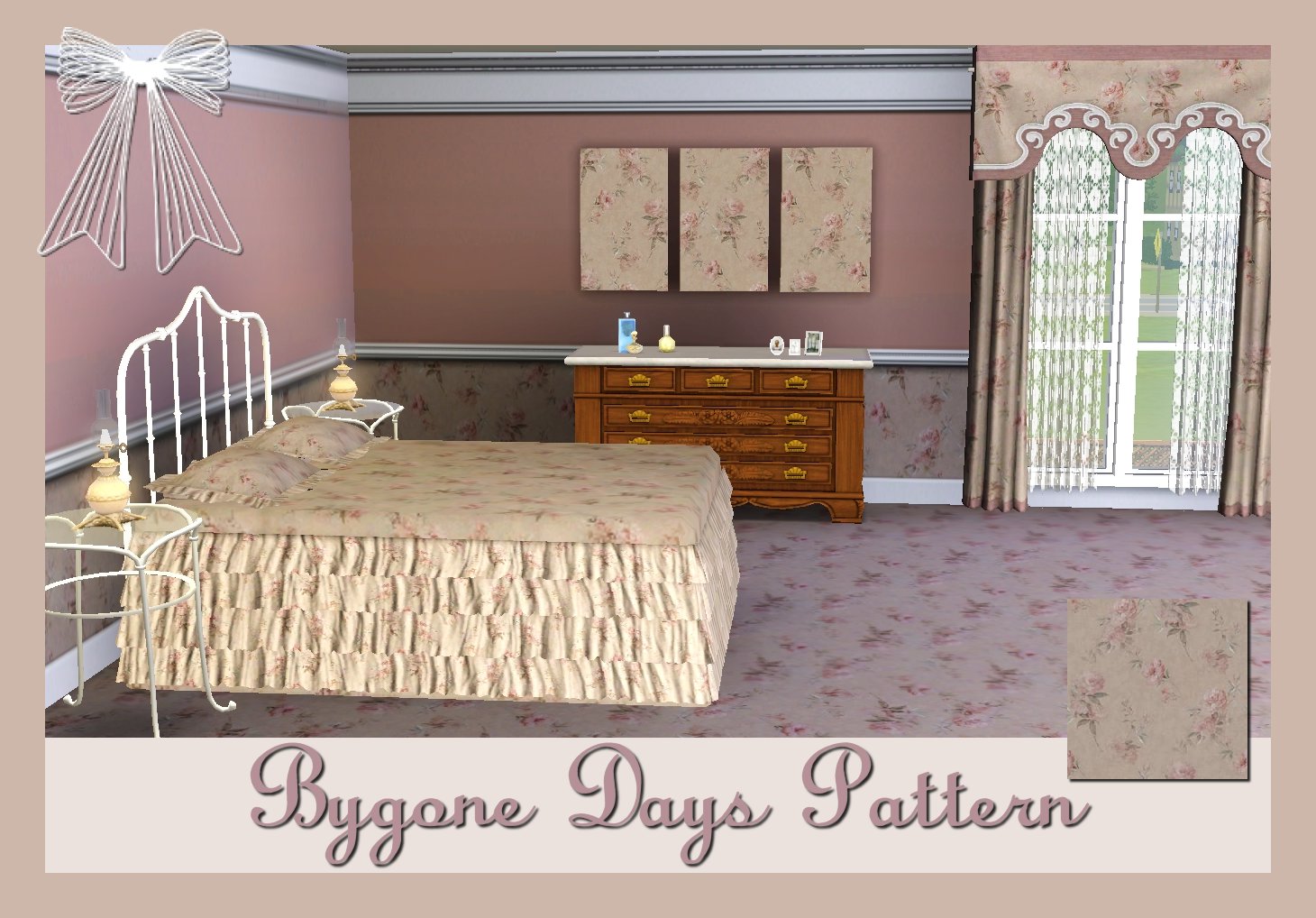
Matching Pattern & Picture
I thought it might be nice to re-colour a painting, so that you could have a pattern and a picture with the same pattern......
I hope you like it :-)

my first clothing
my first clothing is upcoming :) for the texture i used my own stuff from japan. i hope it will make your sims happy :)
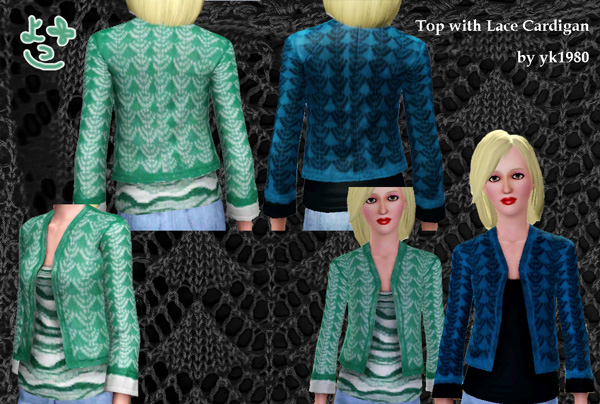
happy simming!!
Garden Manor
I'd like to thank the 100th person as well as the other 99 who have downloaded Garden Manor :D I'm very happy that so many people have downloaded it in only 6 days !! :rah: to all the downloaders and thanks again :D
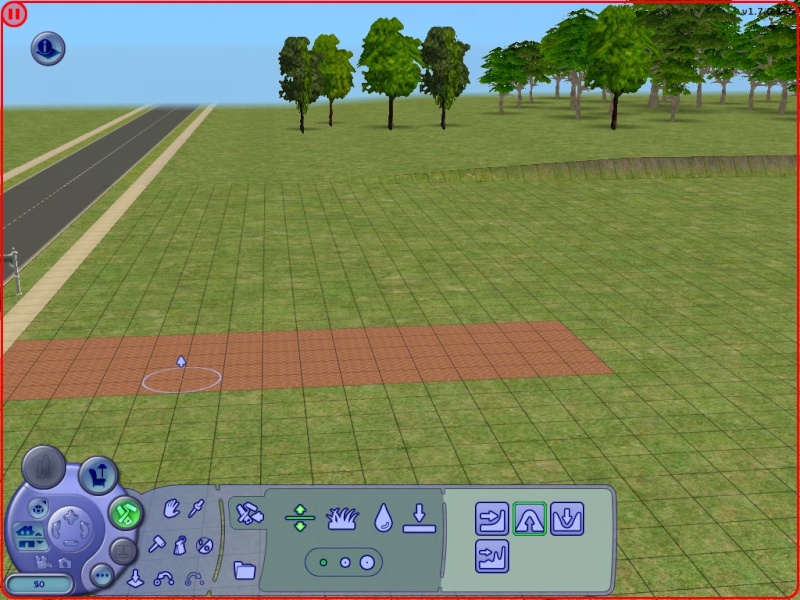
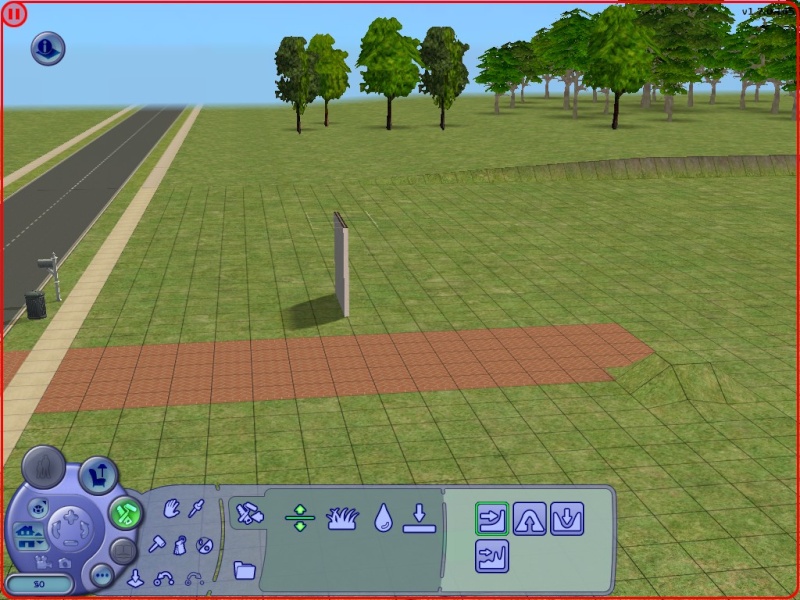
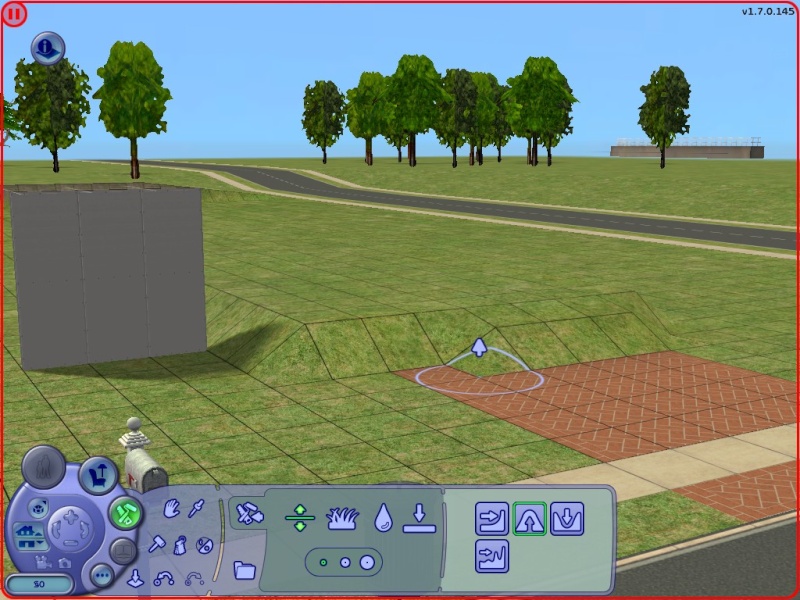
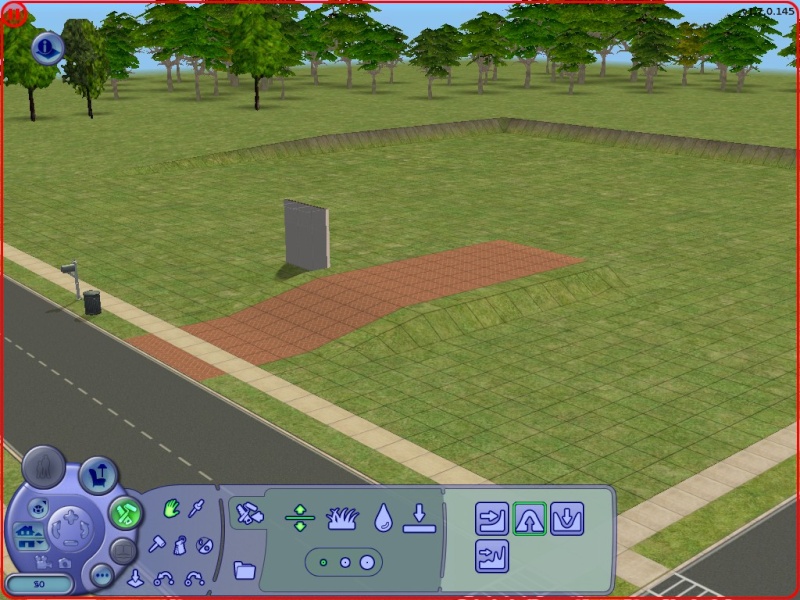
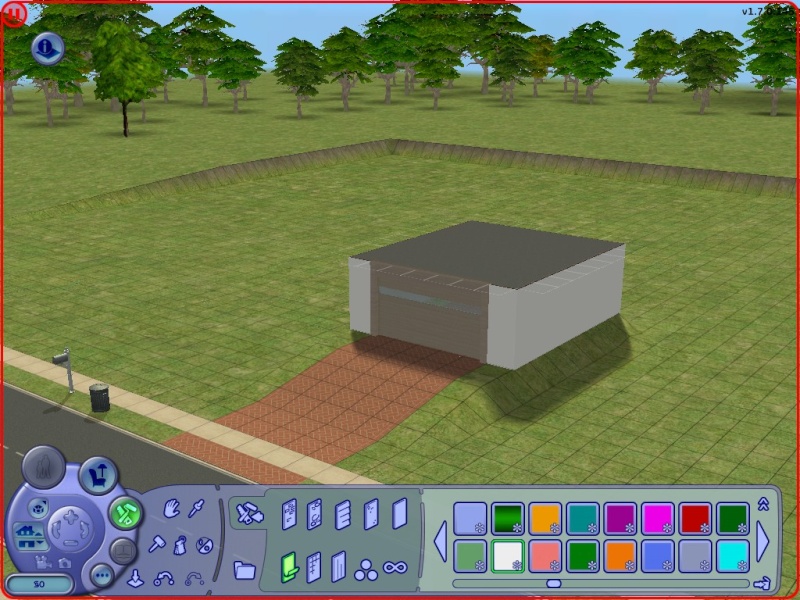
The Sims 2 - Tutorial - Underground Garage
http://www.youtube.com/watch?v=Q89o9TgdRYo
I'm currently making a new "Underground Garage" tutorial -since almost
every one are having trouble- it's better and easier to build, soon
there will be a link. Thank you for read, rate, comment and watching my
videos.
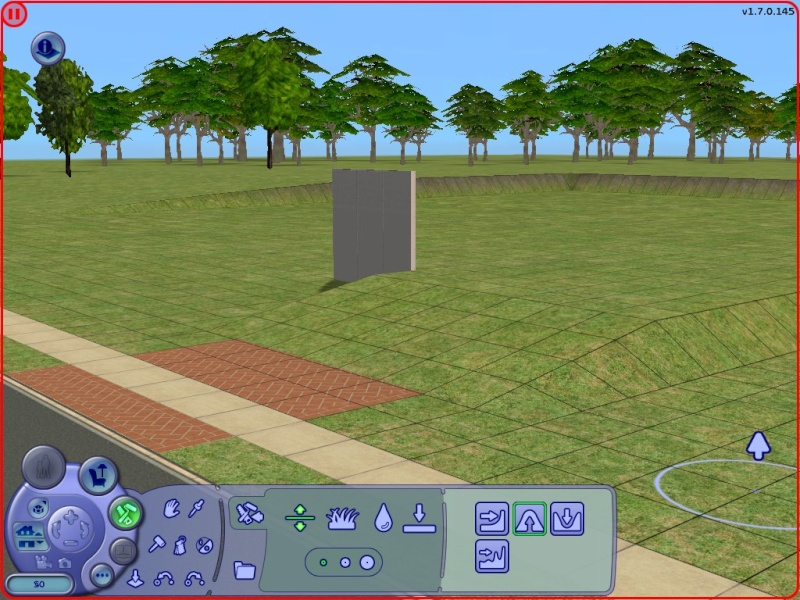
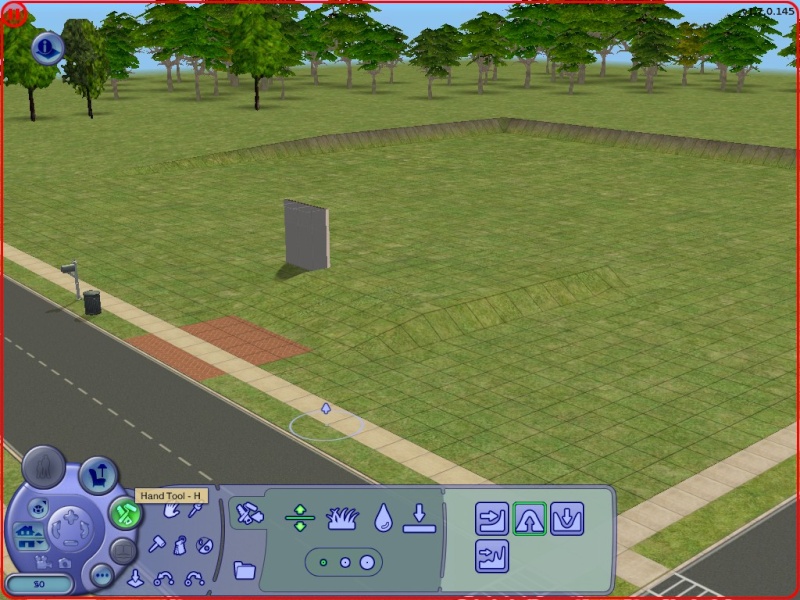
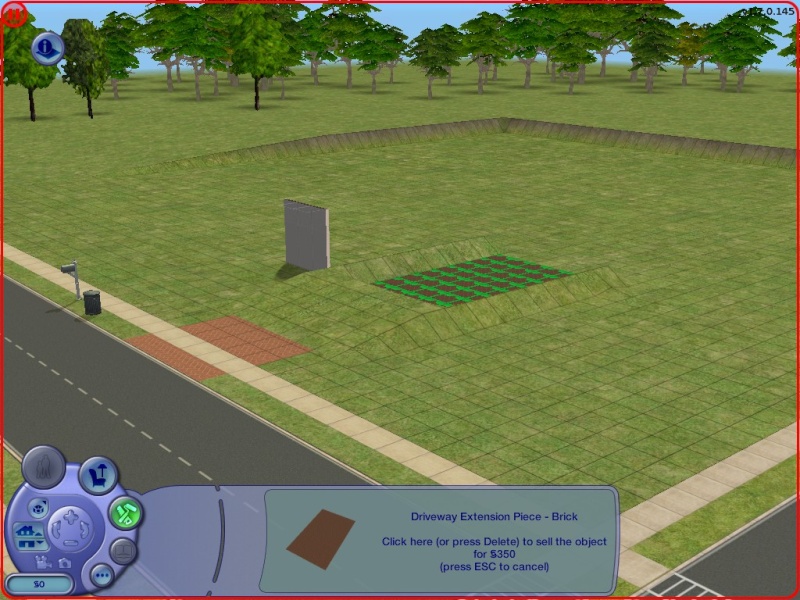
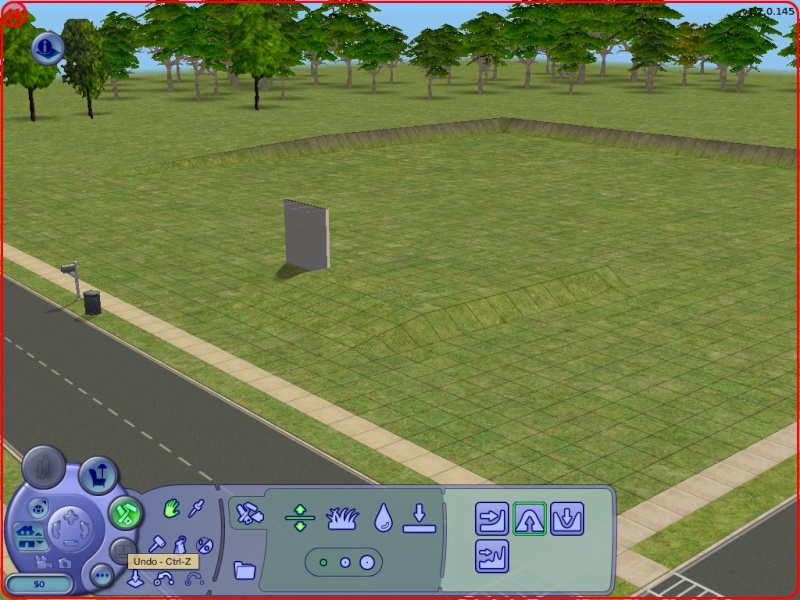
How to build a garage undergound? Here is my tutorial, hope you enjoy x)
Cheat codes used:
-moveobjects on/off
-boolprop constrainfloorelevation false/true
Hope I helped you:D
Sims 2 Screenshots Basics
Big Pics
The larger your pics, the better! Tiny pics won't show enough detail to see what you've made.
- Minimum Size: 800 pixels wide by 600 pixels tall is a good size for the smallest pic you would want to upload. You may have smaller pics for thumbnails and the like, but for your required screenshots, please go as big as you can!
- Maximum Size: MTS allows pictures up to 1280 pixels wide by 1024 pixels tall, and a file size limit of 244 kbs - so you can have nice, big, pretty pics. You may have to resize your pictures or apply compression to get them to fit within that limit.
Please don't just take a small pic and size it up in your graphics
program to get bigger pics - this only makes the dimensions larger but
doesn't add any detail and just gives you a blurry, pixellated larger
pic, not a nice clear one.
Well Lit
Make sure you take your pictures during the daytime in bright sunlight, in a well-lit room, etc., - make sure your screenshots are nice and bright enough that people can see what you've made. Nighttime shots or those in a dark room really don't show off your creation very much.
TS3: Please see information below under Windowed Mode regarding your otherwise bright screenshots going dark!
Camera Controls
Take some time to just play around with the camera. It can take a while to get used to the camera controls, and even once you are experienced in their use, it may be challenging to get the shot you want with the constraints on the controls.
If you haven't taken many sim pictures before, here is a list of camera controls:
- TAB
Puts the game into Cameraman mode, allowing better and more control of the camera, and removing the blue user interface. Make sure you are in live mode before going into Cameraman mode or you will see grid lines on the ground and floating where floor tiles may be placed. TS3 Note: You will only be able to go into cameraman mode once per load if you are in buy/build mode (without a family moved in). You can either exit to the neighborhood and return to take more pictures, or instead just move a family in for taking your pics.
- W and S
W moves the camera forward. S moves it backward.
- A and D
A moves the camera left. D moves it right.
- Q and E
Q lowers the camera. E raises it.
- + and -
Zooms in and out.
Windowed Mode
TS2: In order to take your pictures using the methods described here, you will need your game running in a window, so you can easily switch to other applications without causing major instability and lag. Instructions on setting up Windowed Mode for Sims 2 may be found here: Game Help:Windowed Mode. Windowed mode should be perfectly safe - in fact, some users actually report better game performance when running in a window. Your mileage may vary.
TS3: In Sims 3, you can use windowed mode by simply choosing it
in your game's options. Windowed mode will allow you to use Print
Screen or FRAPS or whatever screenshotting program you desire, without
getting darkening of your pictures. If you do not choose to use
windowed mode for TS3, you must use the C key to take pictures using the
in-game camera - taking pictures fullscreened in TS3 without using the C
key will result in icky dark screenshots.
C Key vs. Screenshot Program/Print Screen
TS2: In order to take nice big pics, you should not use the game's screenshot system, using the C key or the camera button on the game's controls to take your pictures. Even on the highest picture settings, pictures will still be small, with a very high level of JPEG compression, making them blurry and crunchy. Instead, use Print Screen or a screenshot program.
TS3: The C key camera is much improved in TS3, making it possible
to use to take pictures for upload and still have nice big, pretty
pictures. You can still use a screenshot program or print screen if you
desire, but you will need to run your game in Windowed Mode (see above)
to keep your pictures from getting dark.
Screenshot Program
There are many programs available, free and pay, that will take screenshots for you by using a hotkey, and save them to a folder - just like The Sims 2 with the C key, but with options for much better quality settings.
A quick Google search for 'free screenshot program' will also bring up many other options, which may have other features that are of interest to you.
Print Screen
If you have enough RAM to run Photoshop or another graphics editing program at the same time as Sims 2, you may want to take screenshots yourself, without the use of a program to store them for you.
To do that, simply press the Print Screen or PrntScn key on your keyboard - it's usually off toward the right, over the arrow keys, above Insert and Delete. This will copy your current screen to your Windows clipboard, as if you had selected and copied it as an image.
Then open any graphics editing program, create a new document the size of your monitor's resolution, and paste into that document. Your screenshot should appear in the document.
Optimizing your images for upload
Many simmers struggle with getting their images to be clear, crisp and under the 244kb file size while keeping the image size larger than 800px by 600px. After getting your images from the in game camera or using a print screen program you will need to resize them and compress them into a jpeg image. Many graphics programs have a built in optimizing feature.
How to create a Pool Island. And advanced pool building tips.
Pool Islands are not
incredibly difficult to do, but before you attempt it, I strongly
suggest you take a look at Snooty's L-Shaped
Pools Tutorial. (It will open in a new window)
Now, if you have tried to create a pool island before, the
problem you may have run into is that it wont let you place a section of
the pool. The reason for this is that the game draws an imaginary
rectangle around the pool that you have already created... it will only
allow you to add sections of pool to areas outside this rectangle. Dont
worry if that doesnt make sense to you, you dont need to understand it
to do this tutorial :)
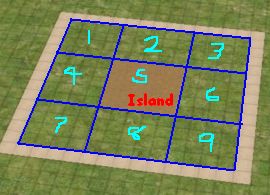
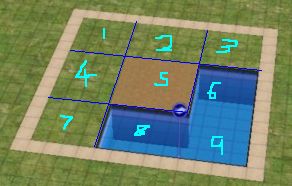
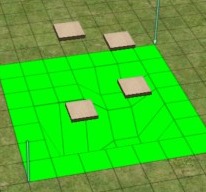
1) Imagine that this is where we are going to create our pool
island. At the end of this tutorial, the brown area in the center will
become an island, and everywhere else will be water.
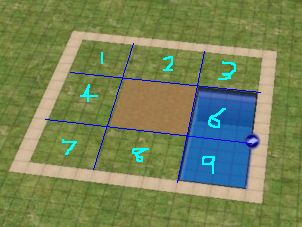
2) Start off by creating a pool that completely covers area 6
and 9.
Make sure it doesnt enter any of the other areas.
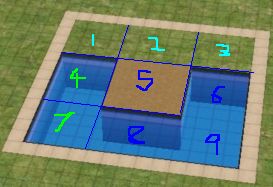
3)
Here is the
tricky part:
While still using the pool tool, hold down CTRL and
drag a stretch of pool in area 8.
Now, release the CTRL key, and then the mouse button, and without moving
the mouse, just click once. A new stretch of pool should appear!
If you have difficulty doing this, go take another look at the L-Shaped
Pools Tutorial.
4) Using the same method as before, fill in area 4 and 7 so
that only area 1, 2 and 3 is left.
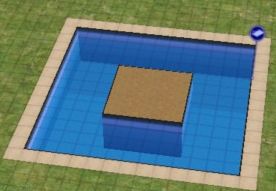
5) Finish off by filling in area 1, 2 and 3 and your pool
island is complete!
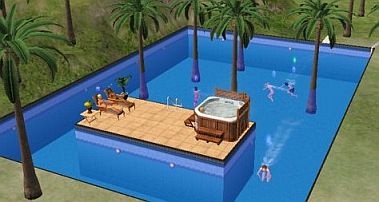
6) Decorate the pool and island however you wish.
Try the Pool Tips tutorial for decorating ideas.
Advanced Pool Tips
For those who are interested in doing more advanced work with pools, I will explain some of the problems you might have when working with complex pools.
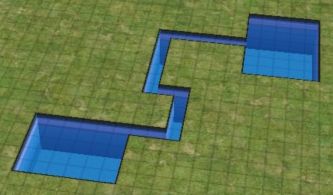
Here you can see an interesting shaped pool that I have created.
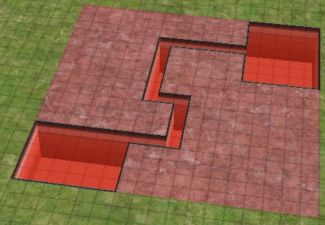
Remember that although you can only see the exposed areas of the pool, the game actually considers the pool to be as big as the rectangle that you can draw around it.
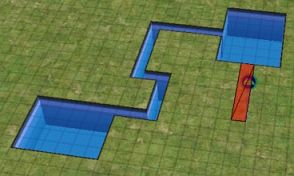
This is why when you try to add an area of pool inside the rectangle the game will not let you.
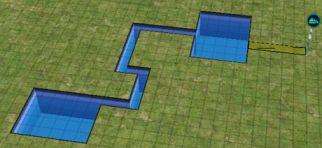
It will let you add an area of the pool to somewhere that is outside the rectangle.
But remember, once you add this area of pool, it will increase the size of the rectangle surrounding the pool.
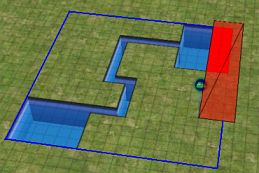
Notice that you cannot delete bits and pieces of the pool wherever you want.
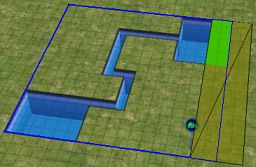
You can only delete parts of the pool by shaving off entire sides of the rectangle like shown above.
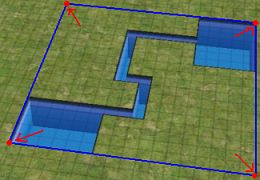
Be very careful when changing the height of the terrain at the corners of the rectangle.
I am still not sure what causes this, but sometimes it will make the water-level of your pool appear either above or below the pool, depending on what you raised it to.
The easiest solution seems to be to flatten the ground at these areas, save and quit to the neighbourhood, then go back into the house.
This info took me a while to work out, so hopefully it will save you some time when creating your own advanced designs.
One last thing, you can create two seperate pools, and then link them together. Until you join them, each pool will have a seperate rectangle. This can sometimes the the easiest way to create certain designs of pool.
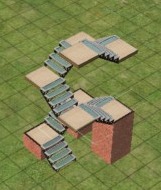
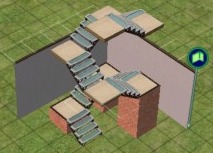
Advanced Internal Stairs on a foundation.
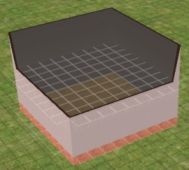
1) Build a two story house on top of a foundation.
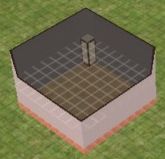
2) Build a 1x1 room in the corner of the first floor
This will eventually become the middle landing between the
stairs.
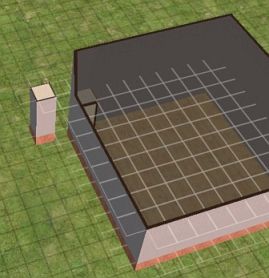
3) Now build another 1x1 room on top of a foundation in the
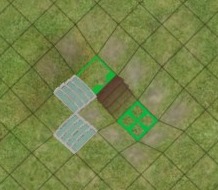
exact position shown in the image below.
---
4) Next, you will need to turn on a building cheat.
Here is how to do it:
To enter in cheats, press and hold down CTRL, SHIFT and C.
You should see a small white box appear in the top left corner of the
screen.
Type in boolProp constrainFloorElevation false and press enter.
This will allow you to change terrain, even when there are objects on
it.
Careful, this cheat can screw up a house, so only use it where
specified.
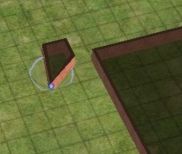
5)
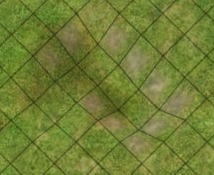
Use the small "lower terrain" tool and click in the corner of
the foundation exactly eight times. It is very
important you do the correct amount.
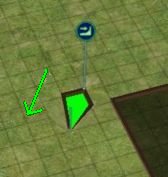 |
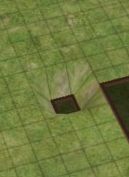 |
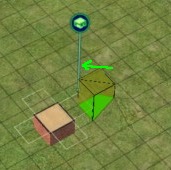
6) Drag the "flatten terrain" tool from the top corner to the
bottom, so that the foundation becomes low and flat like shown above.
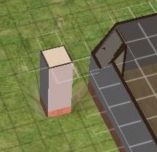
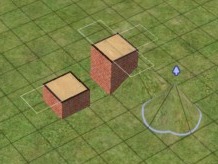
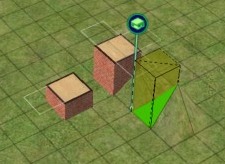
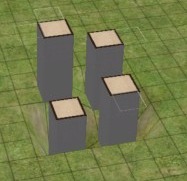
7)
With a floortile selected, click again on top of the small
building. It should lower part of the large building like shown above.
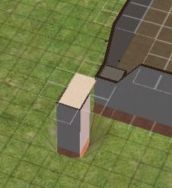
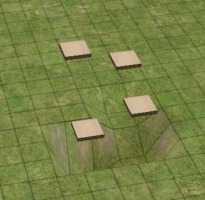
8) Now click in the corner that is diagonal to the corner of
the large building. You should see that the whole landing is lowered.
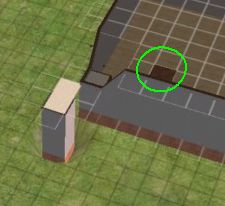
9) Two places
away from the landing, add a new floortile where shown.
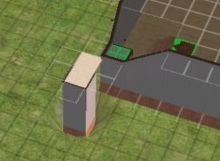
10) Using the connecting stairs tool, join the second floor
to the landing.
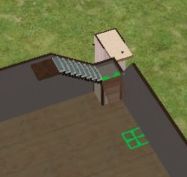
11) Again use the connecting stairs to finish off your
staircase.
 |
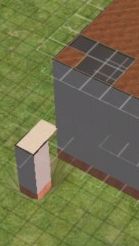 |
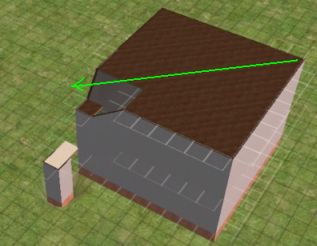
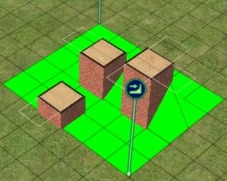
12) To flatten the roof of your building, get a floortile, and drag from
one side of the building to the other. The roof should become flat like
shown above.
---
13)
You can now turn off the cheats by hitting CTRL-SHIFT-C and
typing in
boolProp constrainFloorElevation true
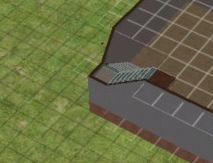
14) You can now remove that temporary structure you created
earlier.
First remove the floortiles, then the walls, then the
foundation, then flatten the ground.
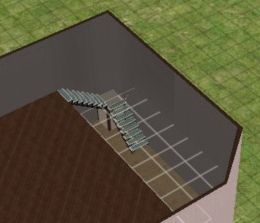
15) Finish off the 2nd floor however you want.
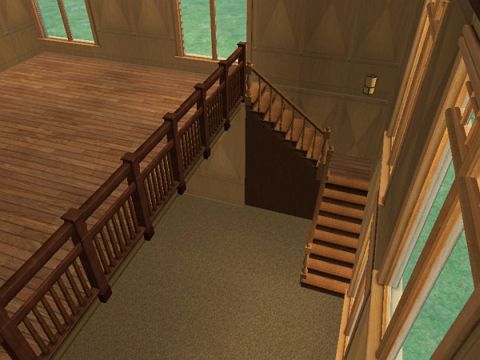
16) Your advanced internal L-shaped stairs on a foundation are
complete :)
geez is that a mouthful or what? :p
I tried to make this tutorial as easy to follow as possible...
but there are MANY different and possibly more effcient ways to build
these kind of stairs. So as I always say, experiment.
How to make Creative Object Tips
Although for most of
us, we can't create new objects yet, it is
possible to combine existing objects to create interesting designs. This
page will show you some examples of the kind of things you can do by
using the object cheats.
We will be using 2 cheats to do these tutorials.
To enter in cheats, press and hold down CTRL, SHIFT and C.
You should see a small white box appear in the top left corner of the screen.
Type in the cheat you want and press enter.
moveObjects on
will allow you to place objects inside others.
Use moveObjects off to deactivate it.
boolProp snapObjectsToGrid false
will allow you to move objects without the constraints of the grid.
Remember to use boolProp snapObjectsToGrid true to turn it off.
Do NOT try and place doors or windows with this cheat... it won't work!
 |
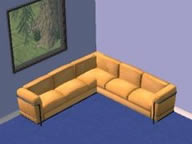 |
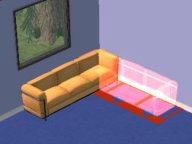
Without the moveObjects cheat on, you will not be able to intersect objects, but turn it on,
and it becomes easy to create something like this L-Shaped couch.
 |
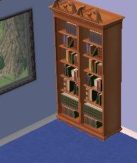 |
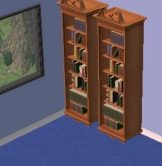
With the snapobjectstogrid cheat, you can move objects closer together. In this example you see an
extra-wide bookcase.
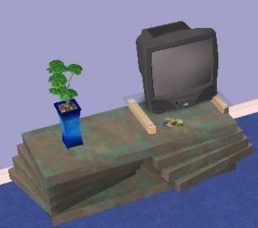
Tv on coffee table.
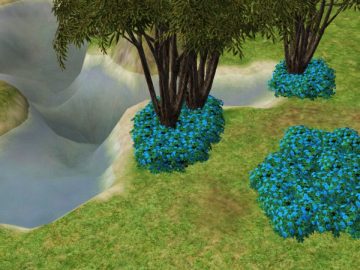
Dense bushes and trees.
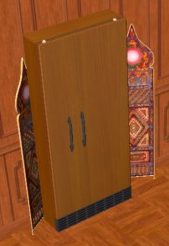
To create a built-in looking fridge, simply move it further
into the wall.
You can
also do this with other appliances such as the dishwasher.
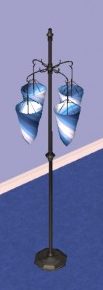
This is four lights with different rotations, put together to
create a single light.
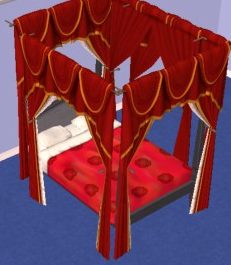
Make your posterbed actually look like one!
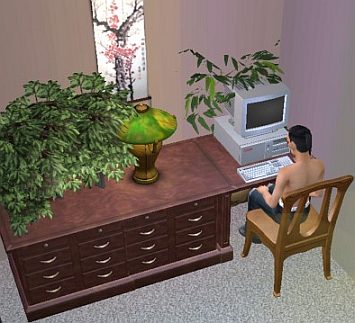
Create an extra wide desk by placing two desks together.
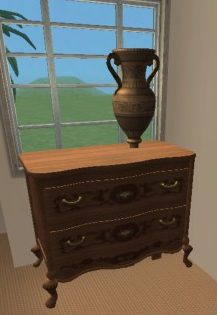
This statue is on top of a small coffee table, inside the
chest of drawers.
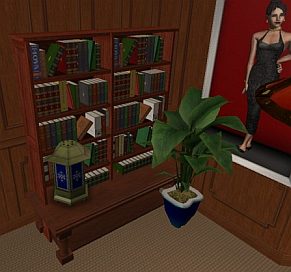
This is two bookcases on a table, with a light and plant.
Sims can still get books from it!
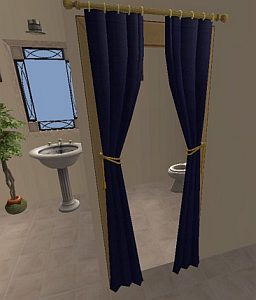
You can place curtains on archways for a nice effect.
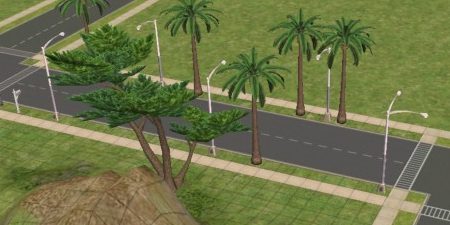
With the cheats on, you will be able to place streetlights and trees on
the other side of the road. Also notice the last streetlight is combined
with another.
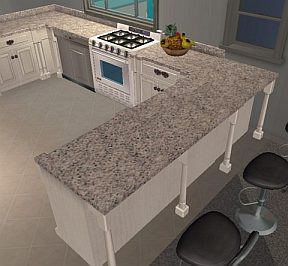
Usually kitchen islands will not connect with normal kitchen
counters, but you can use an extra counter to fill in the gap.
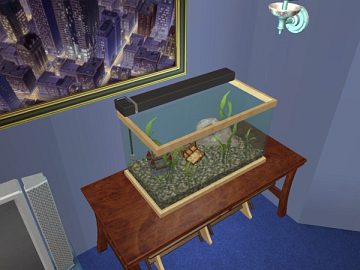
Fishtank on table.
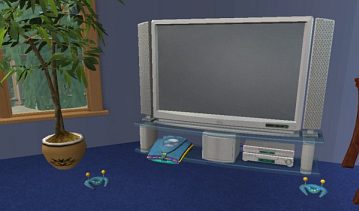
Game system under the tv, with the controllers moved aswell.
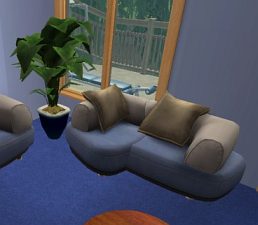
Made by using the small and medium size couches together.
(sims may not sit on it if they are too close together)
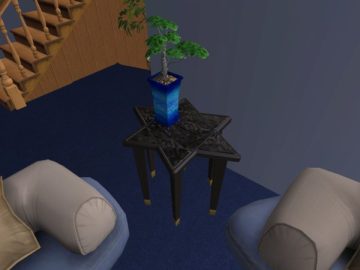
Star-table made by using two triangular tables together.
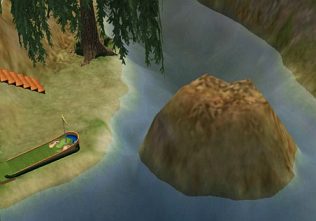
Raise and paint the terrain to make it look like a rock
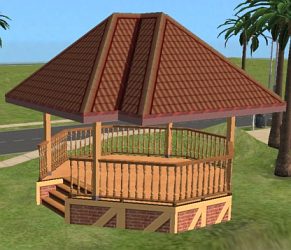
outcrop in your creek.
Place a foundation, fence, stairs, and roof to create this
gazebo.
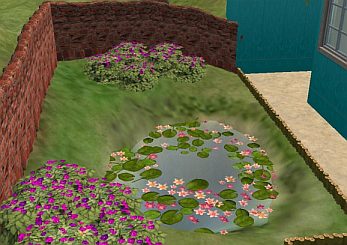
This pond has extra overlapping lillies.
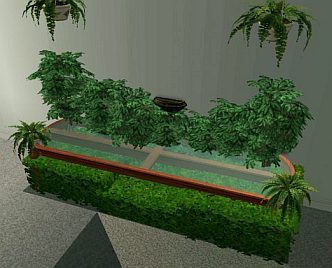
This centerpiece was made by first lowering the terrain, then
adding the plants
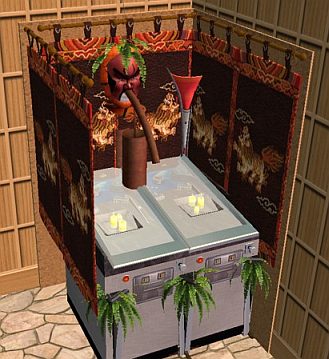
I have no idea what this is, but it was fun to make :p
It uses counters, plants, masks, pinball machines, candles,
statues, bookcases, wallhangings, and lights.
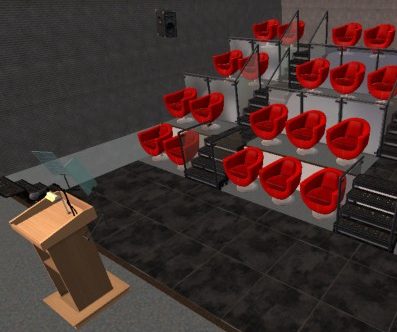
This lecture theater was a bit tricky to make, and beyond the
scope of this tutorial, but use your imagination and see what you can
come up with :)
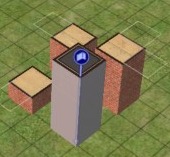
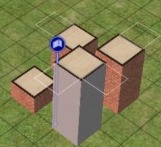
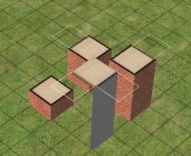
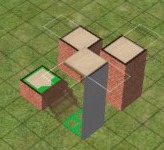
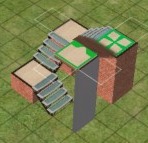
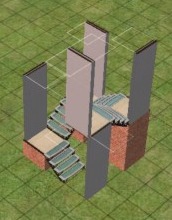
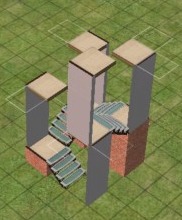
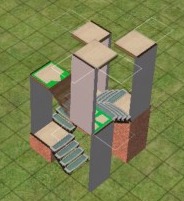
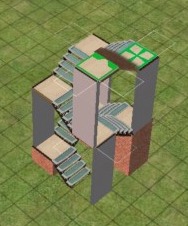
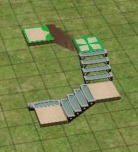
How to create circular stairwells.
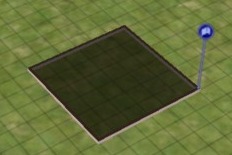
1) Create a 6x6 room
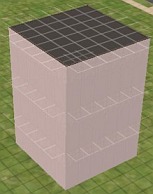
2) Make it as high as you want your staircase to be.
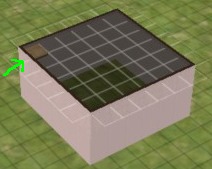
3) Add 1 piece of flooring to the corner of the 2nd floor
room.
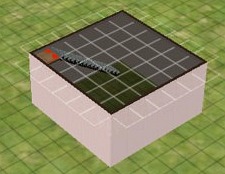
4) Use the connecting stairs to join that level to the ground
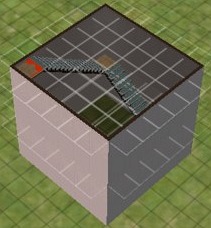
5) Repeat the process, moving to a new corner of the room on
each floor.
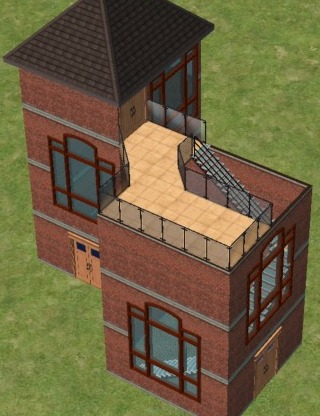
6) Create a building to join your staircase to, and you are
done!
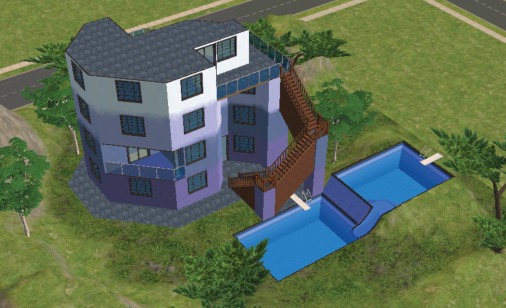
You can even remove the walls around
the stairs, to create a more open feel.
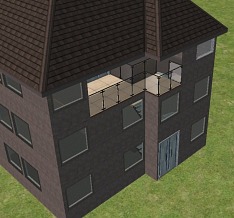
PS. This pic was
made by using external programs... you cant do a slide in TS2 yet. :(

Passed 500 000 downloads!
I noticed that I have passed a milestone in downloads, the 500 000 mark, so I want to say a huge thanks to all of you that have downloaded my creations. I am happy to see that they have found their ways into many games and houses.
Now that my PC troubles are coming to an end (hopefully) I am looking forward to start creating new objects again.
The light at the end of the tunnel
Finally I see a light at the end of the tunnel.
My father is doing fine even if he still is tired but that's nothing unusual after pneumonia. He will need a few weeks more to recover completely. I had it myself several years ago and I was at home for three weeks until I was fit enough to return to work.
I ordered my new PC today. Unfortunately the company building the PC didn't have my chosen motherboard in stock so they could only give me a preliminary delivery time about two-three weeks from now :( . I hope that it will not take any longer than that. In the meantime I will start catching up the downloads, lol.
Be Back Soon!
I won't have to chance to create cc for a while. I'm leaving for Freshman Orientation on the 18th of August and I won't have the chance to play Sims 3 until I come home (I can't play the game on my laptop). There's no telling exactly when I'll get to do that, but I will not quit Simming or making cc! I'm just taking a break.
Back Home
Honey, I'm home!!!!
I had a great vacation!!! But it is time to go back to work.
This is what I'm working on right now, some modern doors and windows add-ons of the The Barricade Door.
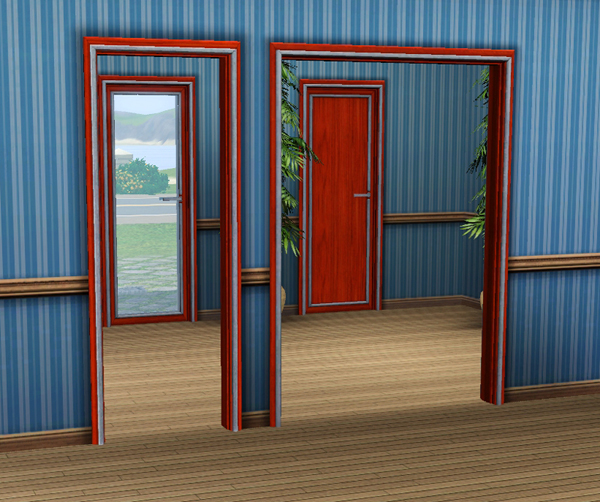
There will also be a single door with sidelight and may windows.
Housing Commissions
I was thinking about taking in some commisions for houses. If you are interested please send me a mail with information about the kind of house you would want
Pricerange (if neccesary)
Reception Rooms
Bedrooms
Bathrooms
Extra rooms
Lot Size
Housing Style and size + stories
(I prefer something classic like georgian or Victorian but I am willing to try out new things ^^ )
Garden style-size
If you want something special of specific also put it in there, like split level, basement, hill house etc etc.
Try to give me as much details as possible and if you really want to help me, send me pictures of the kind of style you would like
Also tell me the kind of colours you would like, or if it's a specific download you want in there, also let me know.
The reason I am doing this is because I want a challenge in creating houses and learn how to create houses even outside my range, I hope I will improve this way.
PS: I can create a furnished house, details about that will be discussed in an e-mail
If you are interested please let me know ^^
Do not be afraid to ask questions
And thanks for the helps
-Naomi
PSPS: I am not even sure if this against the rules couldn't find it anywhere so if it is please let me know and I will take the blog down.
Another screenshot featured!
My screenshot named "He-e-elp!" was featured and I didn't notice that 'cause I wasn't on-line for so long :)
I'm so glad to see lovely comments on that screenshot! Thanks everyone! :D
I need help!
Hey TSR!
I can`t upload something new on TSR Submission Area, because the item ID now it have seven numbers and I can't write it!:|:(
If you now how I could do o this case please put a comment!
Happy Birthday Hiedibear75!!!!!

Happy Birthday my freind Hiedi !!!
I hope you have a fabulous day!!!
((((((hugs & birthday kisses)))))
From Lorraine xxxxxxxxxxxx
new girls
Two new sims - as you can see at my screenshots - Adriana Lopez and Megan Fox. Adriana is dedicated to the dearest Martoele, to say thanks for the beautiful saarong. Both sims wear the gorgeous store hairstyle, which I gave as a gift from a nice member on the sims3-site: Alexurt1. Thank you friends! :)
Well, herro to anyone who reads this...
I really LOVE and appreciate everyones wonderful comments on my work, I always try write back to all the lovely people who take their time in writing kind words about my creations.
If I don't always comment back it's because my life if pretty hectic, I could be on my laptop one minute and running around with an octopus on my head the next. But in all seriousness, I have three young children, and if my mental health problems aren't enough for me to deal with, my two daughters aren't very well.
Again, I really love reading every single comment and I do try my best to write back. I'm currently in the middle of creating a new build set, inspired and dedicated to my children, so keep your eyes pealed.
Much love, Brody. xoxo
Walls and Floors - Please Read
Please note that regardless of what expansion pack you have for The Sims, my walls and floors should work fine in your game :)
I Thank You
The beginning in the TSR
I will send my works to TSR gradully,most of them are everyday makeup.
I hope you will like them and give me some advice,then I can fix some mistake or get progress.
Thank for support~


A whole lotta change
First of all, I'd like to thank all those wonderful people who have left comments in my guestbook or on my creations. You guys are awesome!
And now for the reason behind my delay with getting back to you guys and getting more houses out. My family and I have recently moved inter-state. We now live in the sea-side town of Hervey Bay, Queensland. For any of you not familiar with Australian geography, it's just on the southern edge of the Great Barrier Reef... It's absolutely lovely and I'm enjoying the tropical, sunny weather!
Things are finally beginning to settle down. My computer has been set up for a while now, but we haven't had very good internet access. I've had time to build heaps! But I can't upload yet... :/
The good news is that I have a huge range of modern and traditional houses, big and small, ready to upload as soon as I get a reliable internet connection (which should be by the end of the week *crosses fingers*), including a set of four modern beach homes!
New Creations
Hi Everyone,
Just logging on for the first time in awhile. Finally, after 3 weeks my internet is back up and running!!!!!! Hope to have some new stuff up soon.
Again, thanks for your patience.
NEWS UPDATES
Hey hey as you guys can see on my gallery i have a new sim coming soon. Rose Mcgowan. I've also made a few changes on my minisite, new banner, new avatar and new color :)
For future projects i've got lined for you a brand new skin! Better looking, realistic, with better faces and no eyebrows on it, and as always with a hot body :p
I have in mind for new sims Tom Welling main star SmallVille and Ellen Pompeo star of Grey's Anatomy. Do you like the sound of that?
Let me know, any questions suggestions leave a coment below :D
xx
OHMIGOSH!!! Where'd the time go??
Oh wow. Look at that...I haven't posted Part 5 yet! Okay, here's my explination.
I have the story typed and edited so I don't have any mistakes (hopefully)...but my sims game is glitching like crazy! So I just did something that should help (long story) and Part 5 should be posted by tomorrow, if not, Tuesday definitly. And you guys are going to hate to hear this, but the story might have to start being put out only once or twice, MAYBE three times a week. D: I am really sorry! I just have a lot going on now. I just recently got 4 new pets (fish, but they are hard to take care of...ESPECIALLY without the filter!), school is starting, I'm taking piano lessons back up, my chorus concerts are about to start pilling up, bla bla bla bla bla........You get the point! I'm extra busy right now, and once things settle down and I can breathe again, the story should go back to normal. That might take a while, but still. So thank you everyone for being so patient. And PLEASE if I get on the homepage, someone tell me! Because I could be on it for 3 months and not ever know. I forget to check it as much as I should. Anyways, thanks and I'm really sorry for the delay! And I probablys should of posted this a while ago, but again-i am extremely extra super ridicilously busy, and sims is something I just dont have time for (which sucks cus' I love this game!!)
Sooo sorry!!
~Allyson
Requests
Hey simmers. If anybody would like to leave me a request then please contact me on this site. I have had three requests so far. Jerry Lawler Tee, Melina Tee and Jeff Hardy Tee. Any requests are accepted even if it is non WWE related. I am on this website every two days so you wont have long to wait for me to read your request, reply, make the tee, and wait a day for admin to approve and publish.
When you make a request could you please answer the following questions:
1.) Type of item?
2.) (If it's a clothing) Male, Female or both?
3.) Color?
4.) (If it's clothing) Type of clothing (everyday etc)
5.) Anything else you think is necessary.
Many thanks to all the requests and future requests.
WWEmichael2010
Oh wow...it's been awhile
Okay so in the span of three months or so (most likely give 2) two computers went all haywire on me. Windows degraded in the one I used for the sims 3, OF COURSE! and then my laptop got a virus so there went sims 2. It took about a month to get a new computer and a week to get sims 3 again. Everyone cross your fingers!
Banana tree with fruits
I'm so happy to present you my new set of plants, available Aug 21, 2010, it’s a new mesh of banana tree with a surprise : the oldest plant is old enough to bloom ! He have a fantastic colored fruiting, with decorative bananas ! Yours sims will be happy.

Sims!
Sims. I think I am going to post sims to download. I love creating people in the Sims 3 just because I love designing their outfits and hair and all that cool junk. So I think I am going to post sims for you to download too. Maybe! I can't promise anything because when people make promises they get broken. So, no pinky swear, no cross my heart and hope to die, no I swear on my mother/father's grave. None
<3 U, MDesigns
New Homes
I am about to create a new home for you! YAY! I figured I would post this first though so I wouldn't forget. I can be pretty forgetful sometimes . . . Oh Well! So I already have a layout laid out inside of my large head. A small, hopefully affordable house perfect for a new couple, maybe two that are engaged and pregnant. Haha, I asm describing what kind of family I would place there instead of the house! The home would be two stories with a one-car garage. Two bedrooms and a diningroom. Will be decorated, obviously. Why? Because if I can't be an architect than I WILL be an interior designer, and this is all such great practice! Haha!
<3 U, MDesigns
hey!!!
hi guys!!!! i just wanted to ask if anybody could tell me how to upload creations and pictures. that wld be great. thnxs in advance and if you could plz leave them in my guestbook. :)












 Limited Time Offer
 For a limited time only, we’re giving away a free


