

 Sign In


's Blog
More fixes and tweaks today
Here's a summary of the bigger fixes today:
- There's a more prominent stats bar added to the downloads details pages.
- The credits field is back on the details pages (sorry everyone!).
- More info on the browse page, such as number of thanks and comments.
- Recommended items does no longer mark an item as having required items and is listed seperately from required items in browse view. If an item has both required items, recommended items and installation instructions, it will skip showing recommended items on the browse page (you will find them on the details page!).
- An error with the blogs pod has been corrected and it now shows the latest blog entries there.
- Finally the PM link on profile pages has been added back in!
Allow up to 4 hours for all changes to show due to caching.
Hope you like :)
TS3 Creator's Camp: Day 2, 07:00
 Couldn't sleep again.. awake since 4am! I didn't have a relevant picture for this blog entry so have a look at the nice January Sunshine of the EA Campus yesterday instead :-)
So as I mentioned in yesterdays blog we saw some new things about the game during Day 1's demo that was not shown during the Sims 3 Preview which I wrote about last year. The main thing being Build and Buy modes as they were 'off limits' before, but now we have some more info about that which I'm allowed to share with you!
We also learned a lot more info about the custom content processes. The game tools are actually so powerful that pretty much all of the items which you will see in the basic game CAS and Buy Catalogue have been created in the game by the art team and content creators within EA. They didn't need flashy external tools to make all this stuff you truly do have the power at your fingertips to create content just as good as EA. The base meshes (shapes of the items) are imported to the game a default blue, then the artsy type get to work on them. That's pretty much how third party CC will work too.
The biggest power feature is "Create a Style". When editing clothing, hair, accessories, walls, floors, furniture, build items… anything in the game that's customizable, you have the option to either do simple pattern or color adjustments, or go the whole hog and drop into "Create a Style". Kinda hard to explain, especially given that I can't share pictures with you, but basically any item has between 1 and 4 channels to it. A bed for example might have the wood frame and the bedding, so 2 channels. A sofa might also be 2 channels, the fabric and the wood frame. Once you create the bed that you like from the range of hundreds of patterns and textures, and infinite colors for each of those, you can save them as a style and then apply them to any other item. And the process is a simple drag and drop. So place your bed in the bedroom, add a desk, a sofa and any other furnishings you like, then drag the style from the bed to all the other items. You now have a fully matching bedroom set designed by and probably unique to the Simming world! You can even drag it to the walls and have the pattern as paper and the wood as kick board and chair rails. And why not drop it on your chosen floor pattern too! Wildly open ended and freeform!
You can then share these Styles or individual creations with other players either through the exchange or your own websites.
Let me talk a bit about Build Mode! You builders out there are in for the treat of your life with Sims 3! Power tools are abundant here as well, for example, expanding your home as funds allow is so quick and easy! If for example you want a bigger bedroom, grab the outer wall and drag it out as far as you wish, the bed, side tables, window and any other objects along that wall will move with it too. The floor will expand in the same pattern, walls are redecorated and even the roof will free form around it in real time. Same goes for reducing rooms, or you can drag out an entire outside wall of a house and have all rooms enlarge, maintaining their scale and object positioning as accurately as it can.
Stairs have changed a lot: no longer do you have modular or internal stairways, they are now the same thing and just behave differently depending on how you use them. If you place a stairway internally between floors it will take the guise of an internal stairway, and will even box in the area below it with walls and finish it with the décor you already have in the room! These can be removed though if you want an open staircase. When placing modular stairs these can now be placed with a 90 degree L shape turn in them, making shaped stairways so quick to produce. You also have a width slider allowing you to place stairways between 1 and 10 tiles wide in an instant!
Doors will ship in 1, 2 and 3 tile sizes, and even with 1 tile doors that sit in the center of 2 tiles to allow more freedom in design than ever.
Lighting has had a major overhaul too. Internal and external lighting is better realized and put to best use when you build with open spaces in buildings, like courtyards. You can leave the roof off an area of the house and unlike previous Sims games, these will be recognised as outdoor, and lit accordingly. The lights that you place can be set to many different colors to provide ambiance and mood, with the ability too to set them to either dim, bright or normal!
Roofs are now truly dynamic and with the roof height slider you can make anything from flat roofs to tall spires instantly. They reform as you change the shape and size of your house too.
OK, I'm gonna leave you with that info overload for now and go freshen up for another day. I still have lots to tell you about Create a Sim so I'll start blogging again from EA later.
/Steve
TS3 Creator's Camp: Day 1, 17:00
 Day 1 got off to a flying start with breakfast! Signup at the lobby was the first time many people had met in person for the first time. After many years of chatting with some of our own site staff this was that first time I actually got to meet any of the TSR FA's and Artists that attended. There are many familiar faces here too, from other fan sites and official sites from around the world who have attended these events before.
After breakfast we went into the Triangle Room for the game demos and some updated info from the developers. We got to see more about 'Build Mode' than we have seen before in any previous demos, but there is still an embargo on certain things that we are not yet allowed to report about. I'll find out what I can tell you and post more later in the week (hopefully).
As this whole event is about custom content we got to see for the first time exactly how custom content, custom editing and content sharing works. As expected, all of this CC is done within the game. There are currently no external tools like CAS or HomeCrafter which we saw in Sims 2, and with good reason; the game does it all so much better!
As I write this update for you, all the CC creators are already creating! Well… creating their accounts on the new Sims 3 Exchange so that they can start sharing their first creations with you! After that they are jumping right into the game and getting hands on, learning the new interface and the techniques they will be using for the rest of the week.
I'm off to do the same! Expect more later if I can get the go ahead to spill the 'Build Mode' beans ;-)
/Steve
Shop Addition Previews
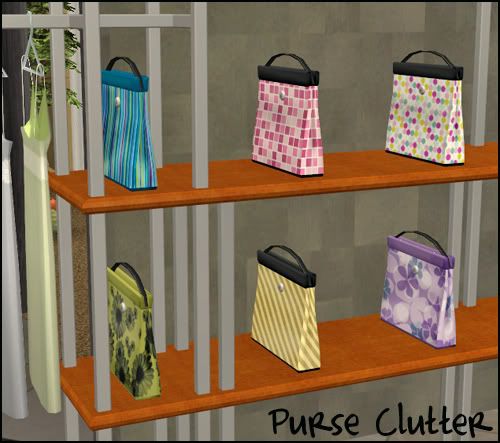
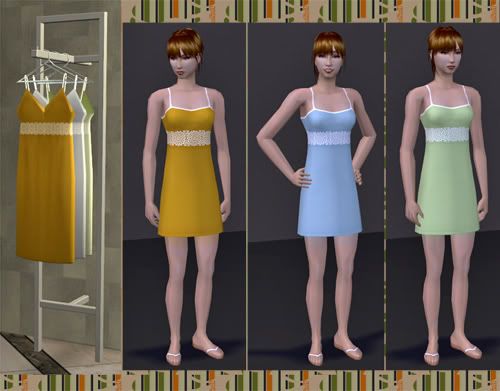
Here's a few previews of what I have finished for the new shop additions.
Clutter Purses
Dresses that match the ones on the rack
Now I just need to finish the shelf recolors and this will be ready to go!
- J
Screenshots
Hi,
Due to the current Competition running on TSR, I have been busy downloading more stuff off here and other sites. I have been building up my Garden/plants base and I will be taking some more shots soon. As i upload my screenshots, I want to make it clear that nearly 99% of the ingame objects that you will see (other than the Maxis stuff) has not been created by me.
It has been downloaded from many very talented creators on this site and a few others. If there is anything you like and would like to know where i got it from, just PM me and I will let you know who created it and what site it was from so you can download it to use in your game. I catalogue all my downloads with pictures, so I know what every file is and where it is from.
Most of the stuff is from TSR as it is my favourite site and the one I support constantly. I have other sites I like, they are Mod the Sims 2, Around the Sims - I absolutely love Sandy - she is a doll, Sapphire Sims and Exnems. They are all very friendly sites.
I feel very strongly about creators recieving proper credit for what they have created. Afterall it takes time and we all do benefit so much by using it all in our games.
Bye for now
Simonetta.x
this and that (and a preview Part1)
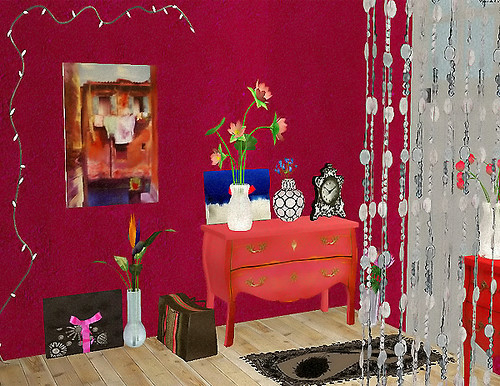
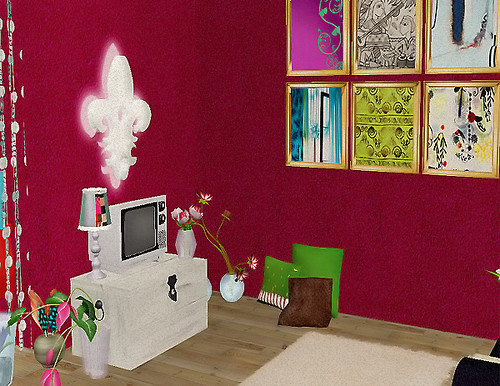
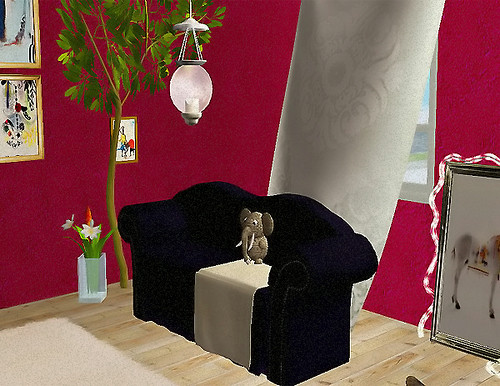
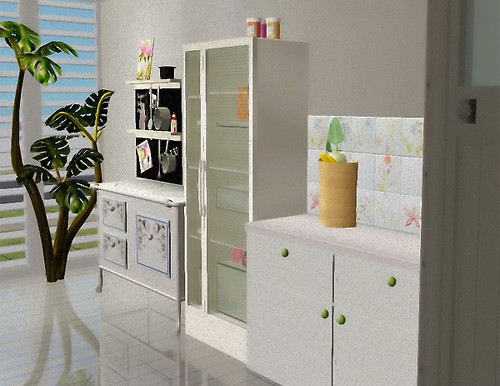
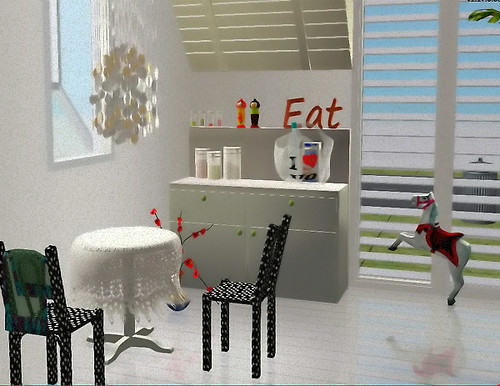
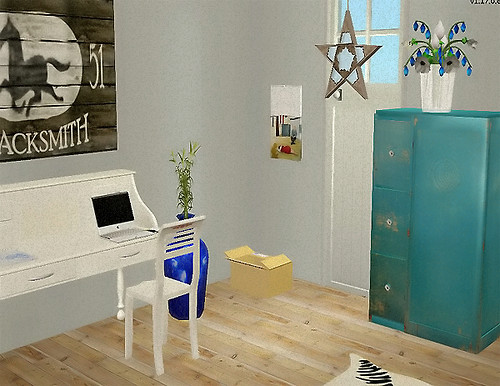
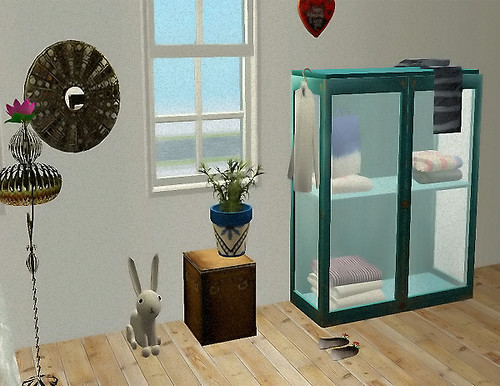
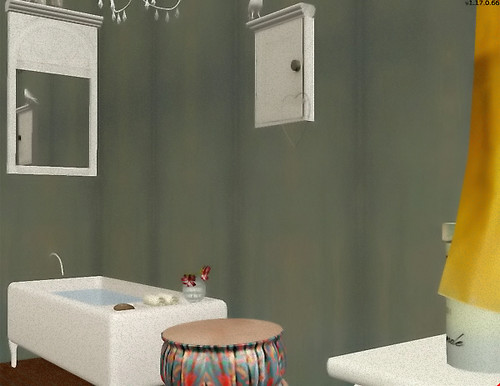
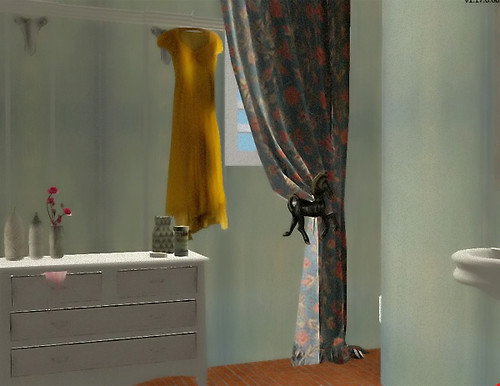
Hi, I was very eager during the holidays and made a lot of new items... here is a small preview (you can also see some of the objects on my new profile-banner)
Btw happy 2009 to all of you!!!
hugs
some of the objects are already released (TSR, Avalon, Reflexsimsforum)... I built a small house and took this screenshots

V7
When you get to my age change is not always a good thing as it takes me longer to learn things these days :) I have been playing around with the new version and I like what I see. I still have a load of things to fathom out but I think I am getting there :)
My Legacy Series
If you are starting a custom neighborhood or just want a home for your old neighborhood, the Legacy Series is for you. These country style homes are all built on flat lots, so they will look the same on your streets. No hills or valleys, but lots of unique features on each lot. Some are ranch styled homes, and some or two-storied, but all are designed for an easy game play. I am offering most of my homes furnished and unfurnished for those who don't like to decorate, and for those who do. All comments are welcome on my homes, good or bad. Any suggestions you may have regarding improvements to my lots will be appreciated, also. Thanks so much for visiting my site and have a wonderful Sims day.
Upcoming Submission News, Jan. 11th, 2009
Wow.....with the release of TSR v7 Beta and my need to explore it, I've had no life today. As far as uploads are concerned, you might be interested to hear you have an entire university to look forward to. It all comes hand in hand with my renewed interest in actually playing the game - I had to have someplace new to send my young adult Sims! For this, I created Linden College, and the first two lots should be up in the next week or so (as long as they get through "pending" on the submissions page). Those two lots are.....
1) A cozy little restaurant (which can really be used anywhere, but the architecture matches that of the other lots at Linden College).
2) A dorm with room for eight students - these rooms are separated into two buildings (both on the same lot).
At least half of my university lots are going to be only one story - my intent is to keep travel time short for our Sims as well as load time by keeping the lots relatively small (for their purpose, anyway). The other university lots I have already completed but are going through testing are a group of apartments, a secret society, a fraternity/sorority house, and a "historic landmark" (reminiscent of a belltower). The lots I have left to build are my arts/science/mechanics buildings, a gym, and a park. After that, I will consider my university to be finished (hopefully). Stick around! :)












 Limited Time Offer
 For a limited time only, we’re giving away a free


