

 Sign In


's Blog
TS3 Conversions
TS4 to TS3 conversion packs are available on my tumblr page. Nine shoes were converted.
http://madlensims.tumblr.com
Today i create a new Sims
So I decided to send her to submisions, but it was rejected. Write something like rekomendaii read and so on. So I still can not understand why :( Here's a screens:

Small explaination for krystalchhakchuakI, how to upload a sim \o/
Hey! This will be a tad easier to explain how to upload a sim ;)
First.. my question would be, do you know where to upload/submit your sim?
If you do, good! If not, continue -> See the green button at the top of the page with the text 'SUBMIT' ? Click on that and continue to the Sim game you want. I suppose you're going for the Sims 3 one.
On the new page, you see different tab sections and I hope you've no trouble with those. As the names like "Uploads", "rejected", etc.. are quite obvious.
Next! Lets take the rules in mind ^^
Here you can read about the rules for the sims! - CLICK ME -
Make sure you read it and clearly understand all the rules. It happens that you forget about it.. it's usually not a big deal. TSR may however reject your sims3pack and not allow you to upload the SAME file again.
Other important rules regarding copyright etc... - CLICK ME -
Take not that the creations you upload are your OWN created creatoins. It always hurts original creators to see their creations being uploaded without permission. Do not forget either.. once you upload something on TSR, it's probably forever being here. TSR may use your CC pictures etc on other sites of them like facebook.
Regarding the screenshots of your Sims! - CLICK ME -
Unlike screenshots for the story section etc. The screenshots of your creations, objects, sims etc, MUST have the 4:3 size requirement.
-
Next! Lets talk about the 'File' of your sim.
A sim is supposed to be uploaded as a Sims3Pack. The way you get a sims3pack out of your sim is easy.
You'll have to go in game and in CAS (Create-A-Sim) and make your sim, or click the one you saved in the bin for upload. When you're done with the sim, hover the portrait of your sim, and click on the 3 dots... which should be appearing. There should be an option which says something like 'Export' your sim. I'm not very sure though, my game is in Dutch... TAKE NOTE! CC which is from TSR itself, will be automatically included. You do not need to link to the original download. Well, you shouldn't delete the files in your DCbackup, which also means that the CC you used were downloaded as Sims3Packs, otherwise, you'll need to post the original link in the sim info.
IF you use CC from other sites, you'll have to make sure that either, (1) they allow you to include CC to your sim and you have the evidence for that, OR (2) you need to undress your sim from that CC, export the sim and THEN add the CC again to take pictures with. If you do it the (2)nd way, you must not forget to provide the link of the download to the original CC, because TSR keeps up to the rules "You get what you see".
But.. I'm actually not sure if they let you CC included from outside TSR.. I do know there are many lots which do have CC outside of TSR. I'm not sure if they allow that for sims. As I only do the (2)nd way. (Well, I actually don't include CC at all with my latest sims...)
What I said about after the 'IF' is probably quite said in the rules for uploading a sim, but it's really important to keep this all in mind when uploading a sim ^^. I recommand you to use the Custard Tool. (click, goes to MTS) With this tool you can scan your Sims3Pack and see if there's anything in it you actually don't want.
Done with the above? Exported your sim? Yes?
Then, you can find the sims3pack in your My Documents>Electronic Arts>Sims3>Exports Folder.
This is the file you'll be uploading to the sims 3! Go back the the 'Sims 3 Submit' Page. I hope you remember that there was written with quite big letters, 'Upload Your Creation'. Underneath you see 2 options.. you'll be picking 'upoad from my computer', proceed! Then you'll have to upload your file ^^!
Now we wait until it's uploaded...
There's a chance an error page shows up or something. Do not panic about that. Close the tab and go to TSR again, and again the the 'submit' page. There should be something different now...
I hope the 'Uploads' now has a new number! Click on that. Your sims should show up! ^^ If you actually see nothing... and an error popped, retry. If it doesn't work. Make screenshots of your error etc, and post in the forums of TSR. That way other site users and admins can help you out. Perhaps it's even a TSR bug they need to fix ^.^
- Next!
Click on the name of your creation. There you can fill out everything about your sim!
Give your sim a cute, funny, nice or cool description, which catches your potential downloaders eyes and write all the necessary information in the 'notes' section. Despite of it saying (optional) I don't think it is. It's a REALLY important section. Except if all your CC is from TSR.. Then you won't need to put anything in it.
It's the best to fill everything in as much as you can. Except from the 'Notes' part, you do not necessarily need to do the other 'optional' ones.
- Screenshots
There are 2-given screenshots. These were automatically attached to the sim to show how the sim will be appearing.
You need to 'hide' these two pictures! Only 'admins' can see those pictures ^-^ Upload your own screenshots of the sim!
Make sure you don't make it too flashy and don't over-edit it, because TSR and your potential downloaders surely would like to see clearly what you're uploading and what they're going to download. I recommand to have atleast 2 pics of your sim in-game and one in CAS. You can always check my Sims Downloads and see what funky stuff I did with my screenshots, haha!
If you have any questions, do not hesitate to ask. If there are points you want to know more about, don't hesitate either.
I'll be filling this up with the extra information etc. If needed.
I surely used a lot of 'if' in this, didn't I? lol. I hope everything's clear and my english isn't as broke as I think it is xD
Have a lovely day!
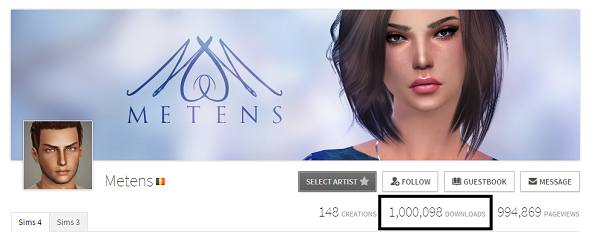
THANK YOU - 1 MILLION DOWNLOADS
OMG! I'm so happy to tell you all that a dream came true for me as I just reached the ONE MILLION DOWNLOADS.. 1 million I still can't believe it... This is just awesome I have no words to tell you all how happy I am right now! A huge thank you for your constant support and your sweet compliments about my work, I'm always trying to do my best to make quality clothes for your games, thanks a lot!!
Learning To Mesh
I have slowed down on my recolors at the moment as I'm in the process of learning how to use S4S and Blender to create clothes meshes. As much as I've enjoyed recoloring (and will continue to do so), I find the EA patterns too limited for what I want to create. It's a slow process so far. For those of you who already create new meshes: Bravo! Oh, and if you're inclined to share some tips, I certainly could use the mentoring! LOL
Sorry
Sorry for not updating with any new clothes. I messed up my sims and I need to reinstal it. But I've been kinda busy so didn't have time yet. I hope to be back soon.
stop
I would appreciate it very much if whoever is trying to get in my account would stop. Make ur own, have a nice day <3
You Know What I Would Love To See...
Do you guys remember, in The Sims Unleashed, where if you wanted to buy/adopt a pet, you had to travel to a shopping lot and pick one out from the cages?
That would be something I would absolutely LOVE to see come back! I just loved the whole experience and feel of going to a lot and bringing back a new family member.
EA should definately take that into consideration when they create a Pets Expansion.
There could be a bunch of cage/tanks/crate what-have-you, and food and toys and collars you could buy.
Maybe, there could be an actual pet store, that your Sims could run with the Get To Work expansion. You would need to make sure the pets are clean and healthy, ready for purchase.
Alternatively, your Sim could choose to adopt (as an animal lover, I am very supportive of adopting/fostering pets), and they could to to a lot, like a shelter; something like RSPCA, and they could get a pet that way!
(You can't half tell I'm an animal person..lol)
Anyways, this has been something I've been thinking about and I definately plan on contacting EA.. somehow.? and giving all my ideas. Maybe in the forums.
So what do you think? Feel free to let me know your ideas or what you'd like to see in the future for the Sims 4!
Happy Simming!
Hi!
Hi guys! So i'm a newbie! xD I'm a shy, social, horseinterested girl with BIG dreams! I love chatting with internet people so text me if you're bored! I live in sweden an i've been playing since April 2015, so not that long! I got the sims 3 starterpack (ofc), the latenight expansionpack, the pets expansionpack and i'm planning to get supernatural and generations as soon as i got money for it! :D













 Limited Time Offer
 For a limited time only, we’re giving away a free


