

 Sign In


's Blog
New Work In Progress.. Carmel Bedroom for teens...

The most recent work in Progress... check my facebookpage for more to come...
https://www.facebook.com/pages/Angela/168377626534223?sk=wall
MS Blue
Ms Blue you are the queen at designing sims
they are always up to my standard and always perfect
ms blue u have a talent that everyone wished they had
you have set a really high standard for yourself and i think acually i know no one can top you sims skills even if thay tried
so if u dont know what im talking about check out for yourself and get downloading
im ms blue number 1# fan and yes i took that place
Some Favourites
http://www.thesimsresource.com/downloads/details/category/sims2-sims-male-adult/title/adrian-rucker/id/1153979/
http://www.thesimsresource.com/downloads/details/category/sims2-sims-male-adult/title/orlando/id/1184286/
http://www.thesimsresource.com/downloads/details/category/sims2-sims-male-adult/title/casey-black/id/1179311/
http://www.thesimsresource.com/downloads/details/category/sims2-sims-female-adult/title/britney-spears--vma-2001-performance-%28slave-4-u%29/id/1178586/
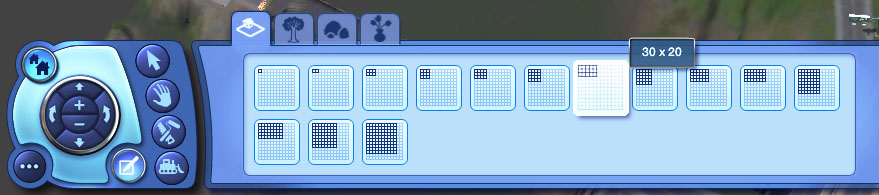
TUTORIAL: Placing lots of any size - and where (short guide)
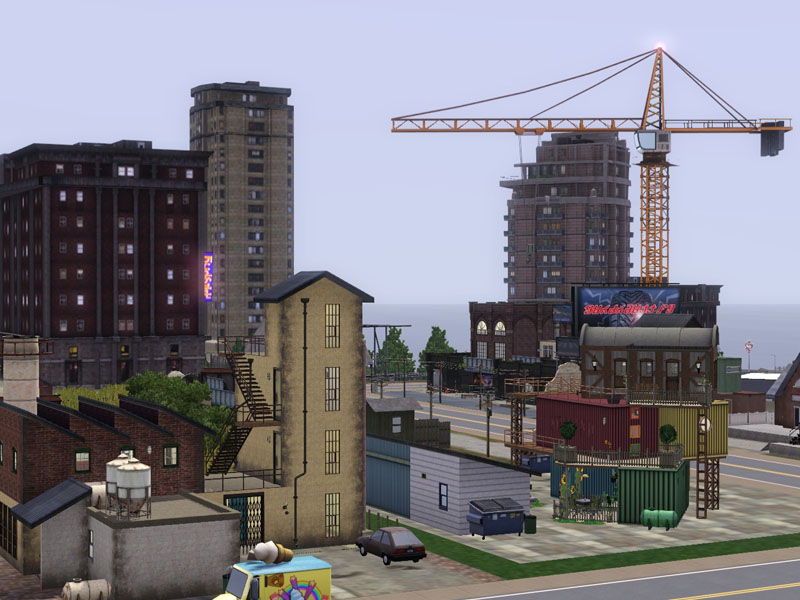
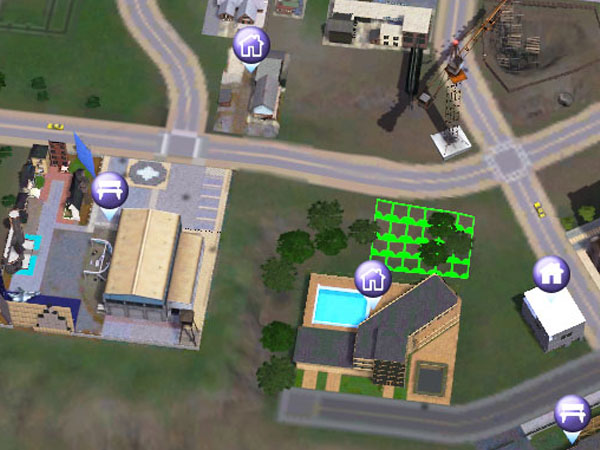
I've been asked quite a few times now what world and location I use for my lot screenshots, and also how to place lots of varying sizes, so I've put together a simple tutorial (using the area I build in as an example) which I hope will answer both questions...
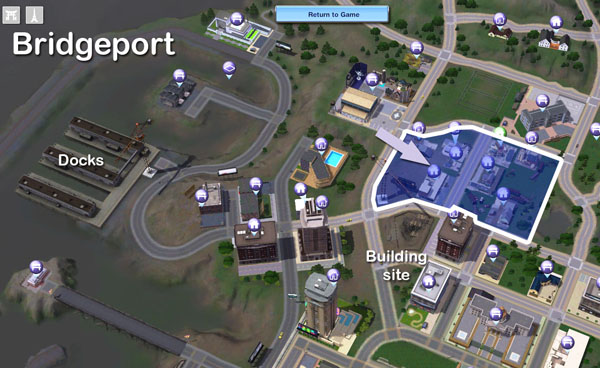
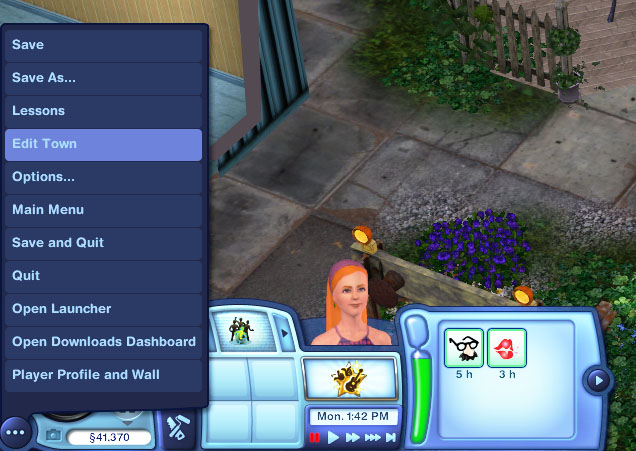
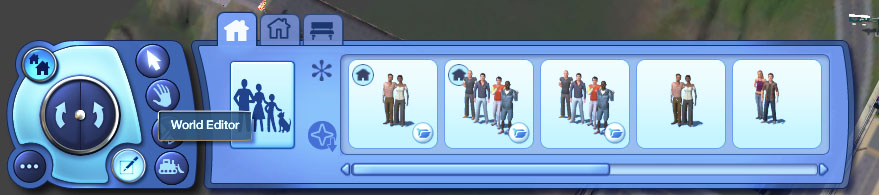
- 40 x 30 is fine
- 40 x 40 is fine
- 30 x 30 is not fine
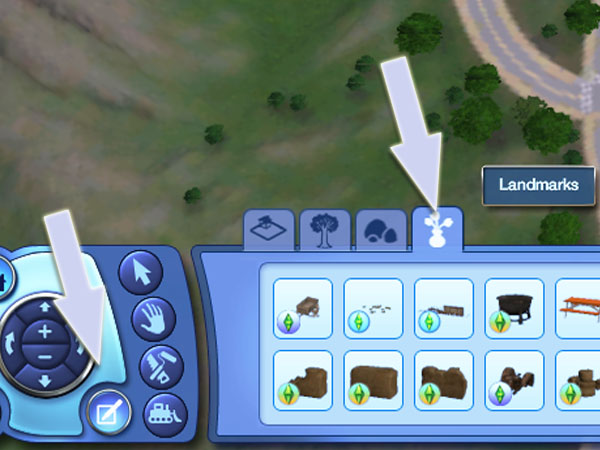 EA has added some great decorative objects for world decorating. Some of the goodies I have in my game include reeds, a wrecked car, a rusted tractor, a broken cart and, joy of joys, an abandoned rail wagon on broken track! You might have even more (I don't own every expansion pack).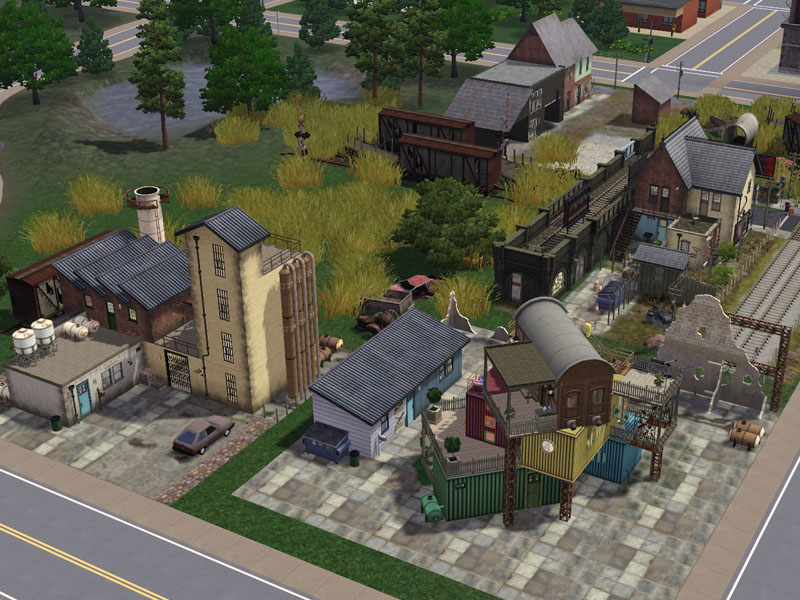
RETURN THANKS FOR COMMENTS
Once again I am overwhelmed by the number of accummulated comments on my creations to the extent that I can only personally thank a handful of people for their wonderful support.
If you are not amongst this small offering, then please do not take it personally. I do read all postings, when my internet connection is stable enough to do so, and I am always uplifted by the kind and generous things that you tell me . . Thank you from my heart for all that you have done to keep my "creative juices" flowing and I hope you will continue to do so, even in the event you don't receive a direct response.
But, facts are facts, and I cannot get back to everyone - so please accept my humble gratitude by way of this post.
Stay safe, everyone, and continue to enjoy the wonderful, frustrating world of The Sims3.
Love
Marg.
Broadway musical tickets
Purchasing Broadway tickets online
Many individuals are confused whether or not they can buy Broadway tickets on
the Internet. People think that standing in line can be a good option for
buying tickets of Broadway show. However buying tickets through internet can be
a simple process and also affordable. It is because the tickets sold on the
Internet are often low priced. There are chances that tickets are sold at fewer
prices on internet in comparison to ticket booth.
Instructions for buying Broadway tickets online:
Begin by looking out for a reliable website that sells tickets for Broadway
shows. Make sure the site is authorized for selling tickets. Buying from
official seller will ensure that you will get the right tickets for the right
shows at right prices. It is essential for you to ensure twice that the site is
genuine and reliable.
At the time you are on the site you need to choose the Broadway musical tickets which you
would like to watch. Check out the alternatives such as shows or menu or you
can just type the show that you want to watch in order to get the details of
the show. With this you will get information on the timings of the show. You
can check out brief synopsis. With this you will also get idea about the theme
of the show.
When you want to buy Broadway tickets online you will have to click on 'book'
or 'buy' button. You will be directed to the rates of the Broadway shows. You
will also be allowed to select the time and date for which you will want to
book the show. Advance booking is easily possible with online booking system.
There is one more advantage that you can get though online booking. At the time
of purchasing Broadway musical tickets you can have a look at the arrangement
of seating also. When you check the seating arrangement you will also see the
diagram of pricing. The prices of the tickets will vary according the seating
system. You can pick the seats that you find comfortable as per the stage
distance. You can also consider the prices of the tickets before buying the
tickets.
When you are booking your Broadway tickets make sure you also look for food or dining
options. See if there are any complimentary coupons offered on the tickets that
you book. This way you can enjoy your favorite musical show and food at prices
that you can afford.
Booking online means online payment. In order to book Broadway tickets you need
to have your credit card details in hand. Most of the sites accept credit
cards. If you do not have acceptable credit cards, then you will have to see if
there are any other ways of paying for the tickets.
You will be given a receipt once the procedure of payment is cleared. Tickets
will be mailed to you or you will be given the code number on your mobile
phone. You can show the details when you attend the show.
In order to confirm your booking you need to get in touch with the customer
care. With this you can get an assurance that your booking is processed in the
right manner. There will be no room for end minute goof ups and you can enjoy
your favorite musical with ease.
Story
Hello! I'm Mimi, just thought I'd introduce myself. I'm thinking of doing a story would you read it?
Simming Group on FB
I have a group on FB so if you would like to come and join our friendly sims group, make new friends, share your screenshots, take part in fun contests, share links if you are a creator, then the link is below :D
https://www.facebook.com/groups/346972002063772/
Facebook Cover Photo Contest!
Baby it's Cold Outside! (Ok, so in some parts of the world it's not very cold at all, but it is here, so just agree with me!) And when it's this cold, we need something warm and cheerful... like a new Facebook Cover Photo showing your Sims celebrating the holidays!
Take a screenshot in one of your Sims games (Sims 2 or Sims 3) that best portrays your Sims in the Holiday spirit. Show them hosting a gift giving party, or having a snowball fight, or sipping hot cocoa on the front porch. Your shot can be anything related to Sims celebrating in the cold, but it must be PG-13.
Upload your screenshot to TSR, with the title 'Holiday Spirit!' To do that, hover your mouse over the Account option at the top of the page, scroll down to Edit Screenshots and click. Choose the tab at the top that says Submit Screenshot and fill in the information. Make sure you change the Public to Yes.
You may enter as many times as you like.
Entries must be submitted by 10PM EST on Sunday, January 5, 2014. Winners will be announced by Thursday, January 9, 2014.
The first prize winner will see their screenshot on our Facebook page as our cover image and will also receive a full month of VIP access to the site (no advertisements, use of the download basket, etc).
Second place will get two weeks of VIP access.
Third place will get one week of VIP access.
(If the winner is already a VIP, the time will simply be added to the number of days left on their current account.)
NOTE: Facebook cover photo size is 850x315 and our logo will be on top of the bottom left corner of the image.












 Limited Time Offer
 For a limited time only, we’re giving away a free


