

 Sign In




Created for: The Sims 2
This Creation has Requirements - Click here to show them
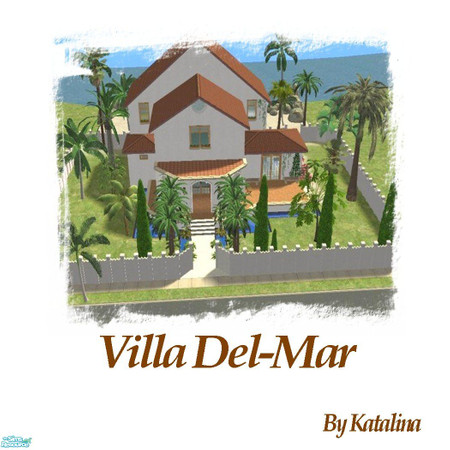
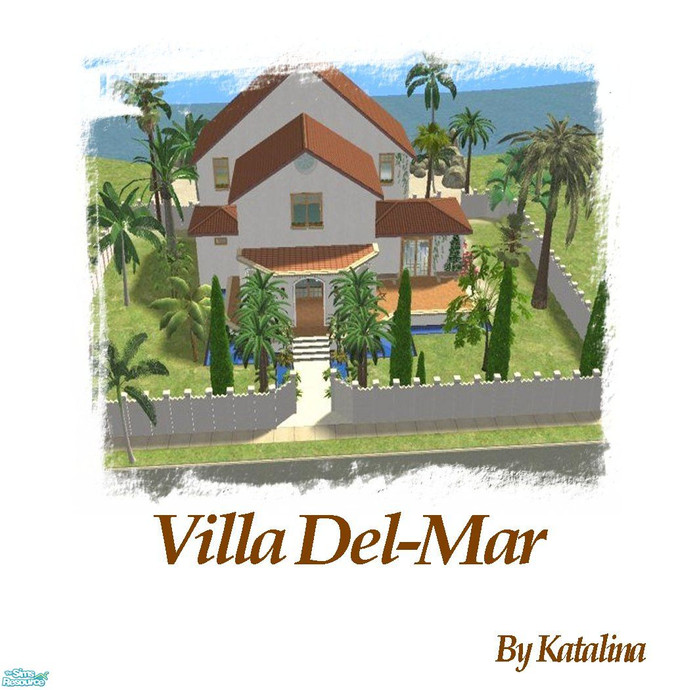
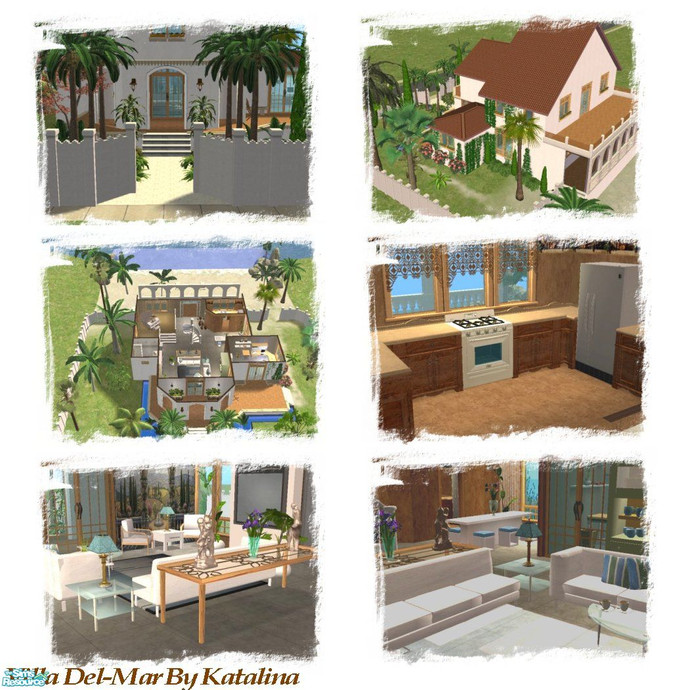
A beautiful airy villa that sits on the coast of France. Enjoy :)
Short URL: https://www.thesimsresource.com/downloads/790849
ItemID: 790849
Please do not re-upload Requires Numenor Scriptorium for Modular stairs at MTS2, dgandy's arch window from Greece found at MTS2, derMarcel's Acropolis spiral stairs found at all4sims.com, phoenix_phaerie's Manor Garden set, cat3cm trees, and Blitzybus
Credits: phoenix_phaerie, Blitzybus, cat3cm, Holy Simoly, dgandy, Numenor@MTS2, derMarcel
- Price: 69938
- Lot Size: Medium
- Furnished: Partly
- Decorated: Throughout
- Bedrooms: 3
- Bathrooms: 2
- Stories: 2
This Creation requires what's listed below in order to work properly.
Required Expansion/Stuff Packs:
- Seasons
- Bon Voyage
Installation Instructions:
THE SCRIPTORIUM - MANUAL INSTALLATION FOR WINDOWS AND MAC USERS
===============================================================
*** WINDOWS USERS ***
1) Open the folder where the GAME is installed (NOT the Documents) and go to:
(program folder)\EA Games\The Sims 2\TSData\Res\Catalog\Scripts
2) Open with Notepad the text file "fireplaces.txt" and add this line (copy and paste it exactly)
wildInclude "Scriptorium_Fireplaces\*.*"
3) Open with Notepad the text file "modularstairs.txt" and add this line (copy and paste it exactly)
wildInclude "Scriptorium_ModularStairs\*.*"
4) Open with Notepad the text file "walls.txt" and add this line (copy and paste it exactly)
wildInclude "Scriptorium_Walls-Fences-Arches\*.*"
5) Still in the Scripts folder, create three subfolders, and rename them:
Scriptorium_Fireplaces
Scriptorium_ModularStairs
Scriptorium_Walls-Fences-Arches
6) Select the three folders that you have created, right-click and choose "Copy"
7) Open you DOWNLODS folder, right-click on an empty space and choose "Paste Shortcut"
8) Now go again to the folder where the GAME is installed and navigate to:
(program folder)\EA Games\The Sims 2\TSData\Res\Lights
9) Open with Notepad the text file "lighting.txt" and add this line (copy and paste it exactly)
wildInclude "Scriptorium_CustomLights\*.nlo"
10) If in the Lights folder there is a sub-folder named "CEP3_CustomLights", rename it
to "Scriptorium_CustomLights"; otherwise, create it yourself.
11) Right-click on the folder Scriptorium_CustomLights, select copy, then go to your
DOWNLOADS folder, right-click and select "Paste Shortcut".
You're done! :)
===============================================================
*** MAC USERS ***
1) On your main drive (NOT the documents), navigate to:
(Main Drive) > The Sims 2 > TSData > Res > Catalog > Scripts
2) Open with a text editor the text file "fireplaces.txt" and add this line (copy and paste it exactly)
wildInclude "Scriptorium_Fireplaces\*.*"
3) Open with a text editor the text file "modularstairs.txt" and add this line (copy and paste it exactly)
wildInclude "Scriptorium_ModularStairs\*.*"
4) Open with a text editor the text file "walls.txt" and add this line (copy and paste it exactly)
wildInclude "Scriptorium_Walls-Fences-Arches\*.*"
5) Still in the Scripts folder, create these three sub-folders:
Scriptorium_Fireplaces
Scriptorium_ModularStairs
Scriptorium_Walls-Fences-Arches
6) At this point, your task is to create, inside the DOWNLOADS folder (where you usually put the
downloaded packages) an *alias* (a shortcut) to the folders that you have created earlier:
(Main Drive) > The Sims 2 > TSData > Res > Catalog > Scripts > Scriptorium_Fireplaces
(Main Drive) > The Sims 2 > TSData > Res > Catalog > Scripts > Scriptorium_ModularStairs
(Main Drive) > The Sims 2 > TSData > Res > Catalog > Scripts > Scriptorium_Walls-Fences-Arches
7) When done with the aliases, go again to your main drive and navigate to:
(Main Drive) > The Sims 2 > TSData > Res > Lights
8) Open with a text editor the text file "lighting.txt" and add this line (copy and paste it exactly)
wildInclude "Scriptorium_CustomLights\*.nlo"
9) Still in the Lights folder, create the sub-folder: Scriptorium_CustomLights
10) Again, create inside your DOWNLOADS folder an *alias* to
(Main Drive) > The Sims 2 > TSData > Res > Lights > Scriptorium_CustomLights
You're done! :)
===============================================================
External Mesh Required! Get this Mesh at Sims Fashion Barn
 Sims 2
/ Lots
/ Vacation Lots
/ Rental
Sims 2
/ Lots
/ Vacation Lots
/ Rental














 Limited Time Offer
 For a limited time only, we’re giving away a free


