

 Sign In


Room Reno #97: Preppy Bedroom
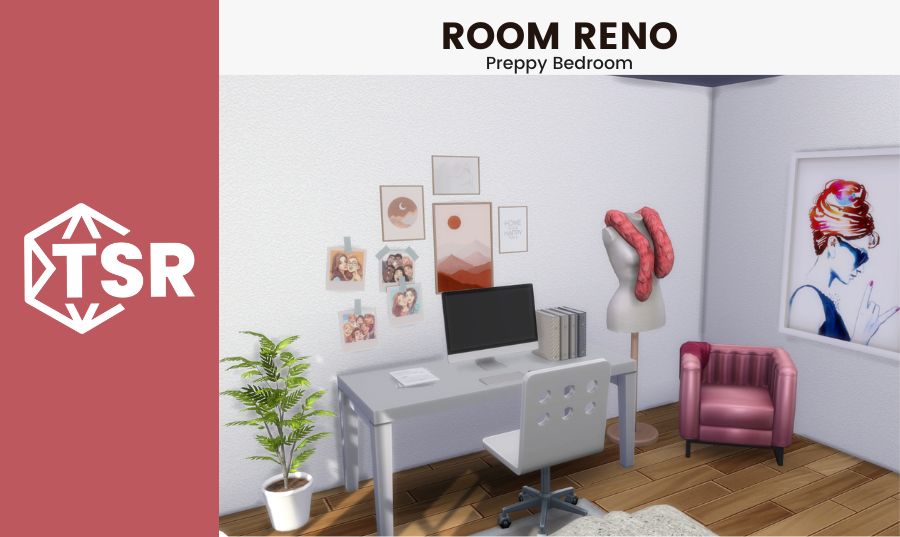
Welcome back to Room Reno #97 here at The Sims Resource! Today we’re helping a Sim who wants a practically perfect preppy bedroom. Let’s meet the Sim we’re helping!
Meet Sasha!

Sasha recently moved to Copperdale, where she inherited a small home from her great uncle. While she definitely enjoys a lot of the classic and traditional touches in the current home, she wants to update it with something that feels more like her style (and because the old style feels a little creepy and haunted to her). Her first priority is her bedroom, since she works as a stylist and does a lot of work in her room when she’s not out and about on the job. Her ideal style for the room is a bright, preppy feeling space. Her favorite color is red, and she also loves pink, but she wants the main color of the space to be white so that she can swap out the accent colors as she wants to and essentially have an endlessly transformable room. It’s a great way to design spaces in real life as well – if you go neutral with your larger pieces and wall colors, you can transform a room by just changing out the pops of color you use for another color. Thanks for the lesson, Sasha! Let’s see what we’re working with.
The Before

Sasha was right about this room! It’s nice, and traditional, but…it’s definitely a little spooky (and the darkness from a Neighborhood Action Plan [the things you can vote on from the Eco Lifestyle pack] definitely didn’t help the building process! Pro tip: you can disable one of them by shift + clicking on the mailbox and then choosing to disable whichever plan is disrupting your build). Once I got the lights on, the room became a little less scary and definitely a bit cozier, though it still doesn’t quite fit the look that Sasha is going for in her new home. The dark wood tones are beautiful, and I definitely plan on keeping the floors the same (I’m a sucker for any hardwood – carpets are not my thing). But I think a lot can be done in just a few easy steps to improve this space from the looks of it. The bones are really good, with the doors on the same wall, one to the bathroom and one to the hallway. This means that the placement of the furniture shouldn’t be too limited by a strange layout of entryways. The huge, floor to ceiling windows are definitely a huge plus as well. Once the weather brightens up, they’ll definitely become one of the focal points of the space – natural light is the best. Let’s get planning!
The Planning
 As I mentioned in the prior section, this space has a ton of potential and really good bones (what a weird saying, am I right?). The biggest decision was where to put the bed – it could go on any of the three walls without doors on them, which left a pretty good amount of options for different room layouts as a whole. Starting with the largest piece of furniture first is always the best way to go about designing a space – there’s no point in starting with the small knick knacks or even a medium sized piece if there’s no telling how they can fit with the big, essential pieces already in there. In smaller rooms, sacrifices sometimes have to be made with the bed going against the wall even if it’s a double bed (le gasp!) but in this case, it can stand free. I decided to put it against the windows – while in some cases this can be a bit of a weird choice (in that anyone outside the windows will be able to see the bedframe and mattress), this is The Sims, so that fear is less warranted than real life. Plus, from the entryway, the bed looks best as the focal point of the room when placed directly opposite it and in front of the windows. A dresser and desk will go on opposite walls, allowing for storage and a decent sized workspace for Sasha, along with an accent chair in a pop of color in the corner near the desk. Let’s get building!
The After


This bedroom turned out pretty preppy perfect if I do say so myself! When I got started, I was honestly a little bit worried that the space would have too much white for my liking – I am very much a big fan of lots of color (within reason) and thought that maybe the mostly white look of the room would make the space feel cold or uninviting (or like a very sterile hotel room). I have to say though, I think the majority white look is really growing on me! It looks so clean and put together while still allowing for some personality to shine through in the accents and decor pieces. Honestly, I think the very neutral white dominating the room makes the accent pieces stand out a lot more than they would in a very bold or colorful room. I think the pink lounge chair as well as the pink boa around the styling mannequin both bring a really fun pop of color to that corner of the room, while the curtains around the bed are the big focal piece that the eyes are drawn to when entering the space. Interestingly, I thought maybe the plants would provide a contrasting color to the reds and pinks (which they do, to an extent) but I found that they actually fit in as another neutral in the room more so than a pop of color. There you have it! Plants are a neutral when it comes to interior design.
Thanks for checking out Room Reno #96! If you liked this blog, check out Room Reno #96: Neutral Nursery or our Barbie movie inspired lookbook. Looking for something else? Read about summer CC looks for the whole family or check out our Gilmore Girls inspired lookbook! Have a great day 😎












 Limited Time Offer
 For a limited time only, we’re giving away a free


