Sims 4 Players Are Using Notion to Never Forget a Save File Again
By Demonicmiss

Many people who play The Sims 4 know what it’s like to start the game excited to play, but then lose interest after a few minutes. If there isn’t a clear goal or story, it’s easy for playtime to halt.

A lot of expert gamers say that keeping track of what happens in your game can help you fix this problem. A smart method to stay connected with your Sims is to write down their lives and plans. It also makes it a lot easier to get back into a save file after you’ve been away for a while.

A recent post in the r/Sims4 community shows a simple technique to do precisely that with Notion, and it’s surprisingly easy for newbies to use.

This helps me stay connected to my Sims 💛
byu/YellowLlamaCo inSims4


Why Some Simmers Keep a Record of Their Games

Tracking gameplay might seem unusual at first, but a lot of gamers claim it makes their saves more exciting.

When you write down notes, you can perform the following:

  • Before you start playing, think about what will happen next in the story.

  • Make a note of important things that happen in each session.

  • Write down your family’s traditions or your hopes for the following generation.

  • It’s easy to remember what you did the last time you played.

This can mean a lot for players who have large saves or extended legacies. It’s easier to look things up when they’re all written down instead of trying to remember a bunch of different storylines.
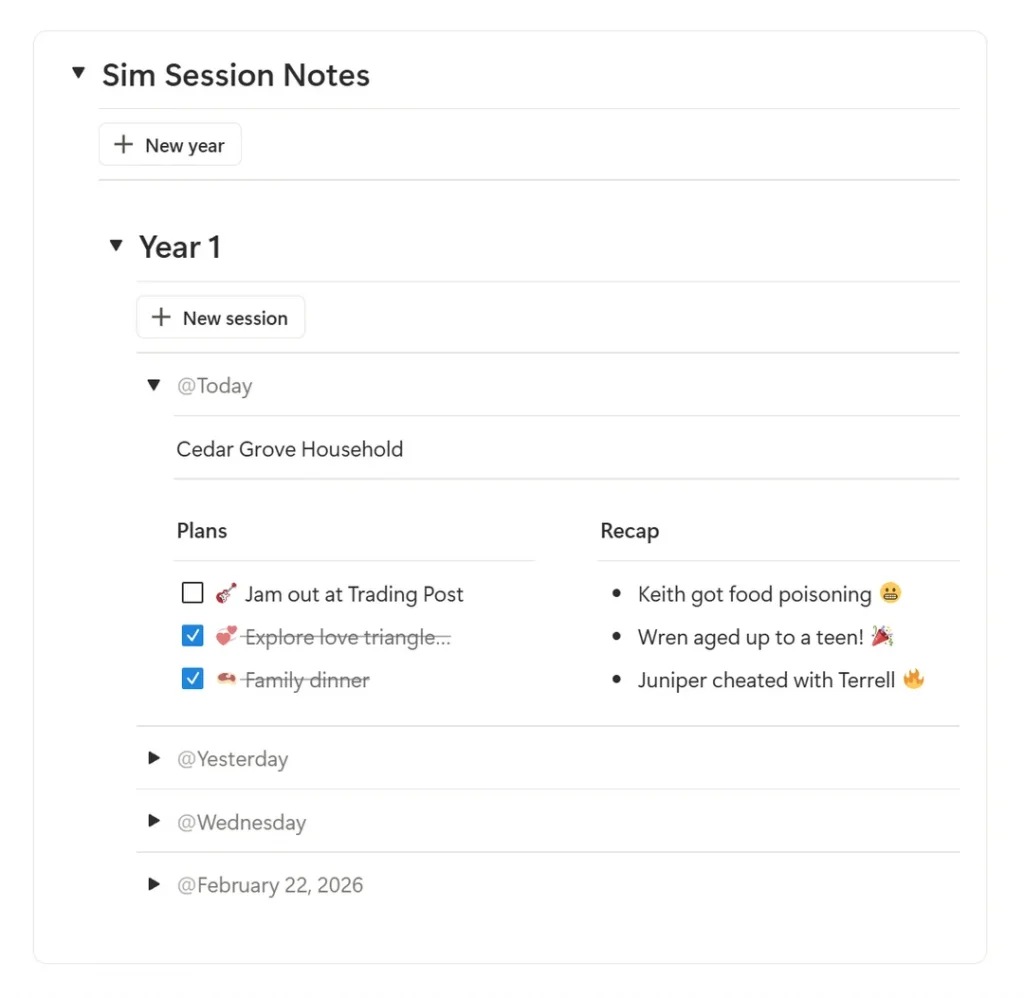
Notion Sim session tracker showing Year 1 gameplay notes with plans and recap columns for a Sims household.

Example of a Notion Sim Session Notes tracker organizing gameplay by year and session date with plans and recap notes.


Notion Can Be Scary: The Problem

Notion is a great tool for keeping track of your projects and notes, but it can be tricky to use at first.

When new users open a new page, they might not know where to start because it uses a block-based approach that lets you change a lot of things.

The player who posted on Reddit had a simple solution: use Notion’s button block to automatically write notes for each play session.
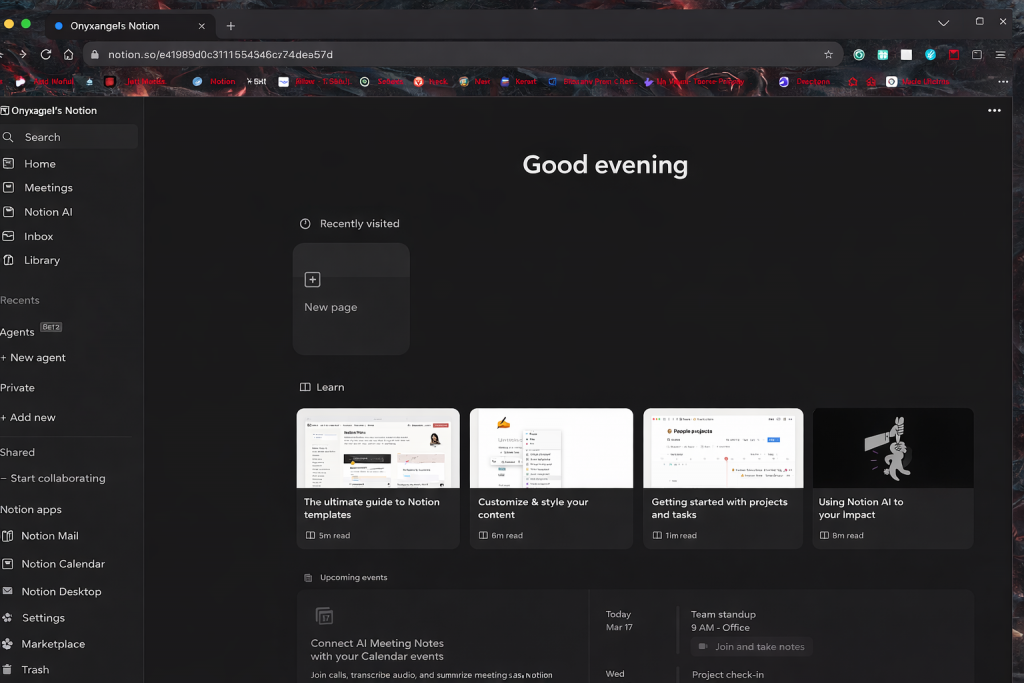
Notion home dashboard with dark theme showing workspace sidebar, recent pages, and content sections.

Example of a Notion dashboard used to organize Sims gameplay notes, sessions, and planning.


The Button Trick That Helps You Take Notes

The button block can produce a ready-made template with only one click, so you don’t have to write new notes every time you play.

A series of blocks are added to the page right away when you hit the button. These blocks are:

  • A divider

  • A toggle part with the date on it

  • Two columns for writing down plans and notes

This means that players can start writing straight away without having to set up their layout each time.

Another useful feature is that the notes are automatically sorted by the year of the Sim and the date of play. This makes it simple to keep things in order and out of sight when you don’t need them.
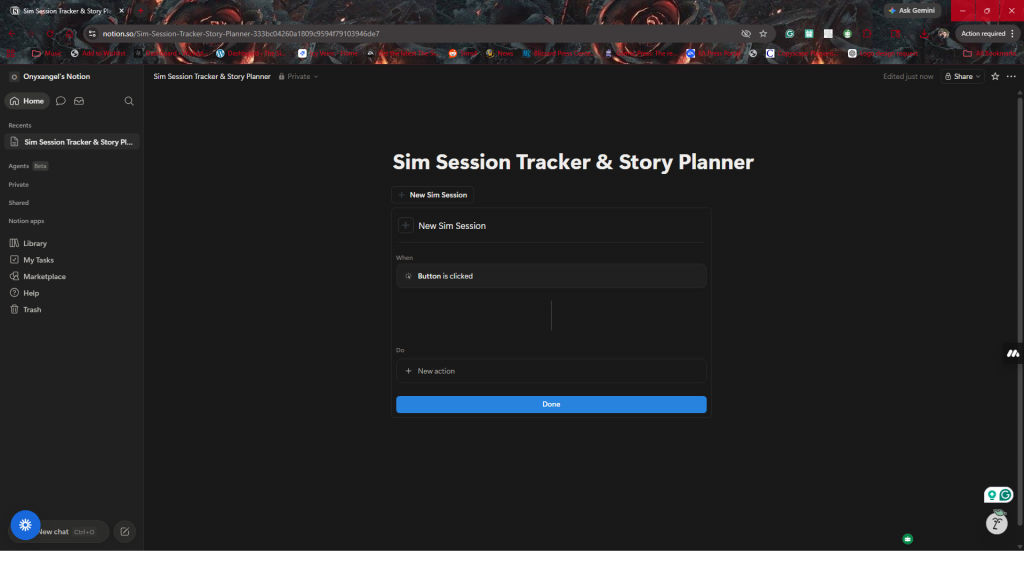
Notion page showing button block setup for creating a new Sim session tracker with automated actions.

Setting up a Notion button block to quickly create new Sim session notes while playing.


How to Set It Up

The post suggests that getting things ready is easy.

First, make the blocks that will show up when you press the button. In this scenario, the setup had:

  • A separator

  • A toggle block with a title that says “date”

  • Two columns for getting ready and a summary of the session

Then, choose the Insert Blocks action from the button block. The prepared blocks will show up when you press the button.

The creator also modified the title of the toggle to a dynamic date block. This lets the system use the date when the note was made automatically.

To help them schedule more sessions, they made a second button that said “New Year.” This adds a new heading to the toggle called “Year #” and puts the session button inside it.

Last but not least, there is a major toggle called “Sim Session Notes” that holds everything.

This way, each new play session is neatly grouped by date and year.
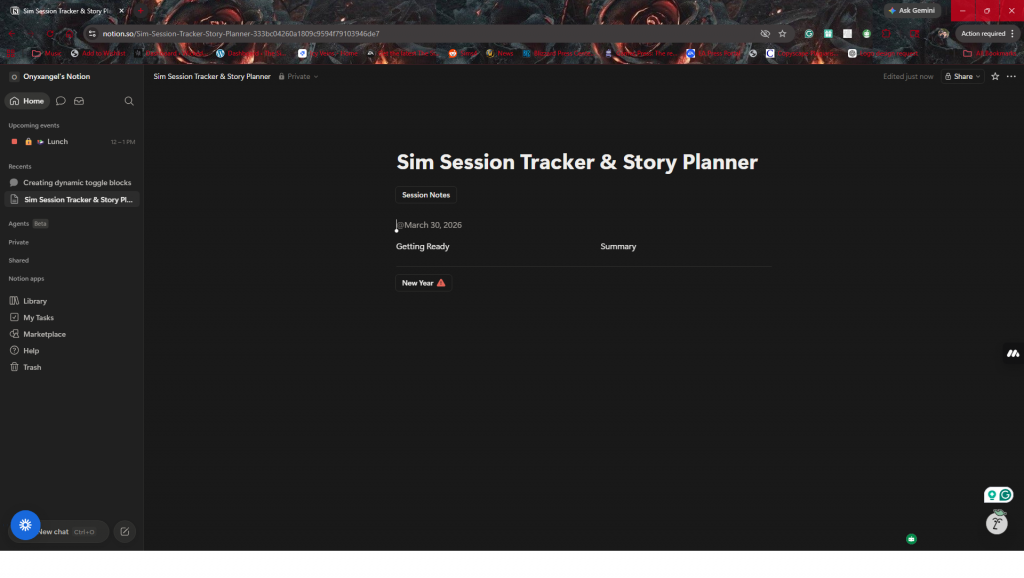
Notion page showing Sim session notes layout with date, planning section, and summary columns.

Example of a Sim session notes layout in Notion with sections for planning and gameplay recap.


Easy to Change

One of the best things about this strategy is that it can be changed.

Players can edit the button to build any blocks they like, like:

  • Notes for the story

  • House goals

  • News about relationships

  • Milestones for the legacy challenge

Buttons can accomplish more than just that. For example, gamers can use them to add to their system later by making database entries.
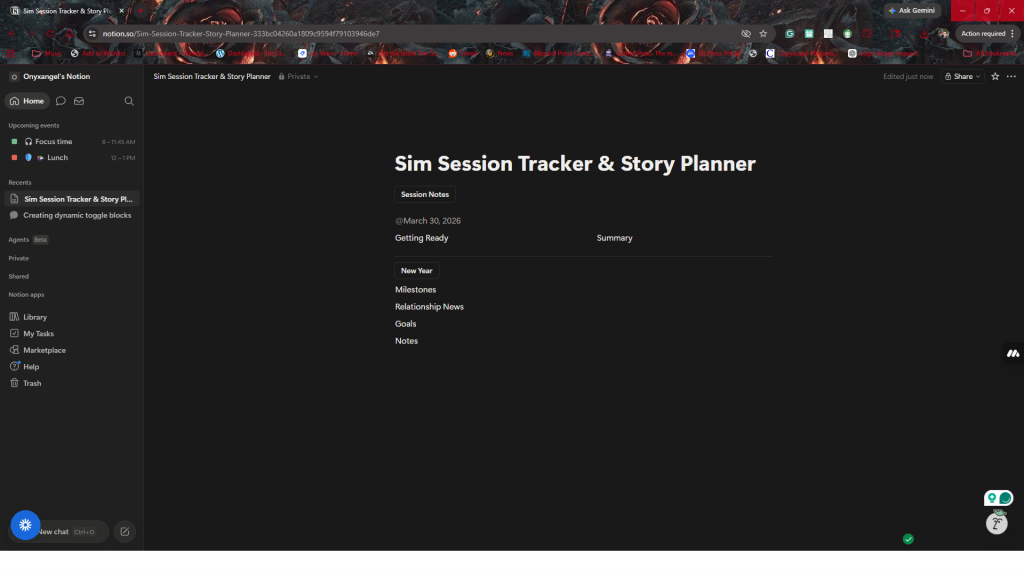
Notion Sim session tracker showing customizable sections like milestones, relationship news, goals, and notes.

Example of a customizable Sim session template with sections for milestones, relationships, goals, and notes.


A Simple Way to Keep Your Save Going

The story is what makes the game fantastic for a lot of Simmers. Taking notes helps keep those stories alive and makes it easier to revisit them again and again.

Notion and other tools may seem hard to use at first, but small features like the button block can make things much easier.
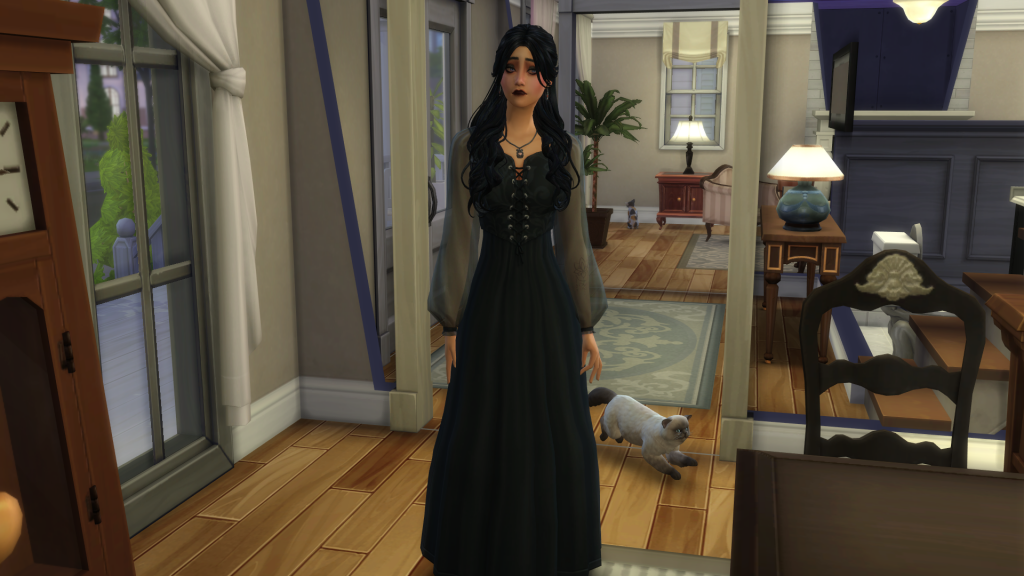
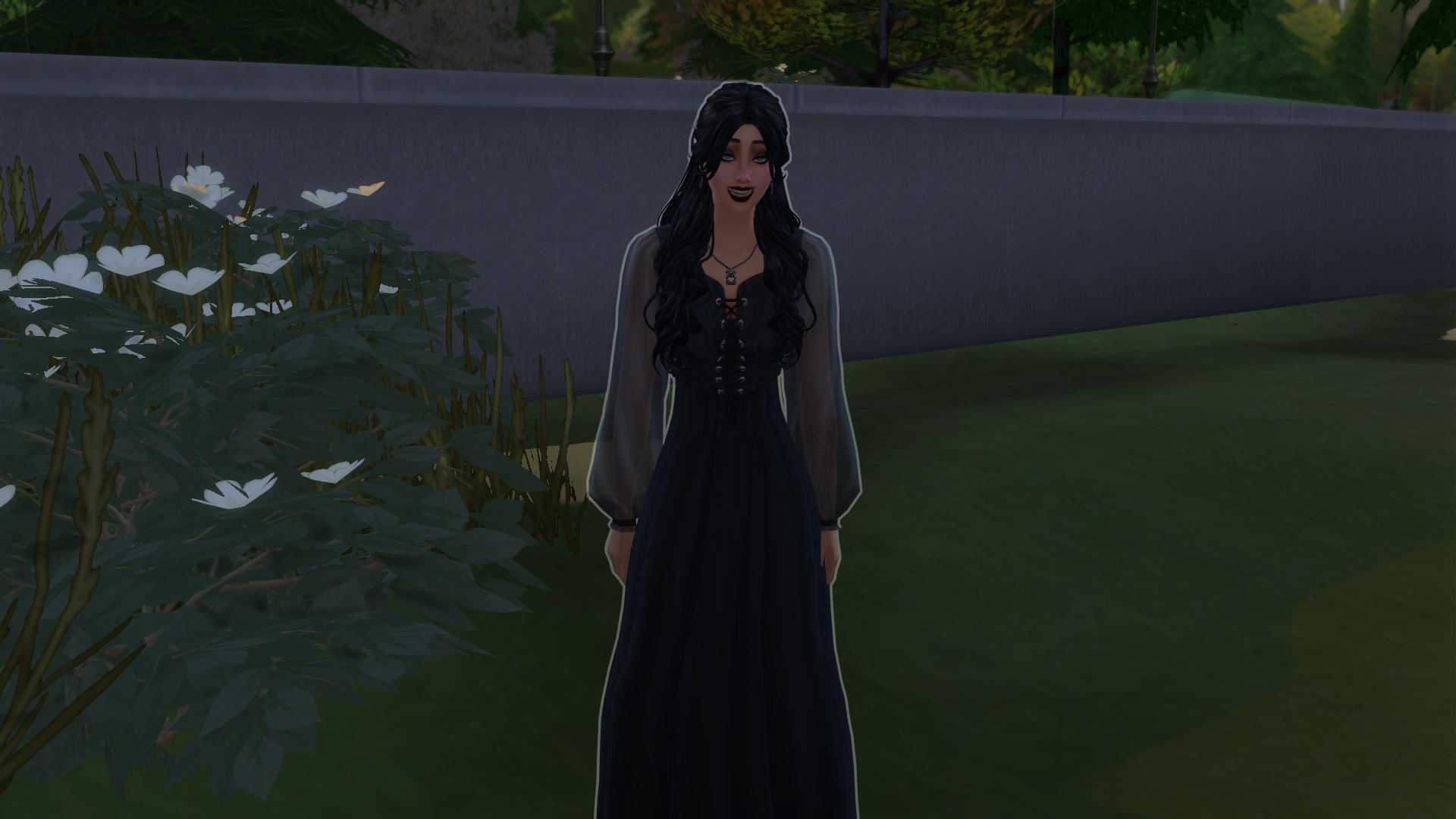
Gothic-style female Sim wearing a dark dress standing indoors with a cat walking behind her.

A gothic-inspired Sim character standing inside her home with her cat nearby.

A simple session tracker can be all you need to keep the story alive between play sessions if you prefer planning, legacy challenges, or long-term saves.

Sometimes, all you need to do to stay connected with the Sims you’ve developed is to organize them a little bit.


Download blocked
Please turn off your ad-blocker to download.
If ads are a problem you can become a VIP member and enjoy an ad-free site.


Getting this message with no ad-blocker active?
Go here for help .

You still have in credit - why not treat yourself to some VIP?

No, thanks, not now Go to shop
Download Basket
Basket example

As a VIP member, you can add up to 1 Gb of custom content in your Download Basket and download it all together in just one click.

Try VIP membership for free.

Favorites
Basket example

This feature requires a free account - do you want to sign up now?


As a registered member, you can add up to 10 items in your favorites list.
As a VIP you can add up to 1GB of favorite items and download them all in one click.

Favorites

You free quota has been reached. As a free member you can have up to 10 items on your favorites list.

Favorites example

For as low as $3/Month you can:

  • Have unlimited favorites
  • Download all favorites in one click
  • Add favorites to the download basket
  • Download all selected favorites with the TSR CC Manager

Saved searches

Why not save your search and let us alert you when new matching downloads become available? All this and more for just $3 / mo!.

Upgrade Your Subscription
Get 4 free months of VIP at The Sims Resource by upgrading to an annual plan for just $24!
Upgrade Your Subscription
Get 4 free months of VIP at The Sims Resource by upgrading to an annual plan for just $24!
Upgrade Your Subscription
    Selected Payment Method:
    $24 will be charged to the selected payment method.
    TSR CC Manager
    Basket example
    As a VIP member, you can One Click download, install and manage your custom content fast and easy with the TSR CC Manager.
    Try VIP membership for free.
    .edu Email detected
    It looks like you're trying to register with an email from your educational facility. .edu emails don't tend to allow TSR emails through the gateway. As a result:
    • you won't be able to reset your password should you forget it
    • you won't able to change your email address later
    • if you need to contact Support, our Support Team will not be able to reach you.
    We strongly recommend you choose a personal email address.
    OK
    Generate Gift Card Promotion

    VIP Members get 3 Days Early Access
    VIP Early Article Access
    The Magazine will be publicly available on May 20, 2022. Don’t want to wait? Get VIP Membership and Read it Now!
    Update Email Address:
    E-mail*:

    In order to unlink your account, you must set a password
    Password:
    Password Again:

    Download Basket

    - items + - item(s) with required items

    Total size: - of 1GB ( left)

    Sort by
    Date, new to old
    • Date added to the basket
    • Name of creation
    • Artist name
    • Date item published
    • Size of the creation
    Asc
    • Asc
    • Desc
    Filter
    All items
    • All items
    • Selected only
    # Item Name
    Artist
    Date Added
    Item Type
    Size
    Please wait - loading...

    Download Basket

    Sort by
    Date, new to old
    • Date added to the basket
    • Name of creation
    • Artist name
    • Date item published
    • Size of the creation
    Asc
    • Asc
    • Desc
    Filter
    All items
    • All items
    • Selected only
    Please wait - loading...

    - items + - item(s) with required items

    Total size: - (1 GB Maximum)

    Please don't solicit our artists for other work, joining other sites or seeking to take and upload their work elsewhere. This is something we don't allow.

    This is a VIP feature only. Unlock everything by joining our VIP supporters plan today!
    Favorites example

    Limited Time Offer
    Now extended to 21st March!

    For a limited time only, we’re giving away a free Shockwave game to anyone signing up to our annual VIP premium access plan!

    Choose your free game!

    1
    2
    I don’t want a free game - just send me my VIP!
    Buy my annual VIP pass for giving me premium access to The Sims Resource and send me my free game!

    Your game code will be emailed to after you complete your purchase

    Want your game code to be sent to a different email? Click here to change

    *Note: games are non-refundable once this plan is purchased. Any refund we issue under our usual Terms Of Service will have the retail value of $6.99 deducted from the refund price.


    Limited Time Offer
    Now extended to 21st March!
    Are you sure you don't want a free game?

    Thanks! Someone from Support will be in touch very soon!

    Replies are normally within 24 hours and often a lot sooner.

    Ensure that you add [email protected] to your email safe-senders list!

    Want to add this item to your Basket?

    Learn More about VIP
    Want to install with CC Manager?

    Learn More about CC Manager
    By Artist Name
    Published November 15, 2022 •
    Download Now Downloaded View More Details See More and Download Now CC Manager CC Manager Add to Basket Add to Basket Please wait - adding... Added to Basket Delete from Basket Please wait - adding...






