

 Sign In


Styling Sims With Jezi – Female Sims

So you want to get some fresh tips on styling your Sims? Well, you have come to the right place! My name Is Jezi and I am completely obsessed with Creating Sims! I have quite a few Create A Sim (CAS) guides already on the site, but I have yet to type one up on just Female Sim styles! So that is what we are going to do Female Sim CAS Tips!
General info

Sim & CC found here
Today we are looking at the female teen to elder Sim type. This age of Sims has the most CC available, so really there are no limitations at all. If anything looking for CC for this age of Sim can be a bit overwhelming because there is so much of it! Like shoes for example… if you just look at the shoe section of The Sims Resource you will dig through THOUSANDS of pairs of shoes. I am by no means complaining, I am just stating a fact, there is a lot of CC here for female Sims of this age range. and… it is not a problem at all. Just be prepared and have fun downloading!
Create A Sim
As always I like to explain the acronyms and what part of the game we are discussing, because some of you may not have read any of my previous CAS (Create A Sim) blogs before. So this is just for you! 😉

When I am talking about CAS this is the Create A Sim portion of the game. You know the ugly green/blue/aqua/teal backdrop where you design your Sims. Yep, that is what we are talking about! In the Create A Sim, you can design all the features and personalities of your Sims. I personally love this part of the game and CAS is most deftly my favorite aspect of the Sims games.
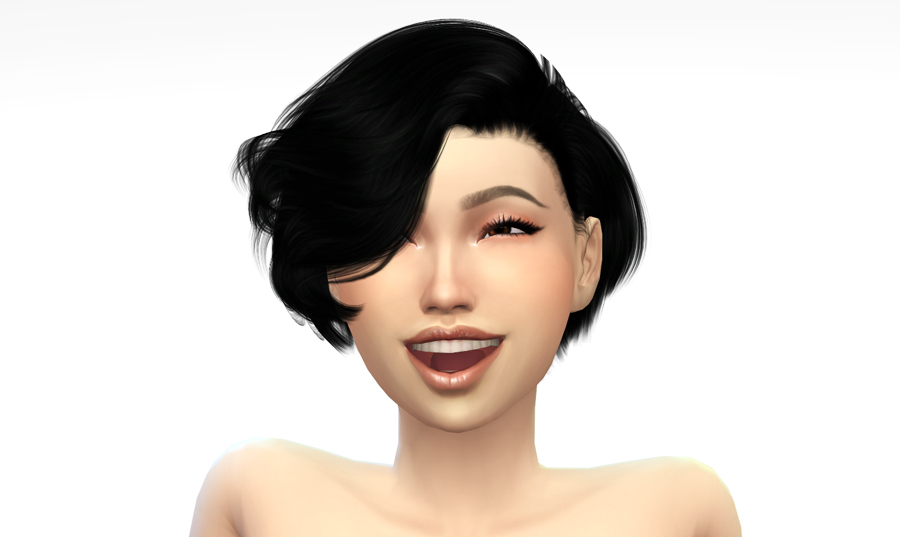
CC Links found in the Sim Short Hairstyles
In the CAS section of the game, you can change your Sims attire, makeup, accessories, facial features, genetics, body, tattoos, and anything related to their appearance. CAS is also where you will set your Sims’ traits, aspirations, walk style, pronouns, names, likes/dislikes, and more! If you miss something or want to change it you can always cheat to go back in and fix things up. You can read all about cheats in the MOTHERLODE Cheat Blog we have here.
The Tips & Tricks
Alright for those of you who have never read one of these CAS guides, I will let you know exactly what to expect. I set these up to be nice, quick, and easy, with five tips for each guide I am working on. This way it is not overloading on information but hopefully enough to ‘simspire’ you for your creations. (haha so punny). So let’s do this!!! That is what you are here for right? The puns and snark??? Oh… No you are here to actually read and learn about CAS. Oh, ok I can do that too 😉
Tip 1 – Download LOTS Of CC
Obviously, with any CAS guide, I am going to tell you that you want to have CC! So go go go go download it ALL. All jokes aside you do need to make sure that your bases are covered so to say. Downloading CC to make excellent Sims is not just an eyeshadow, dress, and shoes. It is so much more. We are talking eyelashes, nails, face presets, skins, face details, eyebrows, makeup, eyes, tattoos, and that isn’t even the clothing!

Let’s specifically look at Makeup. In CAS you have; eyeshadow, eyeliner, blush, lipstick, and face paint. That facepaint section generally has contours or eye colors, so you don’t want to forget about that one! That is five types of CC and you know you are going to want to download more than one piece each because you will want to see what it looks like on your Sim and try things out. So mathematically if we make this easy five pieces for each slot… that is already twenty-five pieces of CC. Got to have options 😉
Tip 2 – Body And Face Presets
The easiest way to get unique-looking Sims is to download body and face presets! This just allows for so many more options and trust me your Sims will look better… ALL at the same time!

For presets, I suggest Playerswonderland, Seleng, and Magichand. Of course, there are more amazing creators, but these are the three I generally start with for a good variety. I LOVE Playerswonderland’s body presets and I download EVERY SINGLE one! Helps me out soooo much and gives my Sims more body shapes.
Tip 3 – Eyelashes & Eyebrows
PLEASE. PLEASE. PLEASE. Download eyebrows. I cannot stress enough how horrific the base eyebrows are. You have no idea how many Sims I have looked at sideways because of their eyebrows… Like really that is the CENTER of the Sim’s face. (or kind of, you see where I am going) If the eyebrows look like trash… the Sim will look like trash. HAHA. I know harsh. but seriously just make it easy on yourself and download CC eyebrows. Eyelashes too, those 3D eyelashes really finish off a good look.

CC Links found in the Barbiecore Sims
Before I go off on a rant about CC eyebrows… I suggest MSQSims, ANGISSI, and Zenx. I could go on and on in an entire blog just about eyebrows. So maybe we save that for another time!
Tip 4 – Check Your Download Basket Before Clearing It
Something that I never thought I would do… but has actually been happening a lot lately… is that I have been CLEARING my download basket before downloading it! YES! I know so frustrating. Because you look for ALL that CC and find such good stuff and then poof with a brief moment it’s GONE! So ALWAYS check and make sure you downloaded your basket before clearing! Yeah, there is a download history and you have your browser history… but some of us spend a lot of time searching for CC and… well ya this can be a frustrating issue. I know, I know, I did it to myself, but I am just letting you all know so it’s in your head too so you don’t do it!

Tip 5 – Have A General Plan/Theme
If you download tons of CC like I do, it can be a bit overwhelming to scroll through ALL the CC you have, plus what you just downloaded. And who really wants to delete CC they are not using or try to figure out what they are not going to use. So rather than do all that, I suggest just having a general theme of what type of Sim you are creating. It doesn’t have to be a crazy specific theme, just something to help try to prevent you from scrolling for HOURS.
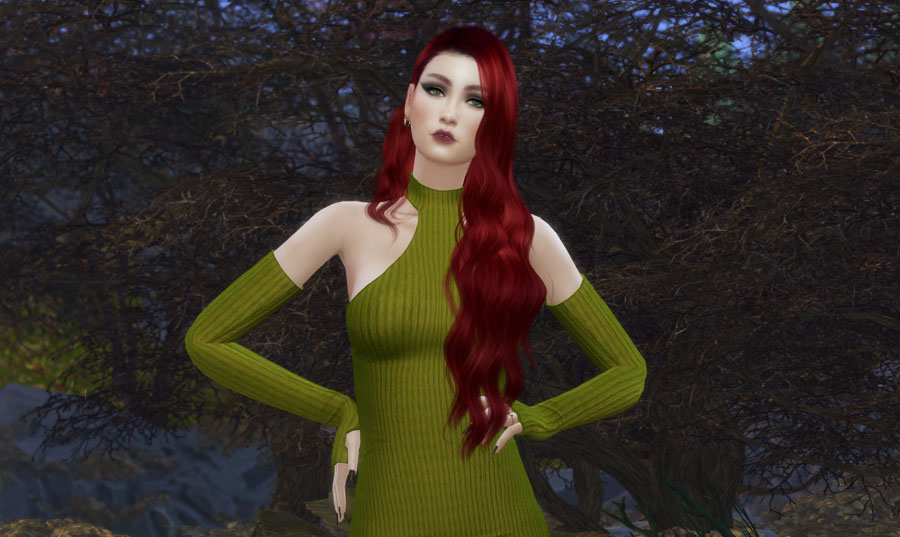 CC LINKS Found in One Color Lookbook – Olive Green
A theme or general plan selected will help you focus on specific items. Like, say for example you want to do a green dress look. Ok great we know we want green, so you can filter the outfits by green and custom content and ONLY see green dresses that you have downloaded. This will help speed you up. Or you can be like me and spend hours upon hours wandering around scrolling through your CC hoard… I mean collection.
Summary
I hope you found some useful tips and tricks for CAS to help you on your Simming adventures! This is absolutely my favorite part of the game and I probably spend about 85% or more in the CAS part of The Sims 4. So I have tons of tips and tricks for you! Don’t worry we will get through them all eventually… I think! LOL

CC LINKS –
Looking for more guides? Check out Paige’s Book of Building Series or if you are looking for more CAS Guides – Pose Player 101, Styling Toddler Sims, Styling Male Sims, or CAS – Things You May Not Know
Keep up with more Sims stuff and what I’m up to at @TSR Jezi












 Limited Time Offer
 For a limited time only, we’re giving away a free


