

 Sign In


TSR Academy – The Sims 4 Console Controls, Shortcuts & Cheats Guide

Hello and welcome to another edition of TSR Academy, where we bring you tutorials, guides, tips, and tricks to help you get the most out of The Sims 4! Today, we’re covering The Sims 4 Console Base Game controls, shortcuts, and a few helpful tricks to make console play a lot easier. Whether you’re brand new to the game or just need a refresher on what the buttons do, we’ve got you covered.
And, of course, I wouldn’t leave you without showing you how to use cheats in The Sims 4. After all, knowing how to cheat is practically need-to-know information for any Simmer!
General Controls
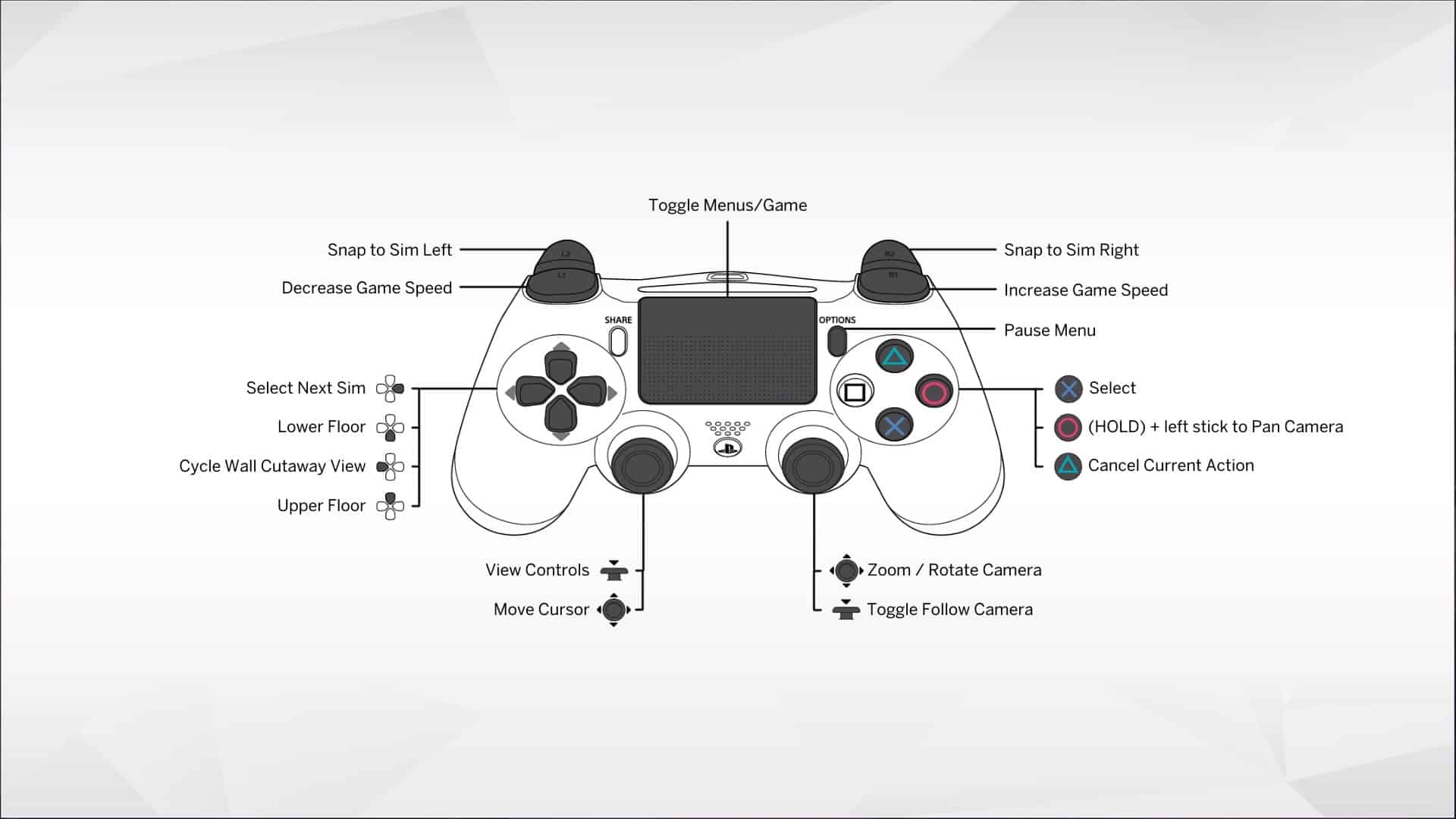
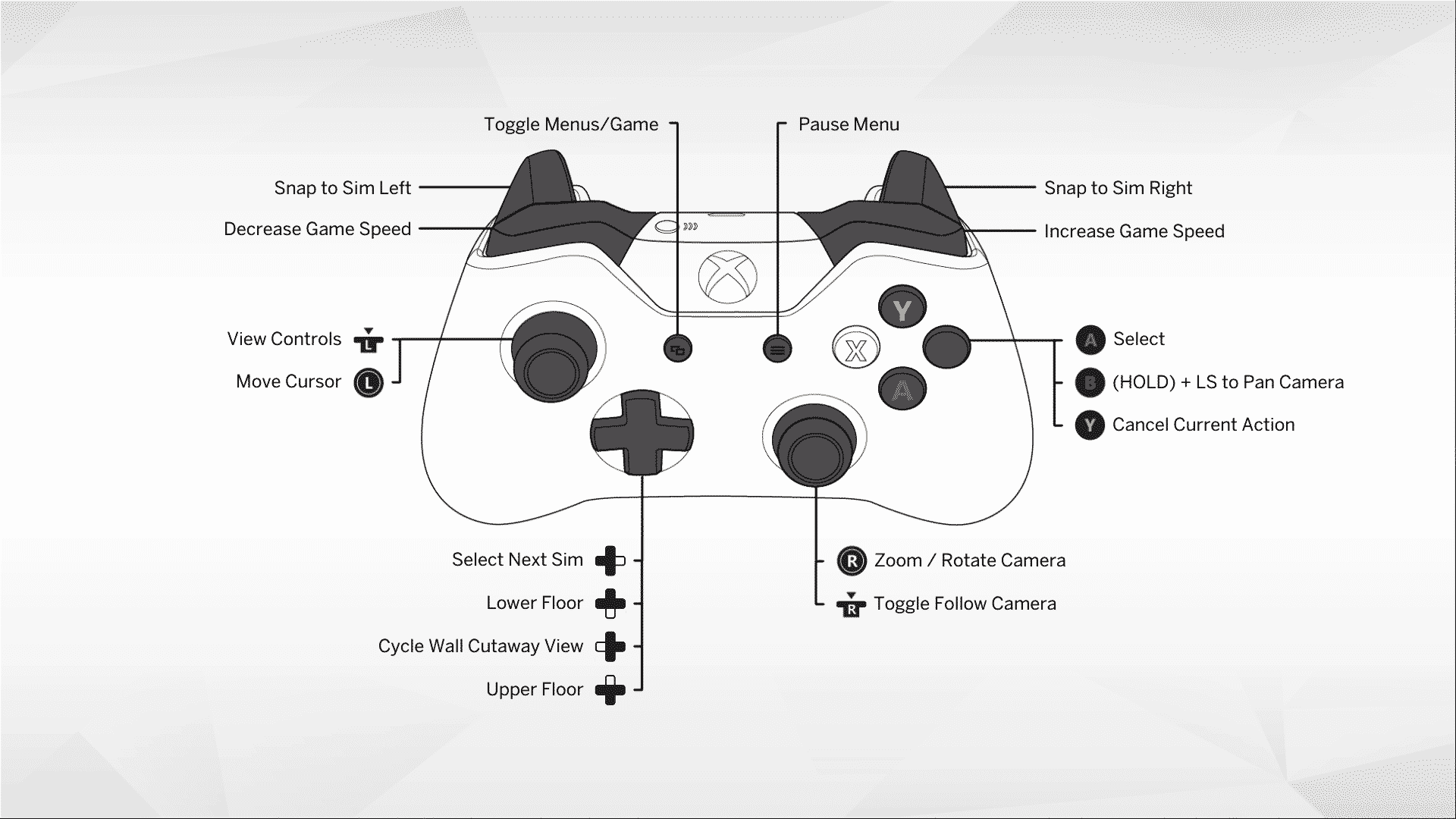
- Show Controls: Press L3 (left stick down) or the Menu button (PlayStation) / Menu button (Xbox) to see on-screen prompts.
- Cursor Movement: Left Analog Stick.
- Camera Pan: Hold B (Circle on PS) and move the Left Stick.
- Zoom: Right Analog Stick.
- Center Camera: Press R3 (Right Stick Click).
- Select/Confirm: A (Xbox) / X (PlayStation).
- Cancel/Pick Up Item: B (Xbox) / Circle (PlayStation).
- Switch Sims: Right D-Pad.
- Pause: P (PC key, often Menu button for console).
Playstation
Xbox
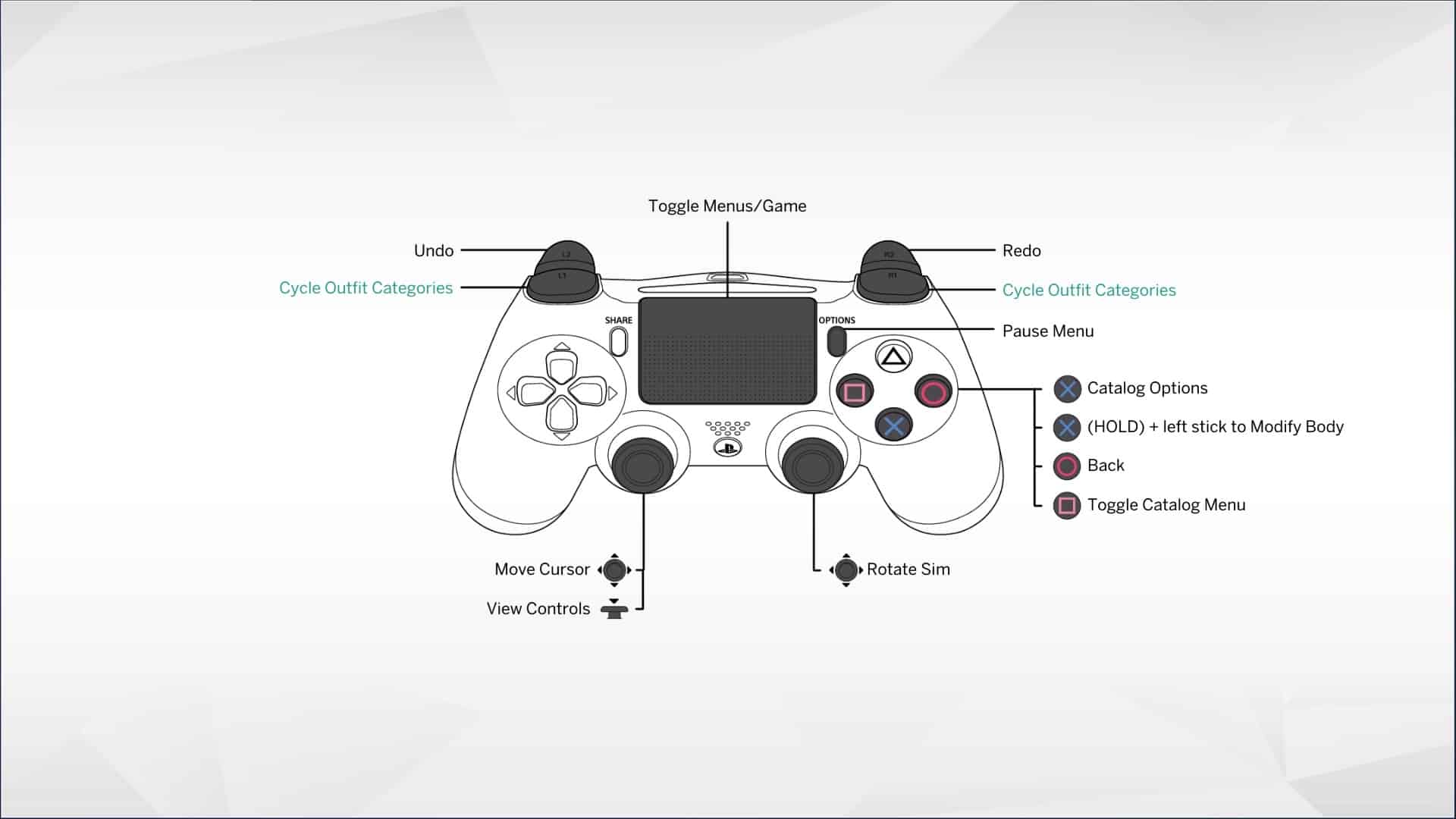
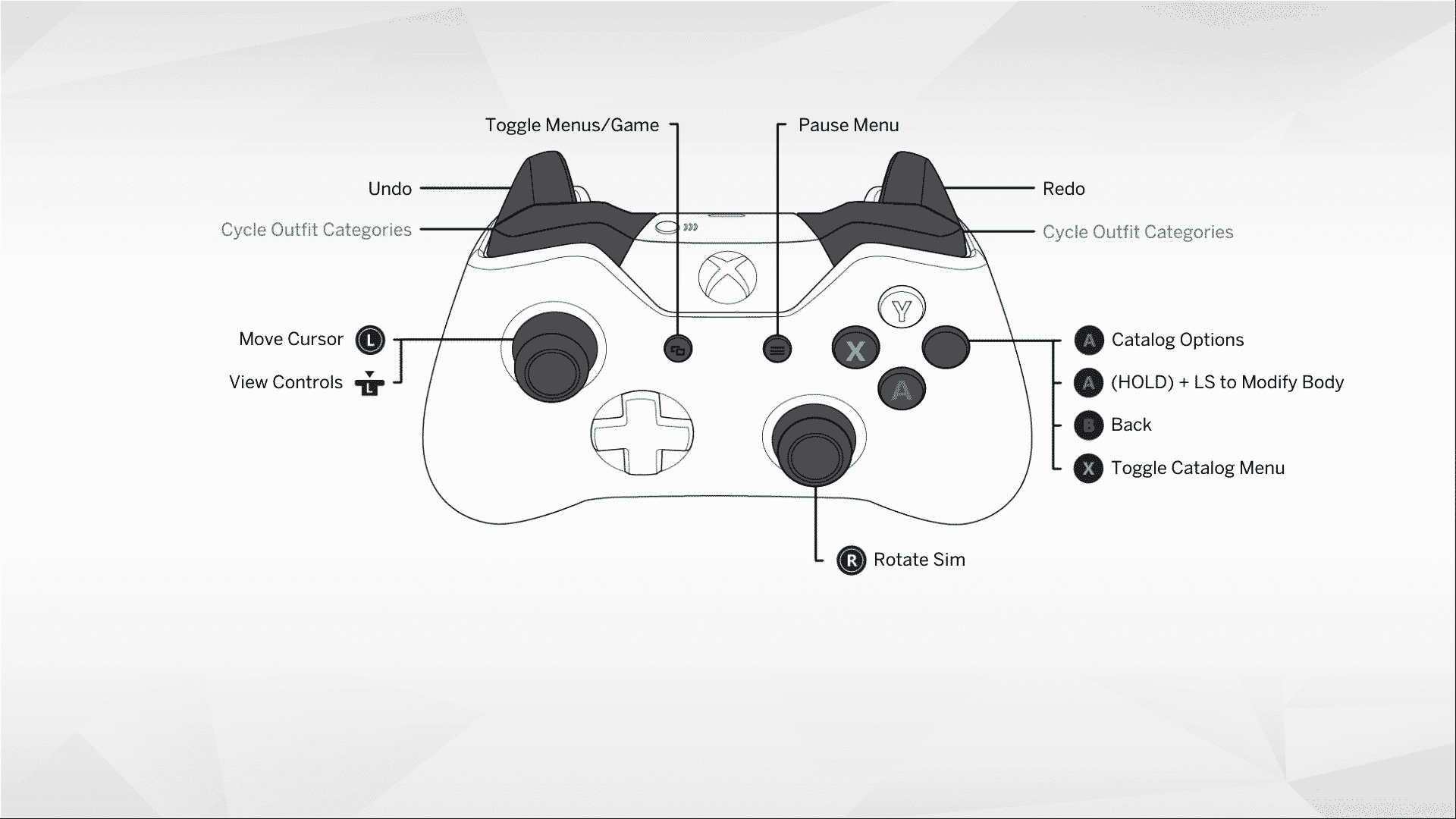
Create A Sim Controls
Playstation
Xbox
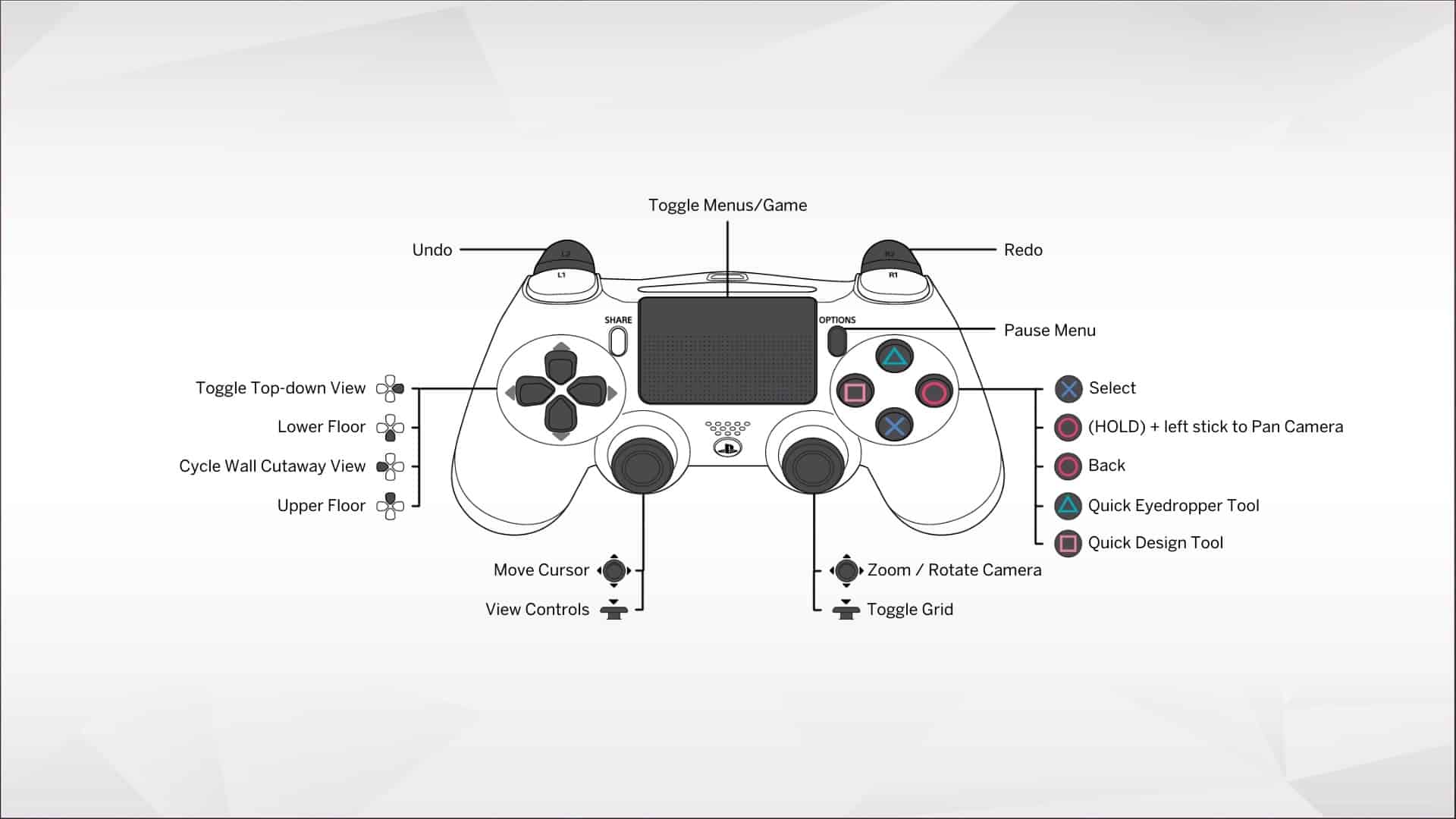
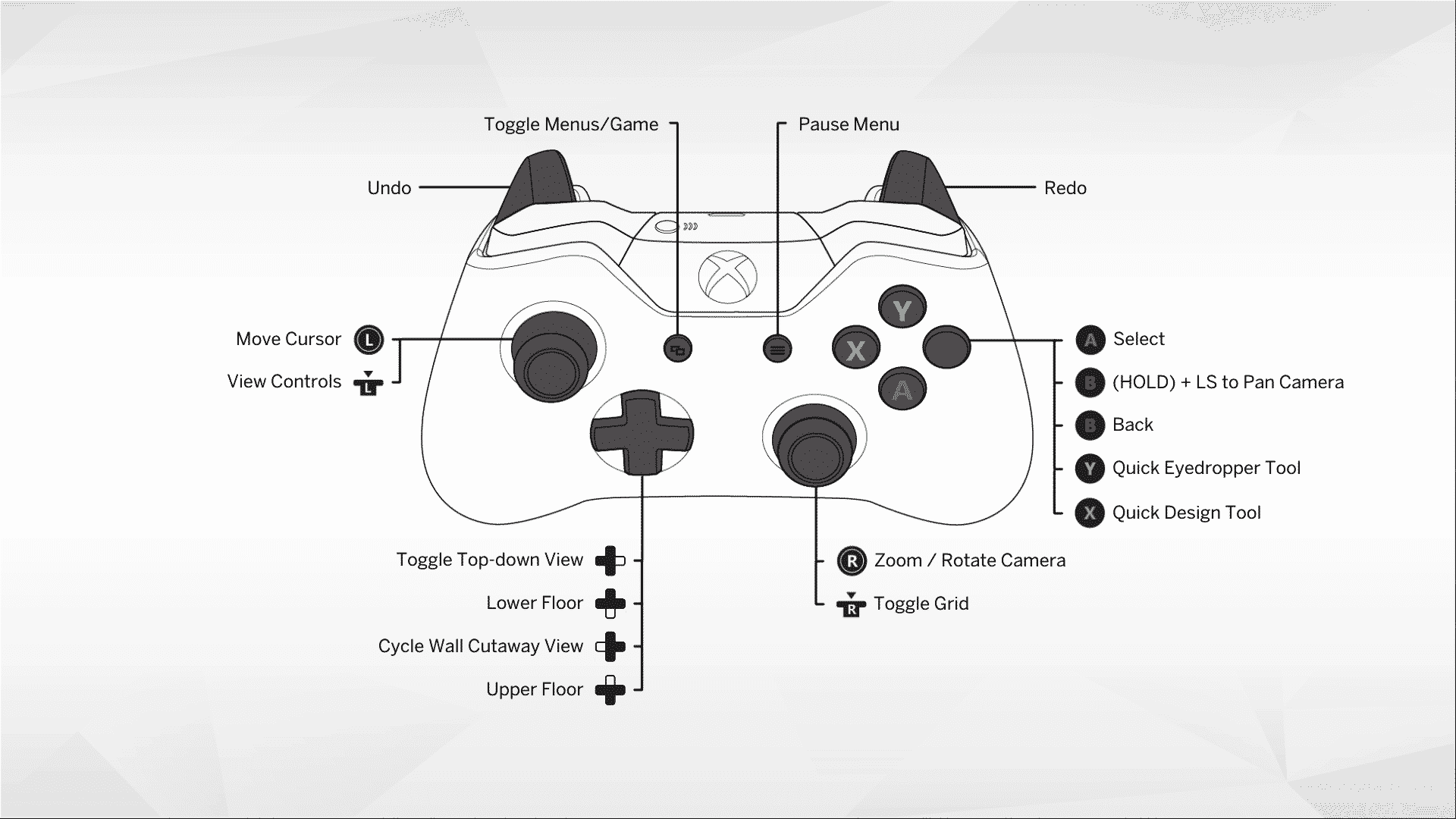
Build & Buy Mode Controls
- Toggle View/Top-Down: Right D-Pad (or Right Arrow).
- Cycle Wall Heights/Cutaways: Left D-Pad.
- Grid Snap Options (Half-tile, etc.): L2 (PS) / LT (Xbox).
- Free Placement (Bypass Grid): Left Trigger (LT/L2).
- Fine Placement/Rotation: Hold L1+R1 (PS) / LB+RB (Xbox) and use the Right Stick.
- Resize Objects: Hold L2+R2 (PS) / LT+RT (Xbox) and use the Left/Right D-Pad.
- Raise/Lower Items: Hold L1+L2 (PS) / LB+LT (Xbox) and use D-Pad.
Playstation
Xbox
Tips From Console Players
- Reduce the Cursor Acceleration to 0 and Increase the Cursor Speed. Suggested setting 170, but depends on user comfort
- Hold R3 to use First Person Mode.
- Press the Touchpad to toggle between Free Cursor and Snap To Icon navigation mode. I just made those names up, but Free Cursor lets you move the cursor around like a mouse, and Snap To removes the cursor while you use the directional buttons to navigate.
- L3 brings up the controls. Use this EVERYWHERE. Different menus and actions have different controls, and L3 displays them.
Reddit – HoopaOrGilgamesh
How to Cheat on Console
Of course, we wouldn’t leave you without cheats for The Sims 4 on Console! Cheating in The Sims 4 on PC, Mac, and Consoles is pretty much the same, aside from the buttons you need to press to open the command prompt (text box).
PlayStation: hold R1, R2, L1, and L2 at the same time.
Xbox: Press RB, RT, LB, and LT all at the same time.
And of course, here is a link to a massive listing of Sims 4 Cheats – HERE
Image/Information Credit: EA The Sims 4












 Limited Time Offer
 For a limited time only, we’re giving away a free


